> ## Documentation Index
> Fetch the complete documentation index at: https://api-docs.ollang.com/llms.txt
> Use this file to discover all available pages before exploring further.
# Changelog
> Product updates, new APIs, and platform announcements
Updates to the Ollang public API, SDK, MCP server, and developer integrations.
## New MCP client guides
Added setup and workflow guides for [Hermes Agent](/mcp/use-cases/hermes), [Grok Build](/mcp/use-cases/grok-build), and [OpenClaw](/mcp/use-cases/openclaw), including their verified remote MCP configuration formats and Ollang-specific localization examples.
## Browser extension integrations
Added documentation for the [Tridion browser extension integration](/mcp/integrations/tridion) and [TikTok One browser extension integration](/mcp/integrations/tiktok-one), including API-key setup, document and campaign order flows, order monitoring, and QC behavior.
## Official MCP server migrations
Updated the Airtable, Notion, Vimeo, Strapi, Dropbox, and YouTube integration guides to distinguish official hosted servers from community alternatives and document current OAuth, Streamable HTTP, and self-hosted configuration paths.
## New integrations and clients
Added localization workflows for [Figma](/mcp/integrations/figma), [GitHub](/mcp/integrations/github), [Contentful](/mcp/integrations/contentful), and [Webflow](/mcp/integrations/webflow). Added [Claude.ai](/mcp/use-cases/claude-ai) connector-directory setup plus configuration guides for Windsurf, VS Code, Gemini CLI, Codex CLI, and Cline.
## List AI consumption line items
A new [List Consumption](/apis/ollang-api-reference/list-consumption) endpoint (`GET /integration/consumption`) returns a paginated list of AI credit consumption line items — one row per provider run — equivalent to the dashboard **Consumption Breakdown** export. Each line includes credits used, USD equivalent, provider, service, requestor, and program tags, and supports filtering by date range, provider, order type, requestor, order id, and program tag.
## Get AI credit wallet balance
A new [Get Credit Wallet](/apis/ollang-api-reference/get-credit-wallet) endpoint (`GET /integration/credits`) returns the account AI credit wallet: total, remaining, and used credits, each with its USD equivalent at the account rate of 1000 credits = \$1, along with the last sync date.
Both endpoints require API key authentication and are restricted to account owners and billing managers (the key must belong to a user with the `client_owner` or `client_accessBillings` role).
## AI Dubbing auto-paraphrase toggle
A new **Auto Paraphrase for AI Dubbings** toggle is available in the Configurations section. When enabled, the TTS engine may rephrase text for more natural-sounding output on fully-AI dubbing orders. The setting is off by default.
## Batch assign language pair filtering
Batch assign orders now supports **source/target language pair filtering**, letting you narrow the assignment scope to a specific language combination before selecting translators.
## TCR OUT column in subtitle XLSX export
The XLSX subtitle export now includes an **end time (TCR OUT)** column alongside the existing start time, giving editors complete timecode coverage in spreadsheet exports.
## Translator content editing
Translators can now be assigned to **edit delivered content** directly. When a translator delivers edited content, the platform automatically triggers document rebuild and image regeneration. LSP admins and PMs can also access order documents in edit mode.
## Google Drive Configure Folders
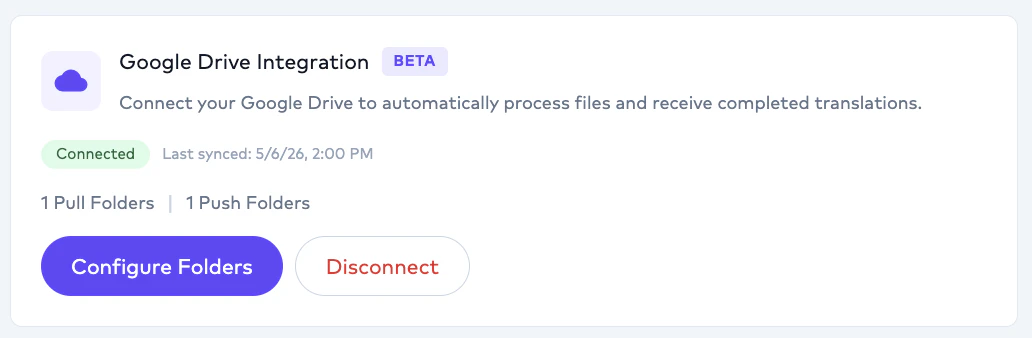
The **Configure Folders** action is now available on connected Google Drive cards in the client dashboard. Manage pull and push folder mappings — including source/target languages, order type, and internal folder assignment — without leaving the platform.
## Duplicate basket item warnings
The basket now flags potential duplicate orders when the same project, order type, and source/target language combination appears more than once, helping avoid accidental duplicate submissions.
## Cartesia Sonic 3.5 TTS with 42-language support
The Cartesia TTS provider has been upgraded to the latest **Sonic 3.5** model. Language coverage is expanded from 15 to **42 languages**, adding Arabic, Hebrew, Thai, Vietnamese, and Indian languages among others.
## Subtitle embedding on dubbed video
Subtitle embedding now supports burning captions onto **localised dubbed video**. When enabled, the output file contains both the dubbed audio track and burned-in subtitles in a single deliverable.
## Custom instructions in workflow templates
Workflow templates now support a **Custom Instruction** field. Add persistent instructions that apply every time the template is used for order creation.
## Download speaker audio
In AI Dubbing projects, translators can download a **speaker's combined audio** as a single file from the order documents panel. The platform merges all segment audio for the selected speaker into one deliverable.
## User onboarding flow
New users are now guided through a **step-by-step onboarding wizard** covering personal information, dynamic configuration questions, and plan selection.
## Skip to Complete for review gates
Reviewers can now use a **Skip to Complete** option to bypass the next review gate in an approval workflow, moving the order directly to the following stage without waiting for additional sign-off.
## Segment gap adjustment for AI Dubbing
A new segment gap adjustment tool is available in AI Dubbing projects. Fine-tune the timing between segments to improve pacing and synchronization of dubbed audio.
## VTT without Styling bulk download
Added a **VTT without Styling** format option for bulk subtitle downloads. This strips all formatting tags (bold, italic, underline, strikethrough) from WebVTT files, producing clean plain-text captions.
## TikTokOne browser extension redesign
The TikTokOne browser extension has been redesigned with a modern popup interface and an improved orders panel for faster navigation and a cleaner workflow.
## Video file versioning for redelivery
Improved video file versioning in redelivery workflows to ensure the correct file version is used when regenerating and delivering updated assets.
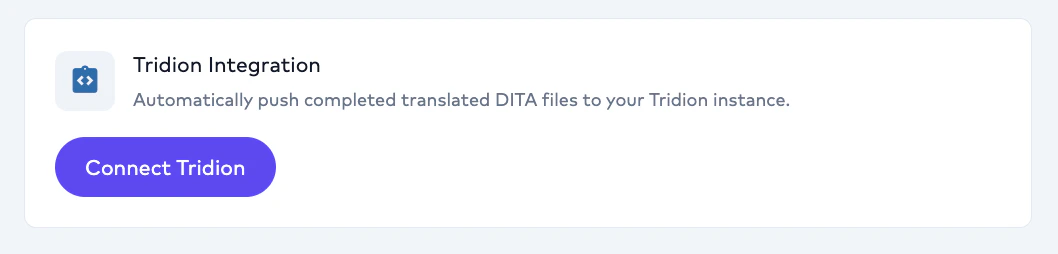
## Tridion Integration
Tridion Integration is available for Enterprise customers. To learn more or enable it for your workspace, please [contact sales](https://ollang.com/contact).
 ## Google Drive → S3 transfers
Drive filenames are sanitized before being embedded in S3 keys, and the prior key/URL encoding mismatch on Drive→S3 transfer is resolved.
## Review-gate state for API key clients
`GET /v1/api/client/orders/:orderId/review/info` exposes the team-tag review-gate state for an order, including `tagName`, `reviewType`, and `tagColor`. Designed to support browser extensions and downstream review automation.
## Human QC Annotation
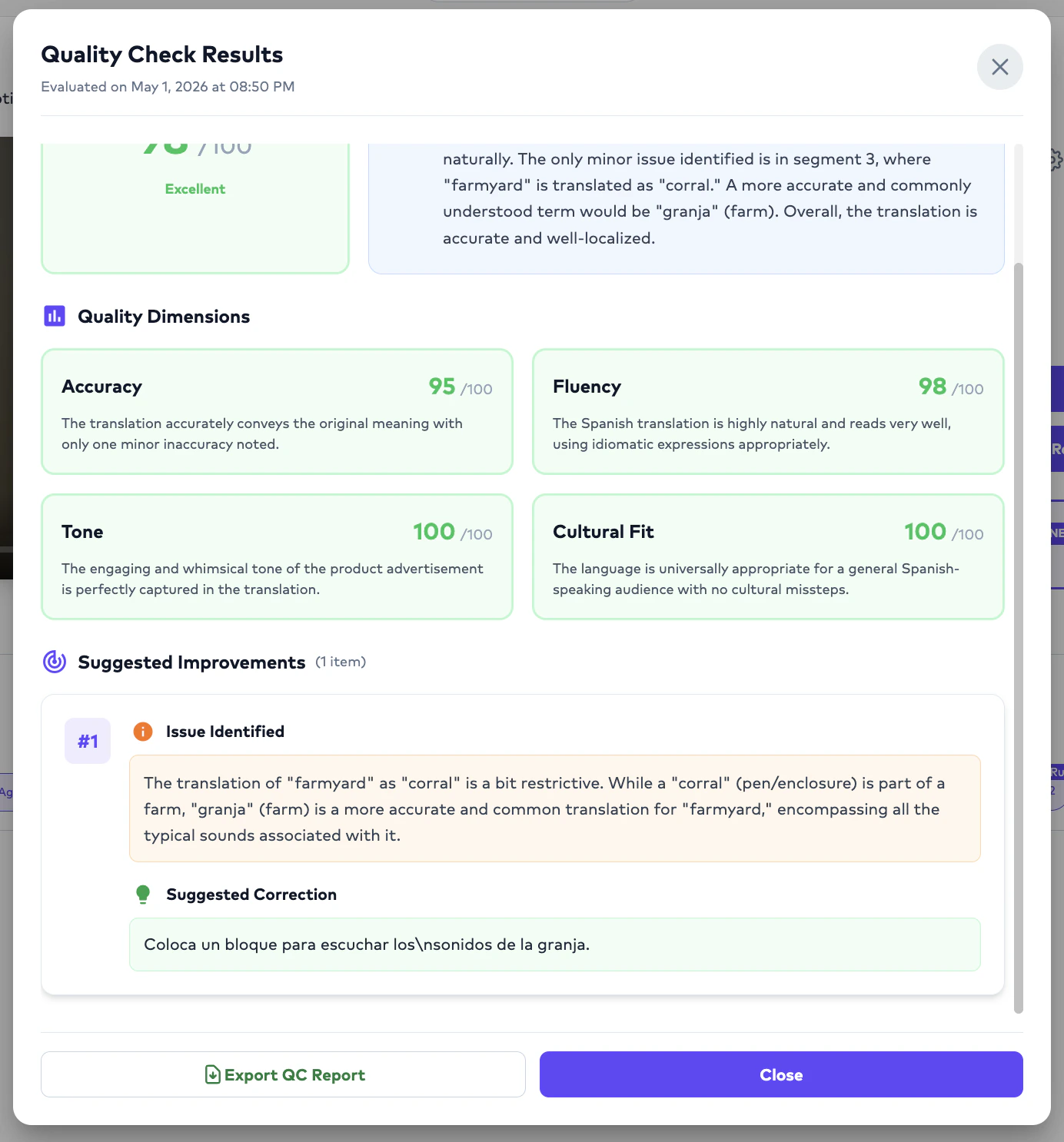
Editors can now annotate translations during the editing process, assigning a **severity** and **category** to each fix. Annotation reports are exportable from the Order Preview and Studio sections, and the data feeds into the broader QC Management Dashboard alongside AI QC results so teams can track human and AI quality insights in one place.
## Google Drive → S3 transfers
Drive filenames are sanitized before being embedded in S3 keys, and the prior key/URL encoding mismatch on Drive→S3 transfer is resolved.
## Review-gate state for API key clients
`GET /v1/api/client/orders/:orderId/review/info` exposes the team-tag review-gate state for an order, including `tagName`, `reviewType`, and `tagColor`. Designed to support browser extensions and downstream review automation.
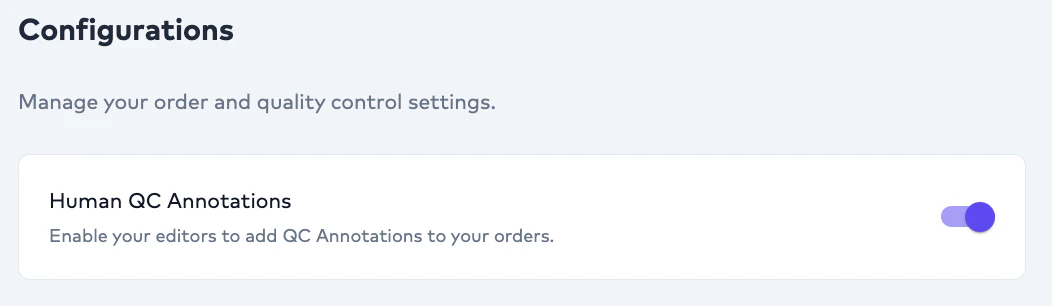
## Human QC Annotation
Editors can now annotate translations during the editing process, assigning a **severity** and **category** to each fix. Annotation reports are exportable from the Order Preview and Studio sections, and the data feeds into the broader QC Management Dashboard alongside AI QC results so teams can track human and AI quality insights in one place.
 ## Tibetan
Tibetan is now a supported translation language across the API and dashboard.
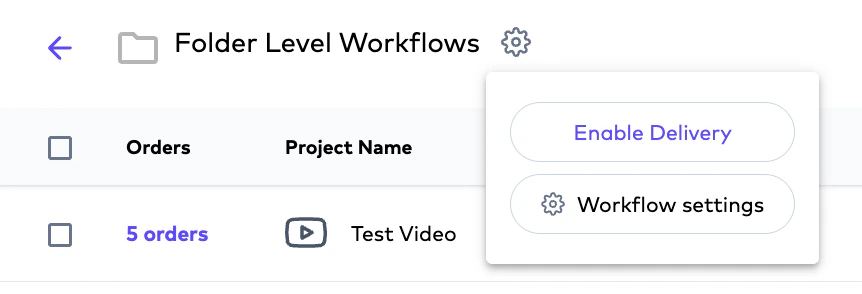
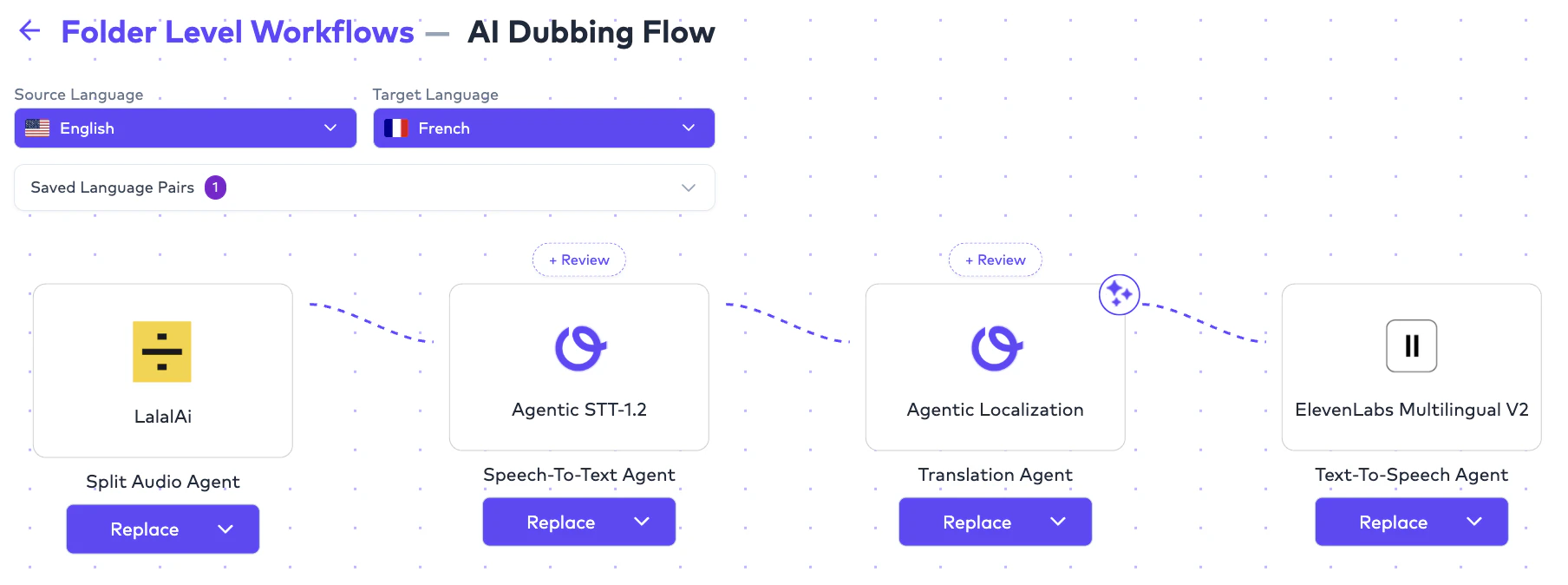
## Folder preferences
Folder-level workflow overrides are now generally available. Speech-to-text provider resolution is folder-first, falling back to client preferences when no folder rule applies.
## Tibetan
Tibetan is now a supported translation language across the API and dashboard.
## Folder preferences
Folder-level workflow overrides are now generally available. Speech-to-text provider resolution is folder-first, falling back to client preferences when no folder rule applies.
 ## Provider config admin endpoints
New `GET` and `PATCH /v1/package-features/provider-configs` (and `/:id`, `/export`) endpoints for managing AI provider routing per package feature. CSV export uses standards-compliant double-quote escaping on all string fields.
## Folder-level workflow overrides
New REST resource at `/client/folders/:folderId/preferences` (GET / POST / PATCH / DELETE) lets you override workflow defaults per folder. Resolution follows a **4-tier ladder**: exact source+target → source-only → target-only → all-to-all, with folder rules taking precedence over client-level rules when matched.
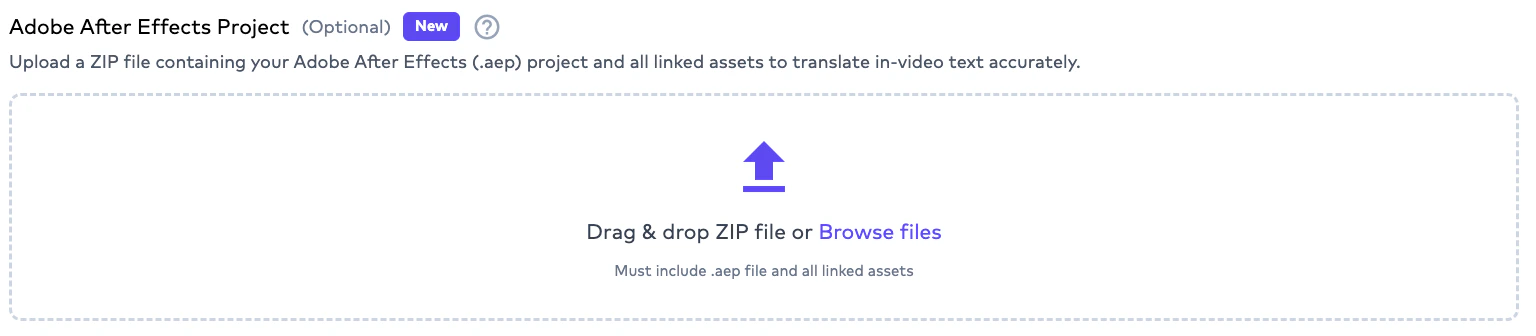
## Adobe After Effects ZIPs for AI Dubbing
`.zip` AE project uploads are now exposed in advanced settings for AI Dubbing, alongside Visual Translation.
## Provider config admin endpoints
New `GET` and `PATCH /v1/package-features/provider-configs` (and `/:id`, `/export`) endpoints for managing AI provider routing per package feature. CSV export uses standards-compliant double-quote escaping on all string fields.
## Folder-level workflow overrides
New REST resource at `/client/folders/:folderId/preferences` (GET / POST / PATCH / DELETE) lets you override workflow defaults per folder. Resolution follows a **4-tier ladder**: exact source+target → source-only → target-only → all-to-all, with folder rules taking precedence over client-level rules when matched.
## Adobe After Effects ZIPs for AI Dubbing
`.zip` AE project uploads are now exposed in advanced settings for AI Dubbing, alongside Visual Translation.
 ## Embed subtitles into delivered video
`POST /integration/orders/{orderId}/subtitle-embedding` requests subtitle embedding for an existing subtitle order. Useful when you want a single delivered video file with burned-in or attached captions.
```bash cURL theme={null}
curl -X POST "https://api-integration.ollang.com/integration/orders/{orderId}/subtitle-embedding" \
-H "X-Api-Key: "
```
See the full reference on the [Request Subtitle Embedding](/apis/ollang-api-reference/request-subtitle-embedding) page.
## QC report Excel export
Download QC reports as `.xlsx` with full annotation coverage.
## Embed subtitles into delivered video
`POST /integration/orders/{orderId}/subtitle-embedding` requests subtitle embedding for an existing subtitle order. Useful when you want a single delivered video file with burned-in or attached captions.
```bash cURL theme={null}
curl -X POST "https://api-integration.ollang.com/integration/orders/{orderId}/subtitle-embedding" \
-H "X-Api-Key: "
```
See the full reference on the [Request Subtitle Embedding](/apis/ollang-api-reference/request-subtitle-embedding) page.
## QC report Excel export
Download QC reports as `.xlsx` with full annotation coverage.

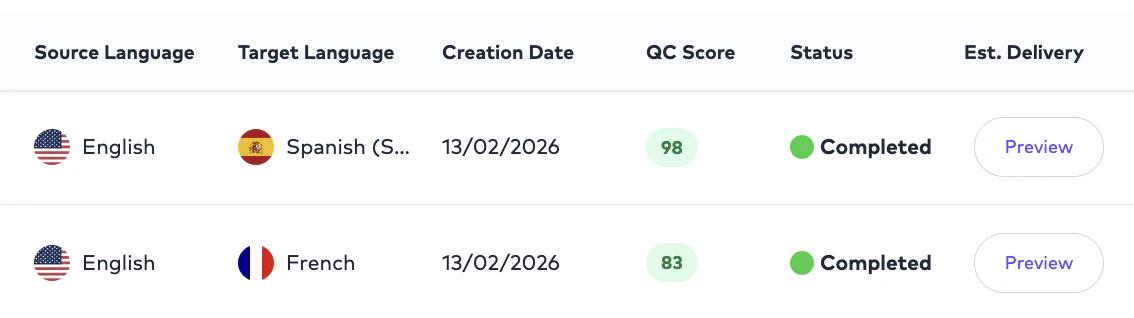
 ## QC score on the project order list
Per-order QC score is now visible in the project order list view.
## QC score on the project order list
Per-order QC score is now visible in the project order list view.
 ## Fullscreen subtitle preview
Captions persist when viewing dubbed and subtitled videos in fullscreen.
## TikTok connector
TikTok now appears in App Integrations. The companion Chrome extension is in **private release** as **v1.1.3**.
## MCP integrations now documented
Reference docs are live for **Airtable**, **Notion**, **Vimeo**, **YouTube**, **Dropbox**, and **Strapi**. See [Ollang MCP](/mcp/integrations).
## Studio edits during review
Translators can now edit in Studio while an order is in `review` or `ongoing` status. The cron retrigger correctly skips orders in `review`.
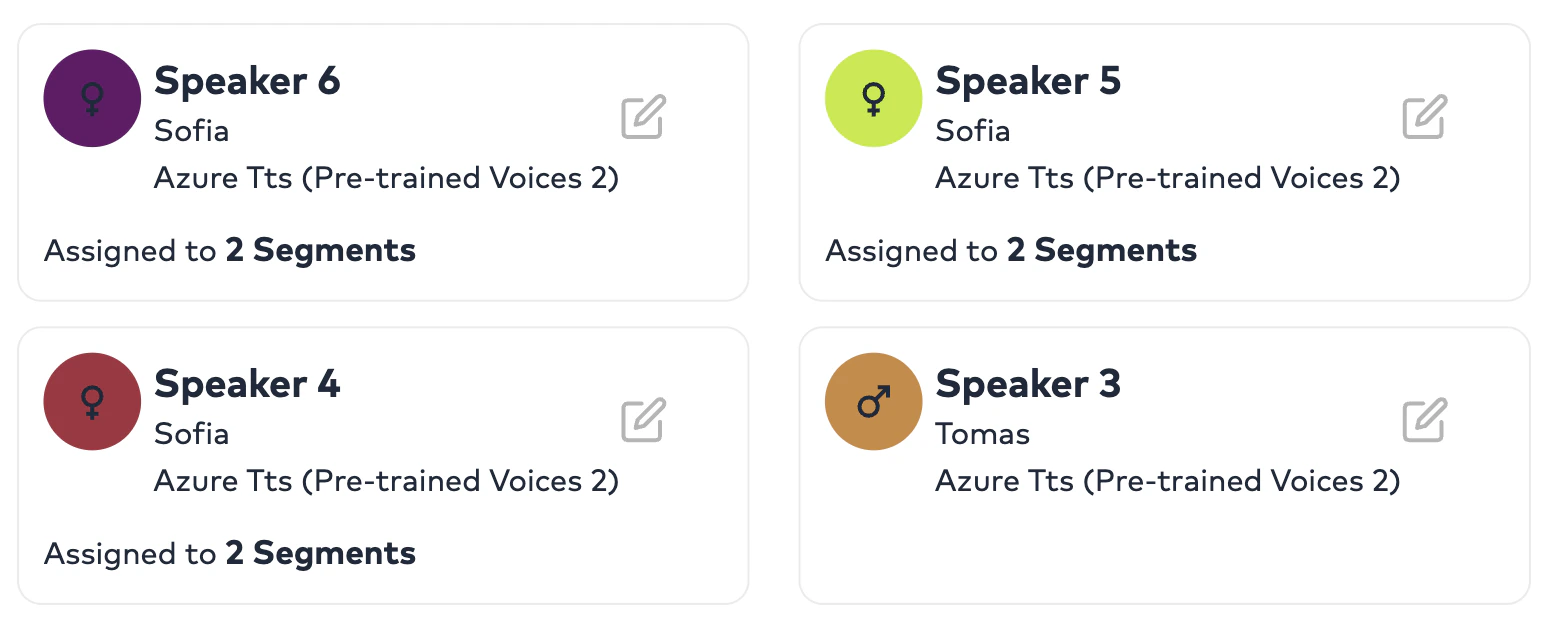
## AI Voices speaker usage indicator
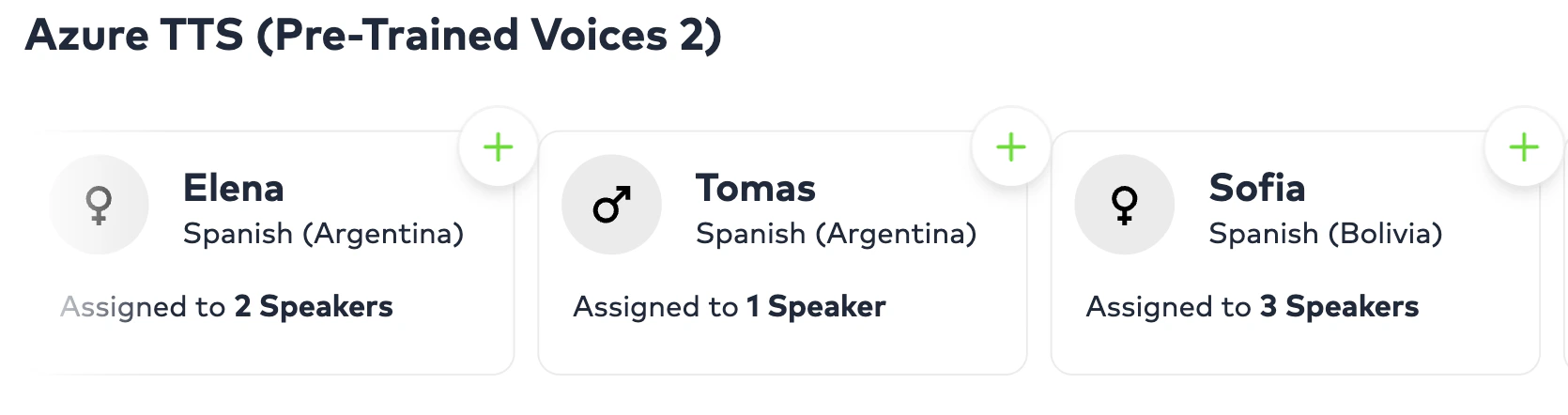
Each AI voice in the selection flow now shows how many speakers are assigned to it (e.g. *"Assigned to 5 speakers"*), along with the segment count per speaker. Helps translators distribute voices across a cast and avoid overuse of any single voice.
## Fullscreen subtitle preview
Captions persist when viewing dubbed and subtitled videos in fullscreen.
## TikTok connector
TikTok now appears in App Integrations. The companion Chrome extension is in **private release** as **v1.1.3**.
## MCP integrations now documented
Reference docs are live for **Airtable**, **Notion**, **Vimeo**, **YouTube**, **Dropbox**, and **Strapi**. See [Ollang MCP](/mcp/integrations).
## Studio edits during review
Translators can now edit in Studio while an order is in `review` or `ongoing` status. The cron retrigger correctly skips orders in `review`.
## AI Voices speaker usage indicator
Each AI voice in the selection flow now shows how many speakers are assigned to it (e.g. *"Assigned to 5 speakers"*), along with the segment count per speaker. Helps translators distribute voices across a cast and avoid overuse of any single voice.
 ## Configurable Review Gates with AI-QC threshold
Each Review Gate now supports a per-gate `qcThreshold` (0–100). Orders are auto-routed for human review only when AI QC falls below the threshold; gates auto-complete on approved comments and are protected against infinite cycles. Single-assignee assignment is now LSP-aware, and `translatorId` / `lspId` are persisted on assignment.
## Workflow review modes via Team Tags
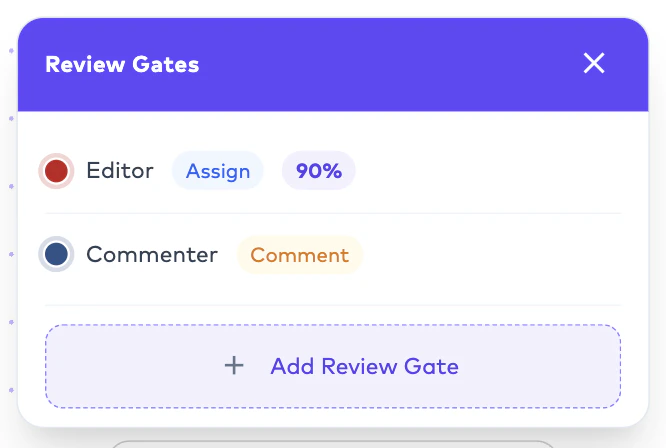
Two review modes are now supported per gate:
* **Assignment** — auto-assigns the order directly to a Team Tag member (typically a linguist) to fix and deliver.\\
## Configurable Review Gates with AI-QC threshold
Each Review Gate now supports a per-gate `qcThreshold` (0–100). Orders are auto-routed for human review only when AI QC falls below the threshold; gates auto-complete on approved comments and are protected against infinite cycles. Single-assignee assignment is now LSP-aware, and `translatorId` / `lspId` are persisted on assignment.
## Workflow review modes via Team Tags
Two review modes are now supported per gate:
* **Assignment** — auto-assigns the order directly to a Team Tag member (typically a linguist) to fix and deliver.\\
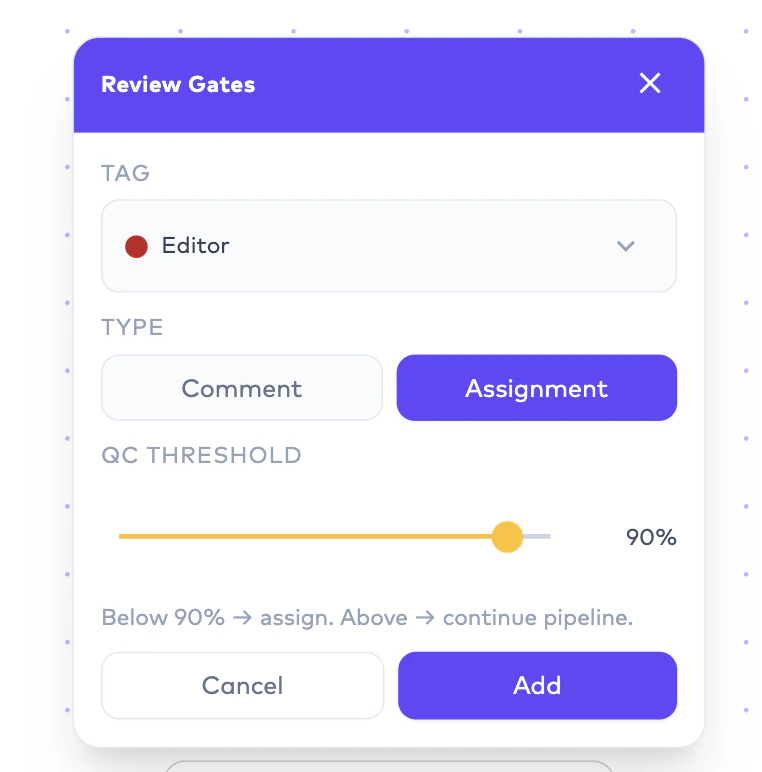 * **Comment** — routes to the selected Team Tag for review-only; the reviewer leaves comments and saves the order without making fixes.\\
 ## Google Drive folder mappings
Pull configurations can target an internal folder; push configurations can scope to a source pull folder. Folder drop downs are searchable with a capped height for large drives. Push delivers the subtitle-burned video, the VTT, and an Excel of comments (when present) back to the configured push folder.
Also shipped: per-gate threshold routing in the cron QC dispatcher, async QC kickoff, and visibility status set on gate entry.
## Google Drive folder mappings
Pull configurations can target an internal folder; push configurations can scope to a source pull folder. Folder drop downs are searchable with a capped height for large drives. Push delivers the subtitle-burned video, the VTT, and an Excel of comments (when present) back to the configured push folder.
Also shipped: per-gate threshold routing in the cron QC dispatcher, async QC kickoff, and visibility status set on gate entry.
 ## Mobile localization formats
Document translation now accepts **Android `.xml` strings**, **iOS `.strings`**, and **iOS `.stringsdict`** (plural-aware). Plurals and string arrays are flattened into key-per-variant translation units, and comments are preserved on rebuild.
## Bulk download for translator and LSP dashboard
New endpoint to bulk download source and deliverable assets, with Mux URLs included.
## Adobe After Effects upload reliability
`S3Service.uploadAdobeAEFileWithRetry` adds retry-with-backoff for AE file uploads. Conversion request timeout raised to 5 minutes for large project processing.
## New frontier models
Claude Opus 4.7, GPT-5.4, and Gemini-3.1 Pro are now selectable as workflow models across translation and review pipelines.\
\\
## Mobile localization formats
Document translation now accepts **Android `.xml` strings**, **iOS `.strings`**, and **iOS `.stringsdict`** (plural-aware). Plurals and string arrays are flattened into key-per-variant translation units, and comments are preserved on rebuild.
## Bulk download for translator and LSP dashboard
New endpoint to bulk download source and deliverable assets, with Mux URLs included.
## Adobe After Effects upload reliability
`S3Service.uploadAdobeAEFileWithRetry` adds retry-with-backoff for AE file uploads. Conversion request timeout raised to 5 minutes for large project processing.
## New frontier models
Claude Opus 4.7, GPT-5.4, and Gemini-3.1 Pro are now selectable as workflow models across translation and review pipelines.\
\\
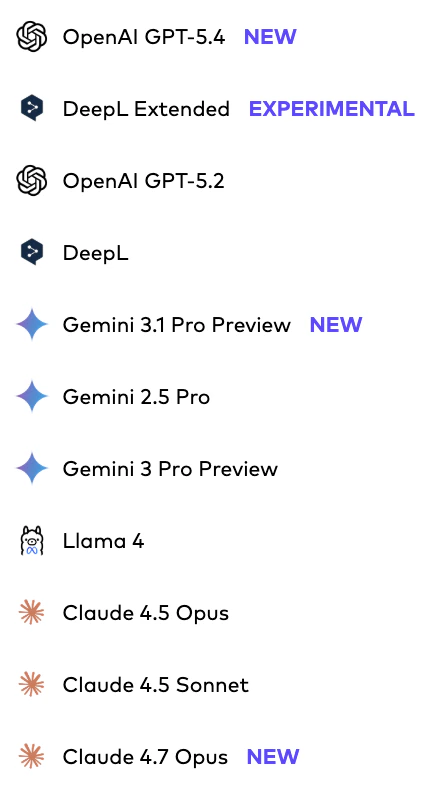 ## Independent Closed Caption and Subtitle workflows
Standalone Closed Caption (time-coded transcription) and Subtitle workflows no longer cascade from the AI Dubbing model selection — each can now be configured with its own AI models.
## Independent Closed Caption and Subtitle workflows
Standalone Closed Caption (time-coded transcription) and Subtitle workflows no longer cascade from the AI Dubbing model selection — each can now be configured with its own AI models.
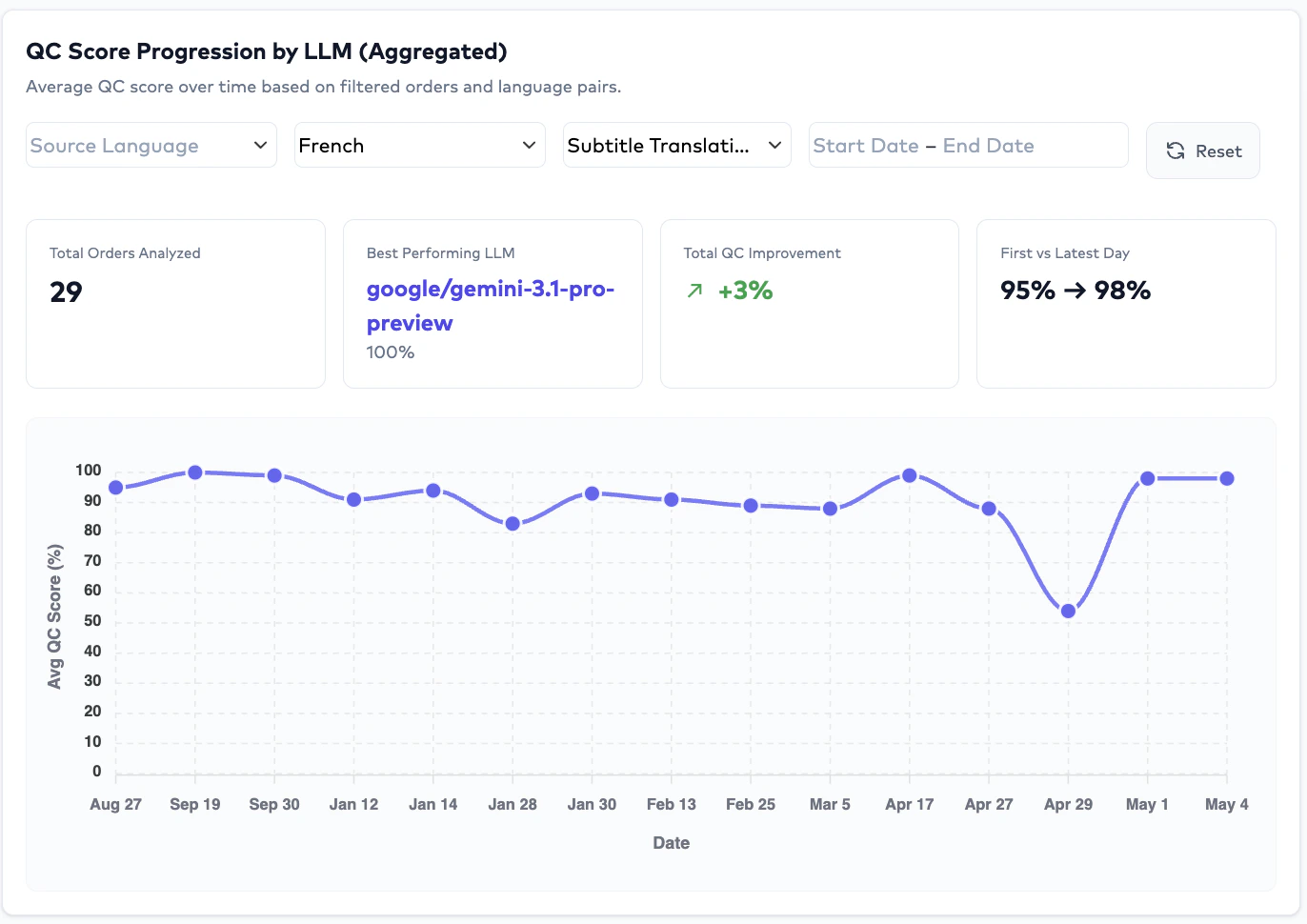
 ## QC Score Progression Tracker
New analytics widget tracks QC score over time. The Quality dashboard also gains an average human-edit-percentage metric.
## QC Score Progression Tracker
New analytics widget tracks QC score over time. The Quality dashboard also gains an average human-edit-percentage metric.
 ## BYOK — bring your own LLM keys
Clients can now provide their own LLM API keys. New `client-byok` BFF with encrypted CRUD, a workflow key router, and n8n body injection. Plan-gated; check your subscription's BYOK feature flag.
## BYOK — bring your own LLM keys
Clients can now provide their own LLM API keys. New `client-byok` BFF with encrypted CRUD, a workflow key router, and n8n body injection. Plan-gated; check your subscription's BYOK feature flag.
 ## Ollang SDK (Beta, Open Source)
The official Ollang SDK is now available:
* npm: [`@ollang-dev/sdk`](https://www.npmjs.com/package/@ollang-dev/sdk)
* GitHub: [github.com/ollang/sdk](https://github.com/ollang/sdk)
Install with `npm i @ollang-dev/sdk`.
## Tag column on advanced consumption export
The advanced credit consumption Excel export now includes a `Tag` column for segmentation.
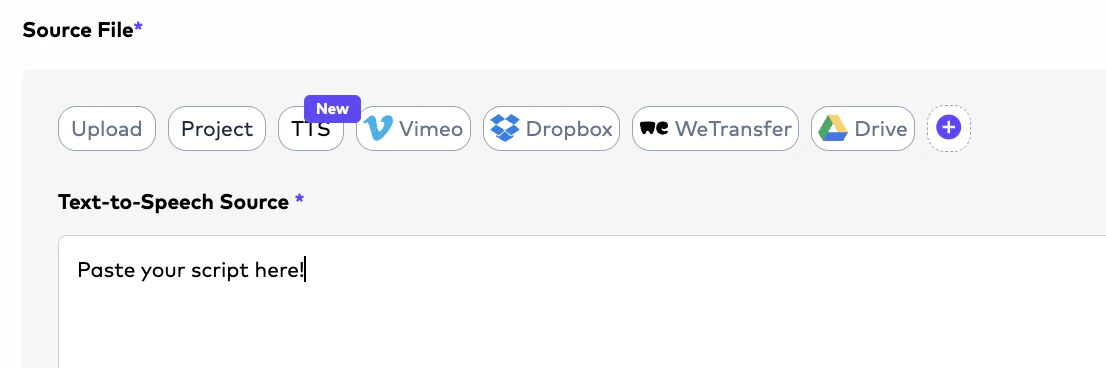
## TTS `.txt` source upload
AI Dubbing's TTS workflow accepts a `.txt` script directly as the source — no video required. The TTS source-file tab is marked as **New**.
## Anomaly detection toggle
Anomaly detection can now be enabled or disabled at folder and project levels with cascade behavior.
## Ollang SDK (Beta, Open Source)
The official Ollang SDK is now available:
* npm: [`@ollang-dev/sdk`](https://www.npmjs.com/package/@ollang-dev/sdk)
* GitHub: [github.com/ollang/sdk](https://github.com/ollang/sdk)
Install with `npm i @ollang-dev/sdk`.
## Tag column on advanced consumption export
The advanced credit consumption Excel export now includes a `Tag` column for segmentation.
## TTS `.txt` source upload
AI Dubbing's TTS workflow accepts a `.txt` script directly as the source — no video required. The TTS source-file tab is marked as **New**.
## Anomaly detection toggle
Anomaly detection can now be enabled or disabled at folder and project levels with cascade behavior.
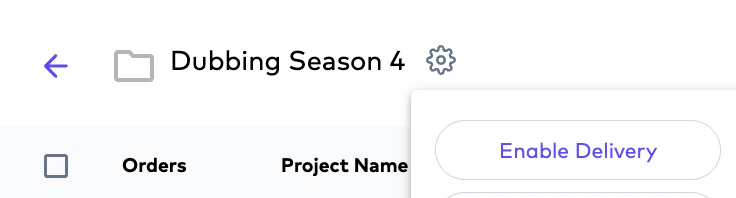 ## Agentic Turbo model
A faster, more cost-efficient option with lower credit usage is now available as an **experimental** soft launch. Treat it as best-suited for testing on videos or documents where you want to evaluate output quality before adopting it for production workloads.
## LSP roles overhaul
Added **LSP Admin** and **LSP Project Manager** roles. Inviting an editor now auto-promotes them along the structured AI → Linguist → Admin flow. Project Managers can manage LSP members; finance data is hidden from PM and member roles. Team management enforces edit permissions based on role.
## In-video text translation editing
Translators can now edit AI translations on Visual Translation orders. Prompt-based updates produce a new version in 2–5 minutes — designed for human-in-the-loop correction and iteration.
## Agentic Turbo model
A faster, more cost-efficient option with lower credit usage is now available as an **experimental** soft launch. Treat it as best-suited for testing on videos or documents where you want to evaluate output quality before adopting it for production workloads.
## LSP roles overhaul
Added **LSP Admin** and **LSP Project Manager** roles. Inviting an editor now auto-promotes them along the structured AI → Linguist → Admin flow. Project Managers can manage LSP members; finance data is hidden from PM and member roles. Team management enforces edit permissions based on role.
## In-video text translation editing
Translators can now edit AI translations on Visual Translation orders. Prompt-based updates produce a new version in 2–5 minutes — designed for human-in-the-loop correction and iteration.
 ## Custom team-member tags
New `client-tags` controller with assign / remove / CRUD operations. `clientTagIds` added to `User` and `Freelancer`. Foundation for downstream tag-driven workflow automation.
## TTS direct order linking
Post-creation redirect now lands users on the new TTS order with English as default. Duration handling fixed for TTS, and `autoRate` is disabled when in TTS mode.
## Persistent speaker voice assignment
Speaker → voice mappings are persisted on `AiDubbingWork` records and survive reruns.
## Image-to-image translation
Document Translation now accepts `JPEG`, `JPG`, and `PNG` files and translates images directly. The AI dubbing/subtitle pipeline is unchanged; this lands as a new input type for the Document Translation order. Future iterations will extend the same flow to images embedded inside PDFs and other document formats.
## Source Text Editing in AI Dubbing
Edit source text directly in Studio and trigger retranslation. AI actions to **shorten** or **expand** text are also available. `sourceText` is now included in `ParaphrasedResponse` and a retranslate task was added to NLP.
## Custom team-member tags
New `client-tags` controller with assign / remove / CRUD operations. `clientTagIds` added to `User` and `Freelancer`. Foundation for downstream tag-driven workflow automation.
## TTS direct order linking
Post-creation redirect now lands users on the new TTS order with English as default. Duration handling fixed for TTS, and `autoRate` is disabled when in TTS mode.
## Persistent speaker voice assignment
Speaker → voice mappings are persisted on `AiDubbingWork` records and survive reruns.
## Image-to-image translation
Document Translation now accepts `JPEG`, `JPG`, and `PNG` files and translates images directly. The AI dubbing/subtitle pipeline is unchanged; this lands as a new input type for the Document Translation order. Future iterations will extend the same flow to images embedded inside PDFs and other document formats.
## Source Text Editing in AI Dubbing
Edit source text directly in Studio and trigger retranslation. AI actions to **shorten** or **expand** text are also available. `sourceText` is now included in `ParaphrasedResponse` and a retranslate task was added to NLP.
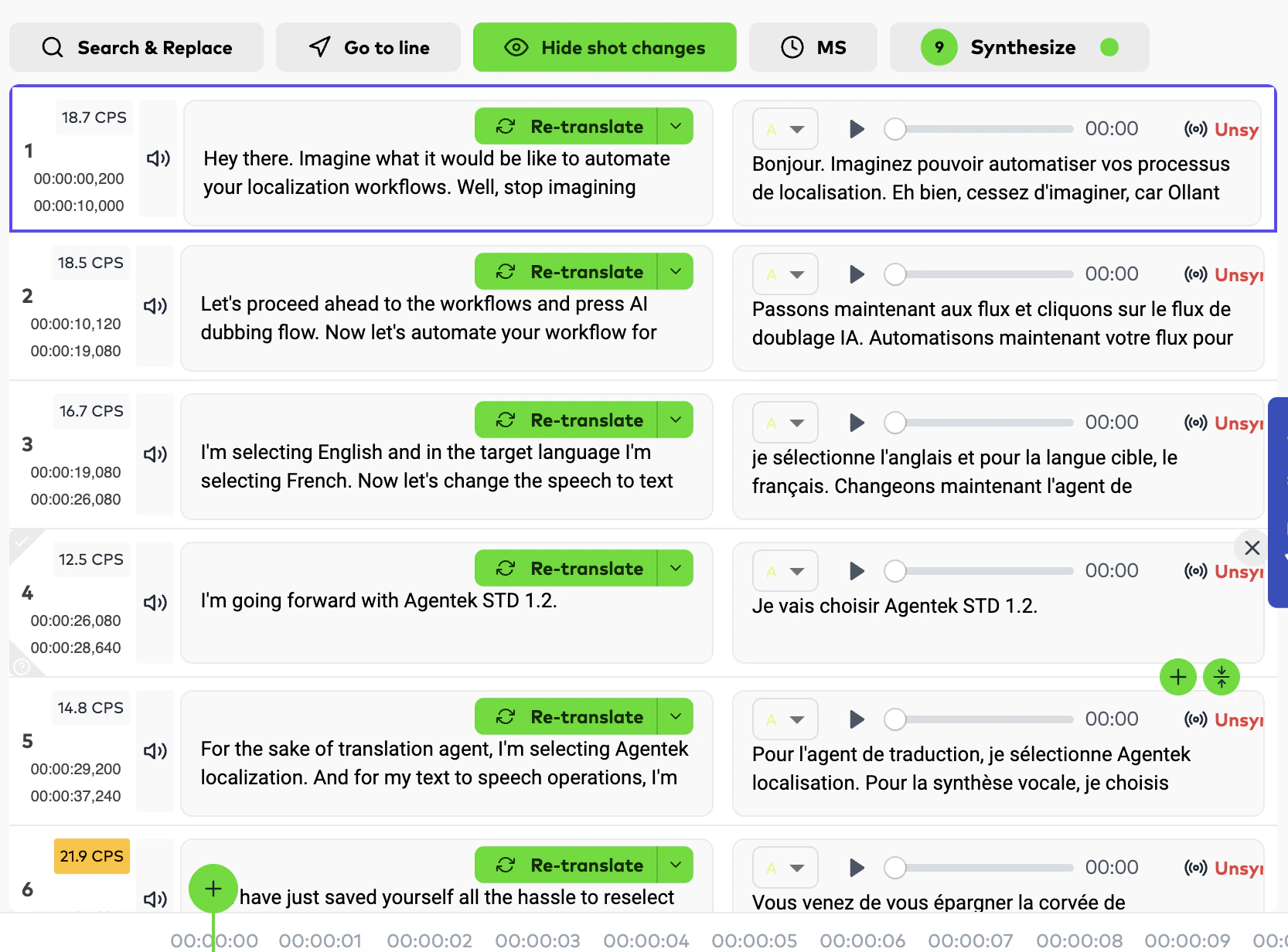 ## TTS rerun fixes
Rerun correctly preserves the last provider for TTS orders, and the AI-only flow handler now applies to all level-0 orders.
## Human Edit Distance on subtitle order details
AI-generated subtitle orders now expose a **Human Edit Distance** metric in order details, reflecting edits made by your team or translation partners. Useful for tracking how much human editing each AI-generated subtitle order needed.
## Wolof language support
Wolof is now a supported translation language. See the full list on the [Supported Languages](/apis/ollang-api-reference/supported-languages) reference page.
## Text-to-Speech in AI Dubbing
Generate dubbed speech without a source video. The AI Dubbing pipeline now supports a TTS-first flow with completion, download, and rerun. Unlocks audio-only workflows and faster content creation.
## TTS rerun fixes
Rerun correctly preserves the last provider for TTS orders, and the AI-only flow handler now applies to all level-0 orders.
## Human Edit Distance on subtitle order details
AI-generated subtitle orders now expose a **Human Edit Distance** metric in order details, reflecting edits made by your team or translation partners. Useful for tracking how much human editing each AI-generated subtitle order needed.
## Wolof language support
Wolof is now a supported translation language. See the full list on the [Supported Languages](/apis/ollang-api-reference/supported-languages) reference page.
## Text-to-Speech in AI Dubbing
Generate dubbed speech without a source video. The AI Dubbing pipeline now supports a TTS-first flow with completion, download, and rerun. Unlocks audio-only workflows and faster content creation.
 ## Studio configurations dropdown
New configurations dropdown in Studio with a subtitle preview toggle.
## Google Drive integration (BETA)
Pull and push files directly via Google Drive. OAuth-based auth, polling-based sync (5-minute interval in production), shared-drive support, and content-type forwarding to S3 multipart uploads. Subtitle orders push embedded-subtitle video plus a comments xlsx back to Drive.
## HITL document orders generate AI outputs by default
Human-in-the-loop document localization orders now produce AI outputs by default. Translators and LSPs can review the AI result and edit, delete, or add content before delivering the final translation.
## Client guidelines surfaced in document upload
HITL document projects display client-uploaded guidelines, supporting documents, and references directly in the document upload screen.
## Unified Studio reference panel
In the Closed Caption, Subtitle, and AI Dubbing Studios, the **Reference** button now surfaces all supporting documents, client-specific instructions, and related order assets in one place.
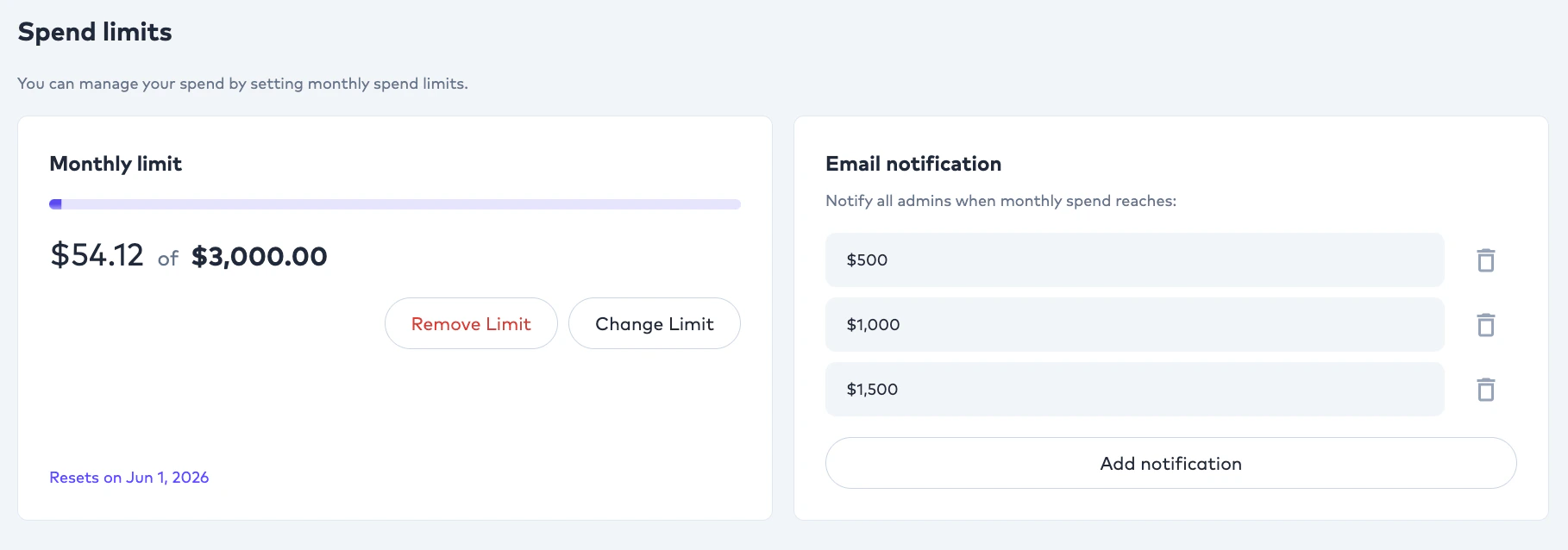
## Spend limits and notifications
Subscriptions now expose `notificationThresholds`, with owner-only notifications and both soft and hard limit enforcement applied across order creation, rerun, and QC pricing. Negative thresholds are rejected.
## Studio configurations dropdown
New configurations dropdown in Studio with a subtitle preview toggle.
## Google Drive integration (BETA)
Pull and push files directly via Google Drive. OAuth-based auth, polling-based sync (5-minute interval in production), shared-drive support, and content-type forwarding to S3 multipart uploads. Subtitle orders push embedded-subtitle video plus a comments xlsx back to Drive.
## HITL document orders generate AI outputs by default
Human-in-the-loop document localization orders now produce AI outputs by default. Translators and LSPs can review the AI result and edit, delete, or add content before delivering the final translation.
## Client guidelines surfaced in document upload
HITL document projects display client-uploaded guidelines, supporting documents, and references directly in the document upload screen.
## Unified Studio reference panel
In the Closed Caption, Subtitle, and AI Dubbing Studios, the **Reference** button now surfaces all supporting documents, client-specific instructions, and related order assets in one place.
## Spend limits and notifications
Subscriptions now expose `notificationThresholds`, with owner-only notifications and both soft and hard limit enforcement applied across order creation, rerun, and QC pricing. Negative thresholds are rejected.
 ## Studio Comments v2
Threaded comments inside the editing Studio for collaboration between linguists and reviewers.
## `folderId` on uploads
API key uploads can now target a folder via `folderId`. A new endpoint lists available folders for the authenticated client.
## Client Configurations: Comment and QC Threshold toggles
Clients can now opt into:
* **Comment** — team members can leave comments on projects that other members can see.
* **QC Threshold** — when an order's QC score falls below the configured threshold, it is automatically routed to an Editor on the team.
## Advanced Cost Breakdown
Orders and AI providers are now filterable, searchable, and exportable from a single Advanced Consumption interface.
## Dubbing style in the Studio header
AI Dubbing orders now display the dubbing style in the Studio header for quick context.
## Self-register onboarding
New onboarding questions module and end-to-end self-serve signup. New clients automatically have an LSP record created on registration. Google sign-in includes an auto-signup fallback.
## Cancel Human Review
`POST /integration/orders/{orderId}/cancel-human-review` programmatically cancels an in-progress human review gate, mirroring the existing [Request Human Review](/apis/ollang-api-reference/request-human-review) endpoint. The order is reverted to its AI-only (Level 0) state and human review credits are refunded. See the [Cancel Human Review](/apis/ollang-api-reference/cancel-human-review) reference.
## `callbackUrl` for QC and order completion
[Create Order](/apis/ollang-api-reference/create-order) and [Rerun Order](/apis/ollang-api-reference/rerun-order) payloads accept an optional `callbackUrl`. Completion events for document translation, QC, and review pipelines POST to your URL with the order, document, and result payload. IPv6 is blocked at the SSRF guard, and `callbackUrl` is excluded from criteria sent to the AI evaluation service.
## After Effects (`.ZIP`) for end-to-end localization
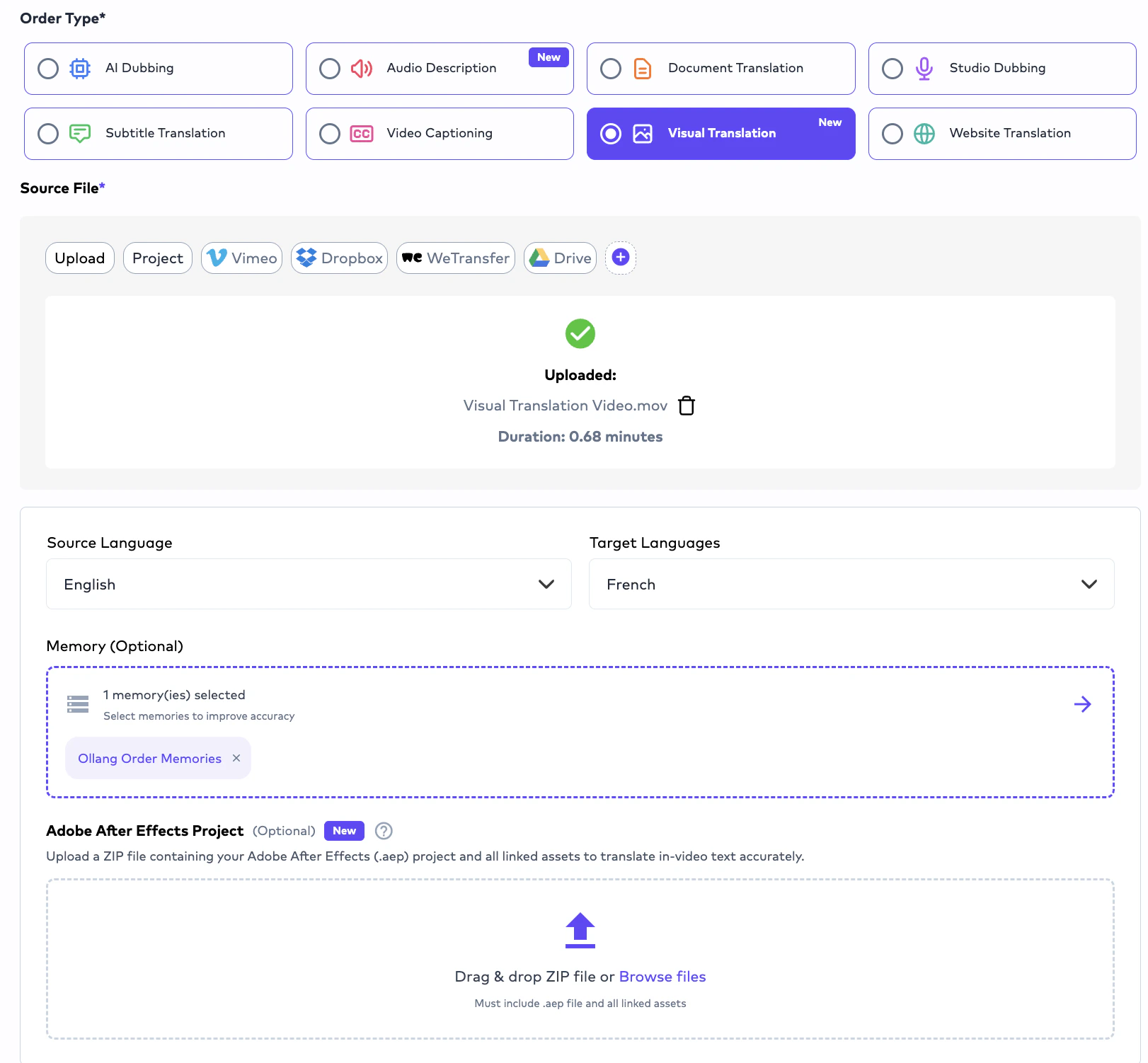
Order creation now accepts **After Effects project files (`.ZIP`)** for localization, rendering, and final delivery. Custom Instructions can drive translation behavior; main composition identification uses the maximum number of elements and the presence of an audio layer as heuristics.
## PNG image translation inside After Effects (experimental)
PNG images embedded inside AE projects are now translated as part of the AE flow. Marked **experimental** — transparent image outputs may not always produce optimal results.
## Order type structure update
Order creation now distinguishes:
* **Visual Translation** and **Audio Descriptions** as separate order types.
* **In-Video Text Translation** remains selectable under the **Subtitle** order type.
* **Audio Description** is also available under the **AI Dubbing** order type.
## Adobe After Effects input
In-text and Visual Translation orders now accept Adobe AE project files as source. S3 multipart streaming, retry-with-backoff, and a callback service for the AE machine are all in place.
## SDLXLIFF translation formatting
SDLXLIFF translation formatting now covers more edge cases (segment grouping, inline tag preservation, mid-word tag handling).
## Agentic long-form subtitle translation
Long-form subtitle translation through the Agentic pipeline is faster and produces tighter alignment between the source and translated segments.
## Agentic SDH no longer overflows video duration
Generated SDH output is now bounded by the video length, preventing trailing captions from extending past the final frame.
## LSP Admin: retrigger CC orders
LSP Admins can now retrigger closed-caption orders. Retrigger cadence relaxed from hourly to every three hours.
## Auto QC on `Order`
An `autoQC` flag has been added to the `Order` model so clients with `enableQCThreshold` can opt orders into automatic QC scoring.
## Bulk download (preview)
Initial scaffolding for the LSP / translator bulk download feature lands; full release on April 22.
## Language-based workflow management
Workflows are no longer limited to a single **All Languages → All Languages** rule. You can now configure and switch workflows by **language pair** and **order type** (e.g. AI Dubbing, Document Translation), giving you per-pair AI model and review-gate routing. This is the foundation that the later folder-level overrides build on top of.
## Hidden orders excluded from AI credit consumption
CC files uploaded for hidden orders no longer consume AI credits, fixing a billing edge case.
## Order rerun
`POST /integration/orders/{orderId}/rerun` re-executes a completed order against the current workflow, useful when source content changes or you've adjusted preferences. See the [Rerun Order](/apis/ollang-api-reference/rerun-order) reference.
```bash cURL theme={null}
curl -X POST "https://api-integration.ollang.com/integration/orders/{orderId}/rerun" \
-H "X-Api-Key: " \
-H "Content-Type: application/json" \
-d '{}'
```
## QC evaluation APIs (experimental)
* `POST /integration/orders/{orderId}/qc` — trigger QC evaluation on demand. See [Run QC Evaluation](/apis/ollang-api-reference/run-qc-evaluation).
* QC result is now embedded in `GET /integration/orders/{orderId}` responses when available. See [Get Order by ID](/apis/ollang-api-reference/get-order-by-id).
```bash cURL theme={null}
curl -X POST "https://api-integration.ollang.com/integration/orders/{orderId}/qc" \
-H "X-Api-Key: " \
-H "Content-Type: application/json" \
-d '{"accuracy": true, "fluency": true, "tone": true, "culturalFit": true}'
```
Both endpoints are marked **experimental**; payload shape may change.
## Granular TTS credit calculation
Dubdata is calculated more granularly so TTS credit consumption matches actual generated audio.
## Bulk unassign translator from folder
Folder-scoped bulk unassign for clients managing translator pools across folders.
## Source transcript pasting
When creating a subtitle translation or AI Dubbing order, you can now paste a **source transcript** (a script without timecodes). The agentic pipeline matches the pasted text against timecoded segments to keep transcription accuracy at 100% before translation and AI Dubbing run on top.
## ESC reverts AI Dubbing segment edits
Pressing **ESC** while editing inside an AI Dubbing segment resets the segment back to its original text and Synthesized state. Prevents accidental re-synthesis from inadvertent edits.
## Click anywhere in a segment to jump
Clicking anywhere inside a segment now jumps the video to that segment's start time. Previously this only worked when clicking the text area.
## Speed adjustment with box sizing
AI Dubbing's editing UI gains box-level speed adjustment, with `needsSpeedAdjust` persisted in dubdata. Original stats are saved for future reference.
## Foreground / background preview, split, trim, reprocess
AI Dubbing now lets you preview, split, trim, and reprocess against foreground or background tracks via media-service hooks.
## Bulk assign translator for folder
Folder-scoped bulk translator assignment.
## Document translation versioning
Previously translated documents are now retained across reruns rather than being cleaned up. Useful when you need to compare or roll back across versions.
## Studio Comments v2
Threaded comments inside the editing Studio for collaboration between linguists and reviewers.
## `folderId` on uploads
API key uploads can now target a folder via `folderId`. A new endpoint lists available folders for the authenticated client.
## Client Configurations: Comment and QC Threshold toggles
Clients can now opt into:
* **Comment** — team members can leave comments on projects that other members can see.
* **QC Threshold** — when an order's QC score falls below the configured threshold, it is automatically routed to an Editor on the team.
## Advanced Cost Breakdown
Orders and AI providers are now filterable, searchable, and exportable from a single Advanced Consumption interface.
## Dubbing style in the Studio header
AI Dubbing orders now display the dubbing style in the Studio header for quick context.
## Self-register onboarding
New onboarding questions module and end-to-end self-serve signup. New clients automatically have an LSP record created on registration. Google sign-in includes an auto-signup fallback.
## Cancel Human Review
`POST /integration/orders/{orderId}/cancel-human-review` programmatically cancels an in-progress human review gate, mirroring the existing [Request Human Review](/apis/ollang-api-reference/request-human-review) endpoint. The order is reverted to its AI-only (Level 0) state and human review credits are refunded. See the [Cancel Human Review](/apis/ollang-api-reference/cancel-human-review) reference.
## `callbackUrl` for QC and order completion
[Create Order](/apis/ollang-api-reference/create-order) and [Rerun Order](/apis/ollang-api-reference/rerun-order) payloads accept an optional `callbackUrl`. Completion events for document translation, QC, and review pipelines POST to your URL with the order, document, and result payload. IPv6 is blocked at the SSRF guard, and `callbackUrl` is excluded from criteria sent to the AI evaluation service.
## After Effects (`.ZIP`) for end-to-end localization
Order creation now accepts **After Effects project files (`.ZIP`)** for localization, rendering, and final delivery. Custom Instructions can drive translation behavior; main composition identification uses the maximum number of elements and the presence of an audio layer as heuristics.
## PNG image translation inside After Effects (experimental)
PNG images embedded inside AE projects are now translated as part of the AE flow. Marked **experimental** — transparent image outputs may not always produce optimal results.
## Order type structure update
Order creation now distinguishes:
* **Visual Translation** and **Audio Descriptions** as separate order types.
* **In-Video Text Translation** remains selectable under the **Subtitle** order type.
* **Audio Description** is also available under the **AI Dubbing** order type.
## Adobe After Effects input
In-text and Visual Translation orders now accept Adobe AE project files as source. S3 multipart streaming, retry-with-backoff, and a callback service for the AE machine are all in place.
## SDLXLIFF translation formatting
SDLXLIFF translation formatting now covers more edge cases (segment grouping, inline tag preservation, mid-word tag handling).
## Agentic long-form subtitle translation
Long-form subtitle translation through the Agentic pipeline is faster and produces tighter alignment between the source and translated segments.
## Agentic SDH no longer overflows video duration
Generated SDH output is now bounded by the video length, preventing trailing captions from extending past the final frame.
## LSP Admin: retrigger CC orders
LSP Admins can now retrigger closed-caption orders. Retrigger cadence relaxed from hourly to every three hours.
## Auto QC on `Order`
An `autoQC` flag has been added to the `Order` model so clients with `enableQCThreshold` can opt orders into automatic QC scoring.
## Bulk download (preview)
Initial scaffolding for the LSP / translator bulk download feature lands; full release on April 22.
## Language-based workflow management
Workflows are no longer limited to a single **All Languages → All Languages** rule. You can now configure and switch workflows by **language pair** and **order type** (e.g. AI Dubbing, Document Translation), giving you per-pair AI model and review-gate routing. This is the foundation that the later folder-level overrides build on top of.
## Hidden orders excluded from AI credit consumption
CC files uploaded for hidden orders no longer consume AI credits, fixing a billing edge case.
## Order rerun
`POST /integration/orders/{orderId}/rerun` re-executes a completed order against the current workflow, useful when source content changes or you've adjusted preferences. See the [Rerun Order](/apis/ollang-api-reference/rerun-order) reference.
```bash cURL theme={null}
curl -X POST "https://api-integration.ollang.com/integration/orders/{orderId}/rerun" \
-H "X-Api-Key: " \
-H "Content-Type: application/json" \
-d '{}'
```
## QC evaluation APIs (experimental)
* `POST /integration/orders/{orderId}/qc` — trigger QC evaluation on demand. See [Run QC Evaluation](/apis/ollang-api-reference/run-qc-evaluation).
* QC result is now embedded in `GET /integration/orders/{orderId}` responses when available. See [Get Order by ID](/apis/ollang-api-reference/get-order-by-id).
```bash cURL theme={null}
curl -X POST "https://api-integration.ollang.com/integration/orders/{orderId}/qc" \
-H "X-Api-Key: " \
-H "Content-Type: application/json" \
-d '{"accuracy": true, "fluency": true, "tone": true, "culturalFit": true}'
```
Both endpoints are marked **experimental**; payload shape may change.
## Granular TTS credit calculation
Dubdata is calculated more granularly so TTS credit consumption matches actual generated audio.
## Bulk unassign translator from folder
Folder-scoped bulk unassign for clients managing translator pools across folders.
## Source transcript pasting
When creating a subtitle translation or AI Dubbing order, you can now paste a **source transcript** (a script without timecodes). The agentic pipeline matches the pasted text against timecoded segments to keep transcription accuracy at 100% before translation and AI Dubbing run on top.
## ESC reverts AI Dubbing segment edits
Pressing **ESC** while editing inside an AI Dubbing segment resets the segment back to its original text and Synthesized state. Prevents accidental re-synthesis from inadvertent edits.
## Click anywhere in a segment to jump
Clicking anywhere inside a segment now jumps the video to that segment's start time. Previously this only worked when clicking the text area.
## Speed adjustment with box sizing
AI Dubbing's editing UI gains box-level speed adjustment, with `needsSpeedAdjust` persisted in dubdata. Original stats are saved for future reference.
## Foreground / background preview, split, trim, reprocess
AI Dubbing now lets you preview, split, trim, and reprocess against foreground or background tracks via media-service hooks.
## Bulk assign translator for folder
Folder-scoped bulk translator assignment.
## Document translation versioning
Previously translated documents are now retained across reruns rather than being cleaned up. Useful when you need to compare or roll back across versions.