> ## Documentation Index
> Fetch the complete documentation index at: https://api-docs.ollang.com/llms.txt
> Use this file to discover all available pages before exploring further.
# Review Gates
## What are Review Gates?
Review Gates allow you to introduce human review checkpoints into your localization workflow before an order proceeds to the next processing stage.
Instead of automatically moving from one step to the next, the order pauses for review and resumes only after the configured review gate has been completed.
Review Gates can be configured after:
* Closed Caption (CC) generation
* Subtitle Translation generation
Review Gates can be configured globally, at the folder level, or within Workflow Templates.
***
# Types of Review Gates
There are two primary types of Review Gates:
1. **Assignment Review Gate**
2. **Comment Review Gate**
***
# Assignment Review Gate
Assignment Review Gates are used when a reviewer needs to **edit and deliver** the order before the workflow continues.
Typical examples include:
* Subtitle review
* Closed Caption review
Unlike Comment Review Gates, reviewers actively modify the content and deliver the order.
***
## Assignment Routing Options
Assignment Review Gates support two routing methods.
### 1. QC Threshold
The system first performs an AI Quality Check (QC) on the generated output. The resulting QC score is compared against the configured threshold.
Example:
QC Threshold = **80**
* QC Score = 91 → Review Gate is skipped and the workflow continues automatically.
* QC Score = 74 → Order is assigned for human review.
### Forcing Human Review
Many customers configure the QC Threshold as **100%**.
Since an order cannot exceed a QC score of 100, this effectively forces every order through the Assignment Review Gate.
This is currently the recommended approach when every transcription or subtitle order must be reviewed before the workflow continues.
### 2. LLM Judge
Instead of evaluating translation quality, the system can use an LLM to decide whether an order requires human review.
You define your own prompt describing the conditions that require review.
Example:
> "If the translated content contains medical terminology, pharmaceutical language, or regulatory content, assign the order to the Medical Review Team."
Another example:
> "If the translated content relates to sports, assign the order to the Sports Reviewer."
The LLM evaluates the completed order against the prompt.
If the condition is met, the order is assigned for review.
Otherwise, the Review Gate is skipped and the workflow continues automatically.
This routing method is ideal when review decisions depend on the content itself rather than a quality score.
***
# LSP Assignment Workflow
When an Assignment Review Gate is assigned to an LSP reviewer, the workflow behaves as follows.
## Step 1 – Order enters Review
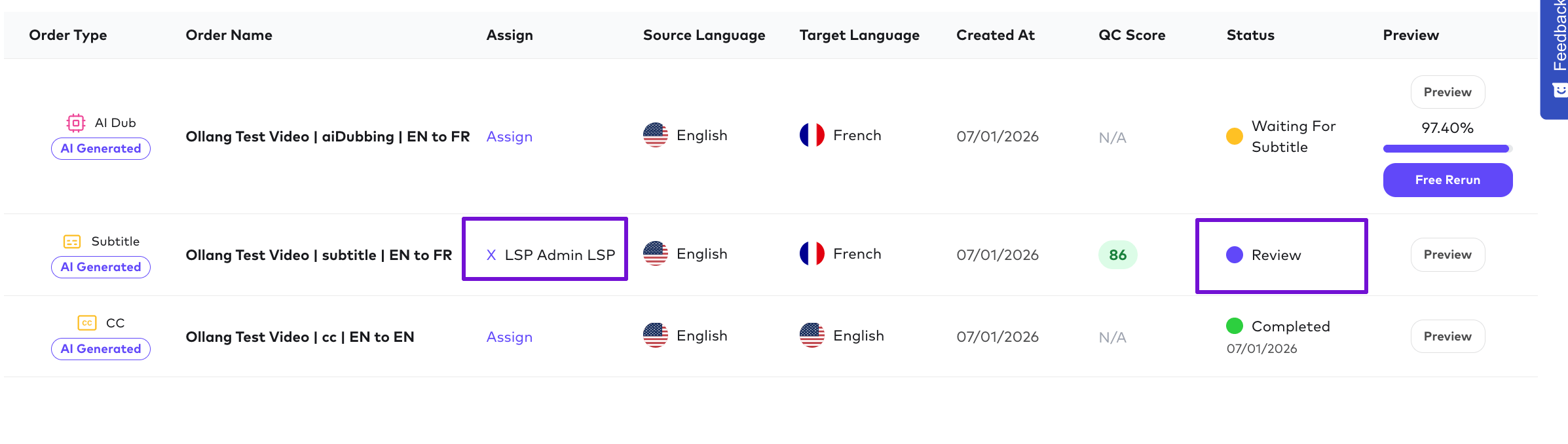
After the configured workflow step completes (for example, Subtitle Translation), the order enters **Review** status.
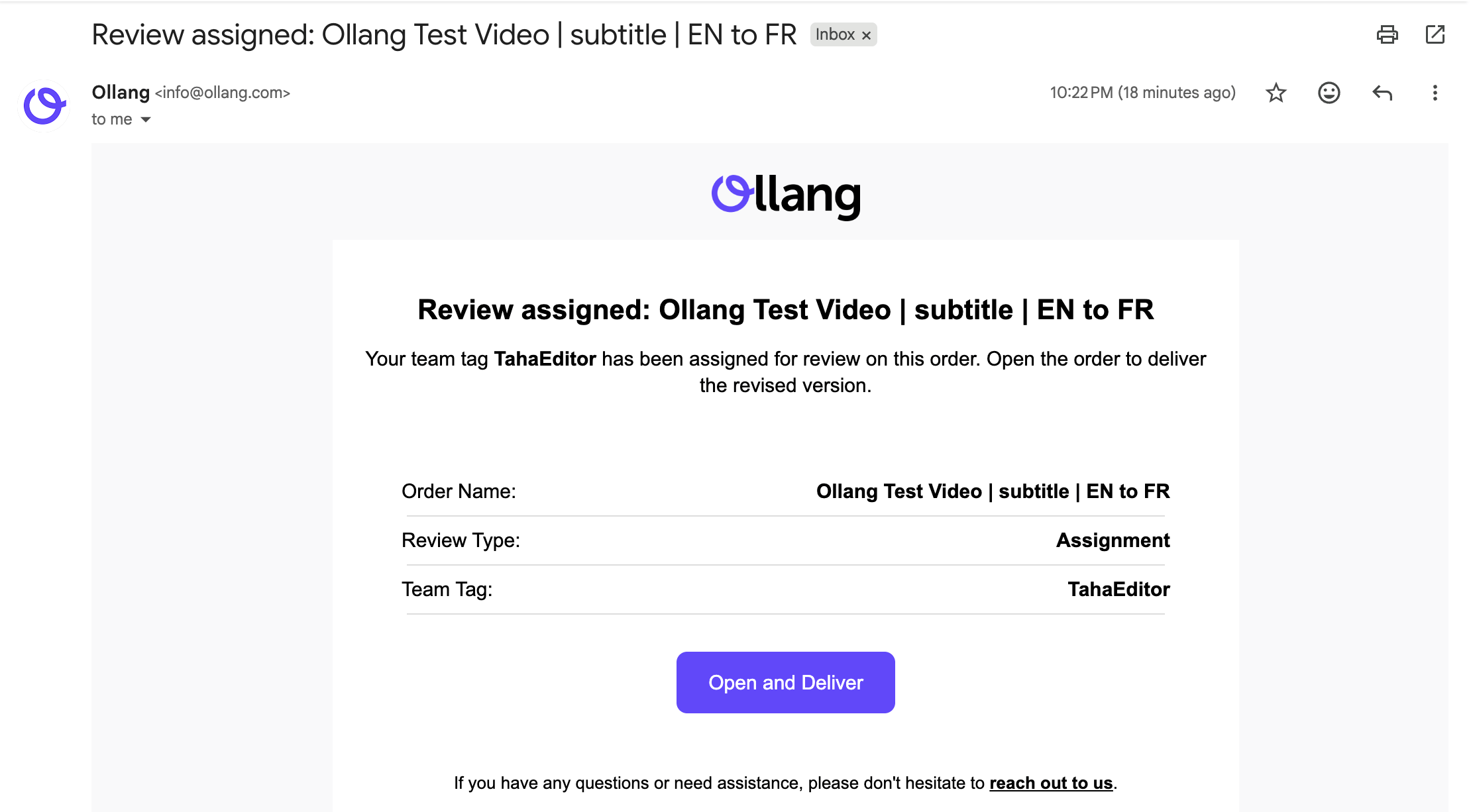
The order is automatically assigned to the configured LSP reviewer tag.
Initially, the order appears in the **LSP Admin's** queue.
 ## Step 2 – Assign to an LSP Linguist
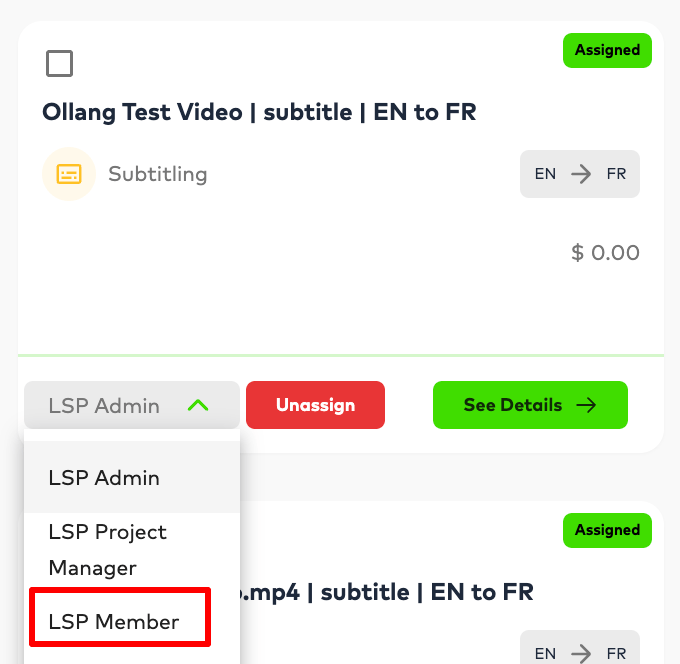
The **LSP Admin** or the **LSP Project Manager** can assign the order to an **LSP Linguist**.
## Step 2 – Assign to an LSP Linguist
The **LSP Admin** or the **LSP Project Manager** can assign the order to an **LSP Linguist**.
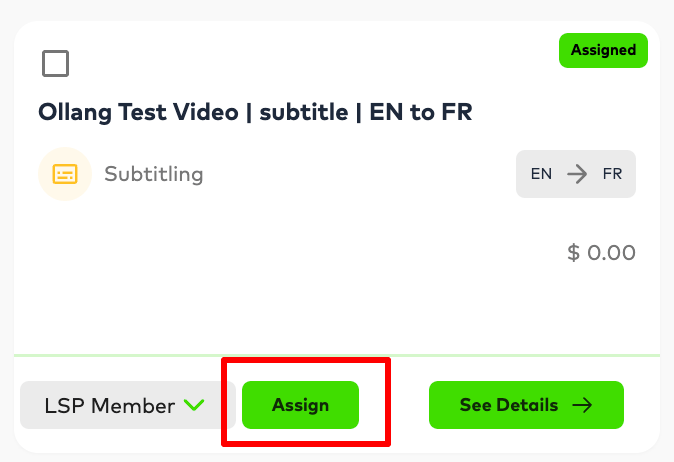 Once assigned:
* The linguist receives an email notification.
Once assigned:
* The linguist receives an email notification.
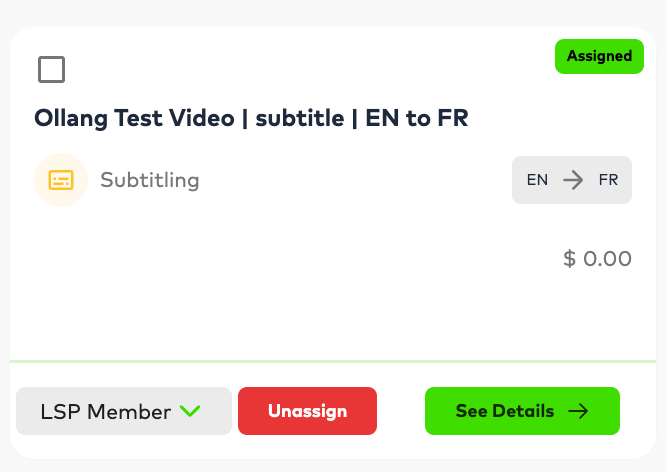 * The order appears in their assigned work queue.
* The linguist can open the editor and begin reviewing or editing the content.
***
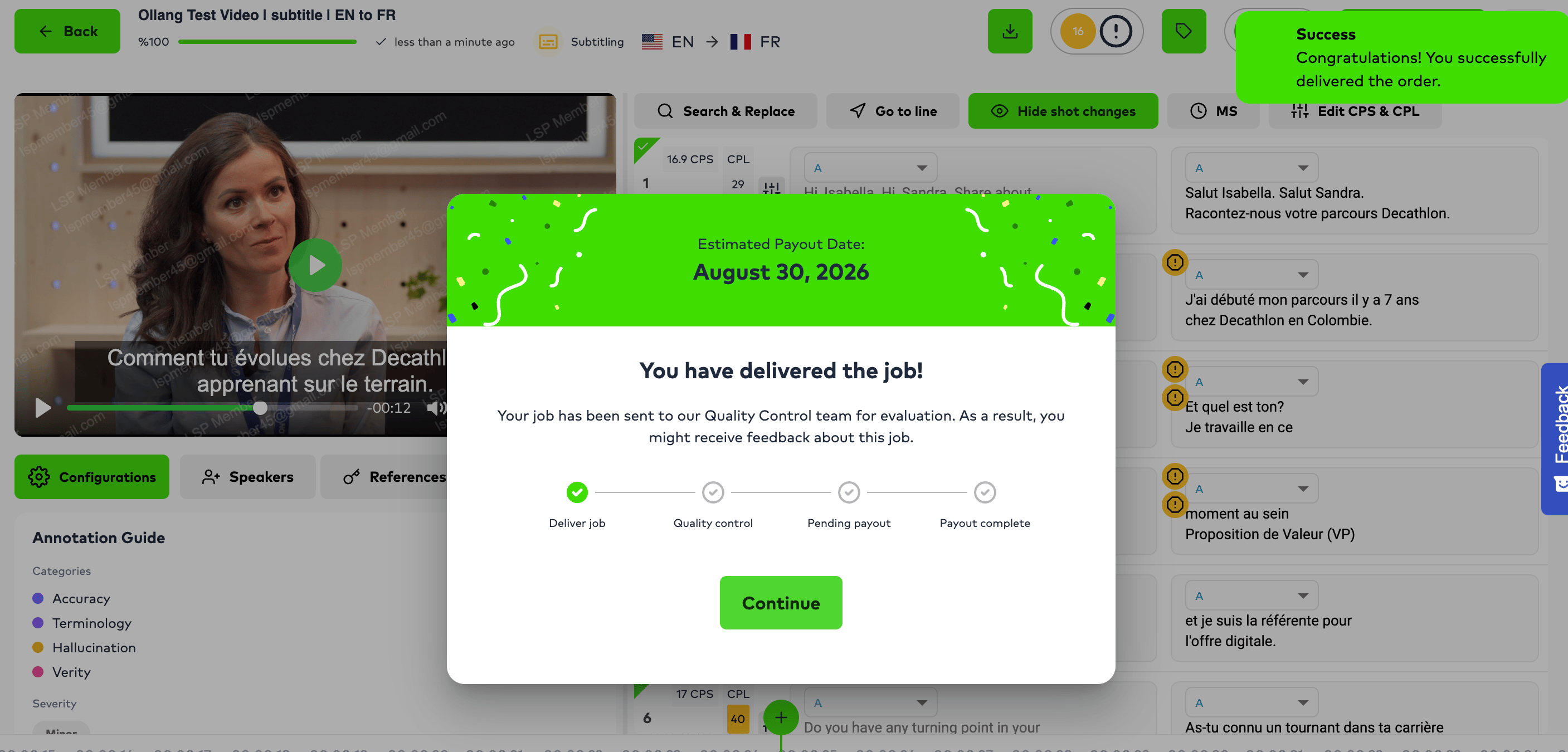
## Step 3 – LSP Linguist completes the review
The LSP Linguist reviews the content, makes any necessary edits, and delivers the order.
* The order appears in their assigned work queue.
* The linguist can open the editor and begin reviewing or editing the content.
***
## Step 3 – LSP Linguist completes the review
The LSP Linguist reviews the content, makes any necessary edits, and delivers the order.
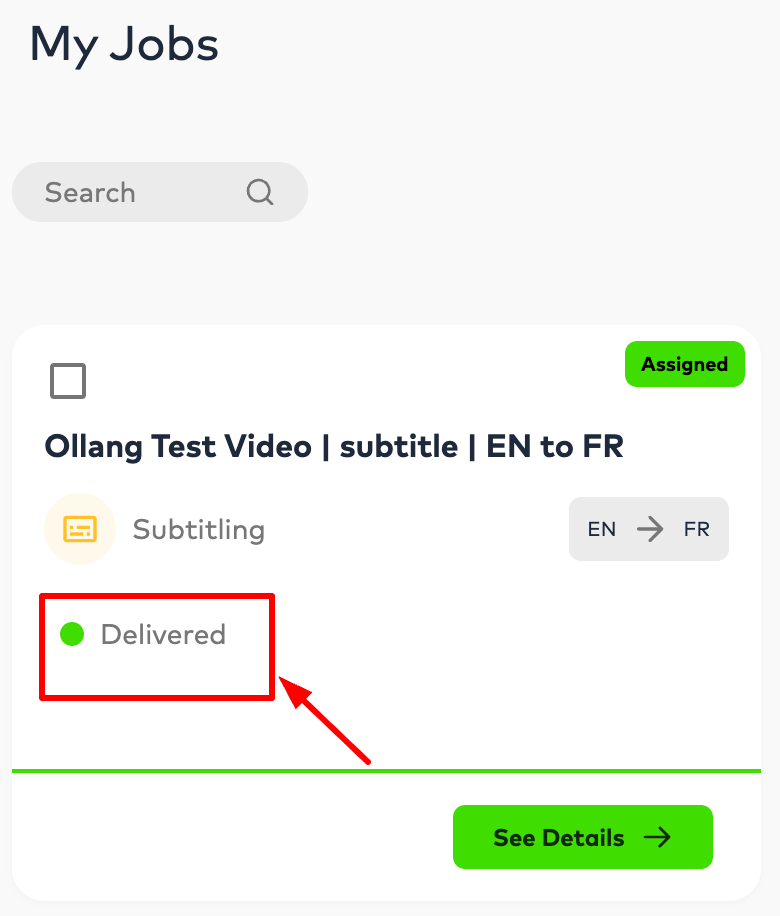 At this point, the review is **not yet complete**.
Instead, the order returns to the **LSP Admin** or **LSP Project Manager** for final approval.
At this point, the review is **not yet complete**.
Instead, the order returns to the **LSP Admin** or **LSP Project Manager** for final approval.
 ***
## Step 4 – Final approval
The **LSP Admin** or **LSP Project Manager** reviews the linguist's work and delivers the order.
Only after this approval is the Assignment Review Gate considered complete.
The workflow then automatically proceeds to the next configured stage.
***
# Comment Review Gate
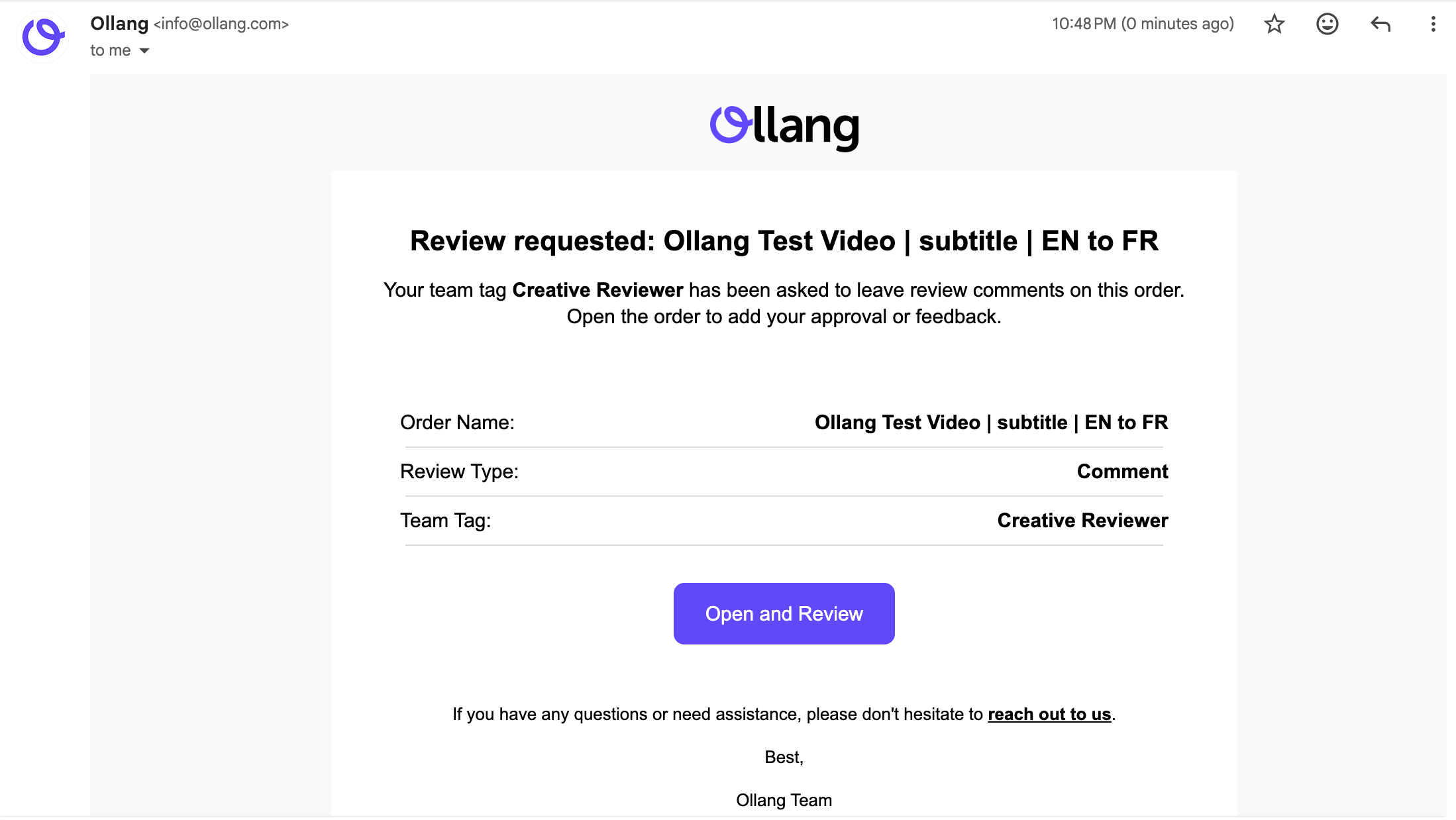
Comment Review Gates are designed for reviewers who only need to provide **feedback or approval**, without editing the order itself.
***
## Step 4 – Final approval
The **LSP Admin** or **LSP Project Manager** reviews the linguist's work and delivers the order.
Only after this approval is the Assignment Review Gate considered complete.
The workflow then automatically proceeds to the next configured stage.
***
# Comment Review Gate
Comment Review Gates are designed for reviewers who only need to provide **feedback or approval**, without editing the order itself.
 Typical use cases include:
* Creative Review
* Medical Review
* Legal Review
* Brand Approval
* Client Approval
Instead of editing the content, reviewers open the order, review it, and submit their comments or approval.
Once the required comment or approval is submitted, the Comment Review Gate is completed and the workflow automatically proceeds to the next review stage or processing step.
Typical use cases include:
* Creative Review
* Medical Review
* Legal Review
* Brand Approval
* Client Approval
Instead of editing the content, reviewers open the order, review it, and submit their comments or approval.
Once the required comment or approval is submitted, the Comment Review Gate is completed and the workflow automatically proceeds to the next review stage or processing step.
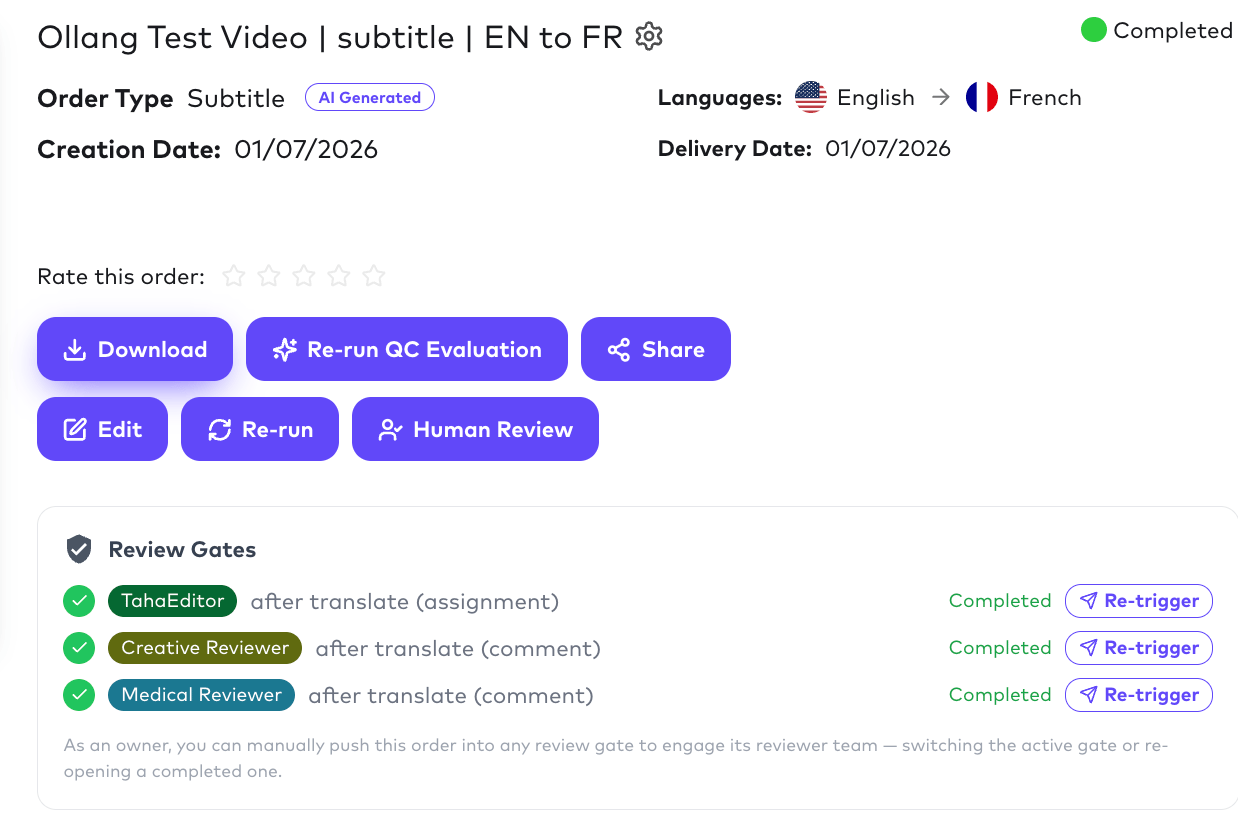 Example workflow:
```text theme={null}
Subtitle Translation
↓
Creative Review
↓
Medical Review
↓
AI Dubbing
```
***
# Combining Assignment and Comment Review Gates
Review Gates can be chained together to support multi-stage review workflows.
For example:
```text theme={null}
Subtitle Translation
↓
Assignment Review (LSP)
↓
Creative Review
↓
Medical Review
↓
AI Dubbing
```
Workflow:
1. AI completes Subtitle Translation.
2. The Assignment Review Gate routes the order to the LSP.
3. The LSP Linguist reviews the content.
4. The LSP Admin or Project Manager performs the final approval.
5. The order automatically proceeds to the Creative Review.
6. After Creative Review is completed, the order proceeds to the Medical Review.
7. Once all review gates have been completed, the workflow continues to AI Dubbing
Example workflow:
```text theme={null}
Subtitle Translation
↓
Creative Review
↓
Medical Review
↓
AI Dubbing
```
***
# Combining Assignment and Comment Review Gates
Review Gates can be chained together to support multi-stage review workflows.
For example:
```text theme={null}
Subtitle Translation
↓
Assignment Review (LSP)
↓
Creative Review
↓
Medical Review
↓
AI Dubbing
```
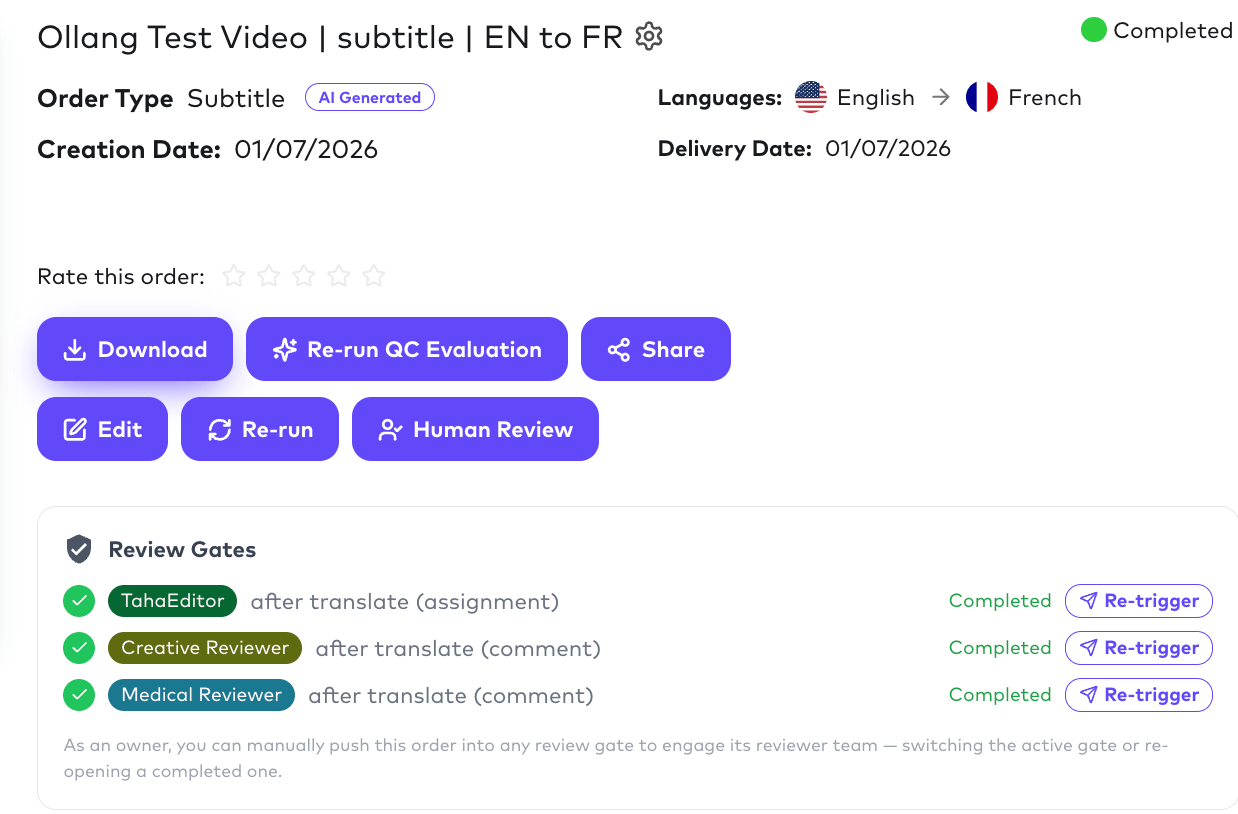
Workflow:
1. AI completes Subtitle Translation.
2. The Assignment Review Gate routes the order to the LSP.
3. The LSP Linguist reviews the content.
4. The LSP Admin or Project Manager performs the final approval.
5. The order automatically proceeds to the Creative Review.
6. After Creative Review is completed, the order proceeds to the Medical Review.
7. Once all review gates have been completed, the workflow continues to AI Dubbing
 # Understanding Order Status
One common question is:
**"Why does my order still show 'Review' even though the LSP has already completed their work?"**
This is expected behavior.
The Assignment Review Gate may be complete, but the workflow can still contain additional review stages.
For example:
```text theme={null}
Subtitle Translation
↓
LSP Review ✓
↓
Creative Review (Current)
↓
Medical Review
```
From the LSP's perspective, their work has been completed.
However, because the order is currently being reviewed by another reviewer (for example, the Creative Reviewer), the overall order status remains **Review**. Only after **all configured Review Gates** have been completed will the workflow continue to the next processing stage or reach the **Completed** status.
***
# Best Practices
* Use **Assignment Review Gates** whenever reviewers need to edit or approve content before the workflow continues.
* Use **Comment Review Gates** when reviewers only need to provide feedback or approval.
* Configure a **QC Threshold of 100%** if every order must undergo human review.
* Use **LLM Judge** when review decisions depend on the content rather than translation quality.
* For AI Dubbing workflows, place an Assignment Review Gate after Subtitle Translation to ensure subtitles are reviewed before audio generation begins.
# Understanding Order Status
One common question is:
**"Why does my order still show 'Review' even though the LSP has already completed their work?"**
This is expected behavior.
The Assignment Review Gate may be complete, but the workflow can still contain additional review stages.
For example:
```text theme={null}
Subtitle Translation
↓
LSP Review ✓
↓
Creative Review (Current)
↓
Medical Review
```
From the LSP's perspective, their work has been completed.
However, because the order is currently being reviewed by another reviewer (for example, the Creative Reviewer), the overall order status remains **Review**. Only after **all configured Review Gates** have been completed will the workflow continue to the next processing stage or reach the **Completed** status.
***
# Best Practices
* Use **Assignment Review Gates** whenever reviewers need to edit or approve content before the workflow continues.
* Use **Comment Review Gates** when reviewers only need to provide feedback or approval.
* Configure a **QC Threshold of 100%** if every order must undergo human review.
* Use **LLM Judge** when review decisions depend on the content rather than translation quality.
* For AI Dubbing workflows, place an Assignment Review Gate after Subtitle Translation to ensure subtitles are reviewed before audio generation begins.