

New releases
Attach a folder guideline by uploading the file
Folder-level documents can now be sent as a file upload, not only as a URL:Upload Folder Document —POST /integration/folder/{folderId}/docs/upload, multipart/form-data with file, type, and optional name and language. The limit is 50 MB.This works the same way as Upload VTT File and Direct File Upload, so you no longer need to host a guideline or generate a pre-signed URL just to attach it.The existing URL-based Attach Folder Document is unchanged and still available for files you already host. Both produce the same result: the document is applied to every project in the folder and to projects created in it afterwards.Improvements
Uploads without a usable filename are rejected up front
Direct File Upload takes the stored file’s extension from the multipartfile part’s filename, not from the name field. A part sent without one — a bare JavaScript Blob defaults its filename to blob — was stored as <name>.blob, the document pipeline failed on it, and the project was persisted anyway. Create Order against that project then returned 404 UploadRecordNotFoundException, and every retry left another orphan project behind.Such an upload now returns 400 Unsupported file type before the project is created, so a rejected upload leaves nothing behind. The same check applies to the URL-based variant, POST /integration/upload/direct-url.name no longer gets a duplicated extension
The uploaded file’s extension was appended to name unconditionally, so a name that already carried it came back as translated_strings_en.json.json. The extension is now only appended when name does not already end in it.SDK releases: Node 0.4.1, Python 0.2.1, Java 0.2.1
VTT uploads now take the source project ID and a display name instead of an order ID, matching the API. Existing callers must update these arguments. The response containsprojectId.Node SDK
uploads.direct()anduploads.vtt()send the file under a real filename — theFile’s own name, a newfilenameparameter, or the display name — instead of lettingFormDatadefault it toblob. This was the root cause of the.blobuploads above.import Ollang from "@ollang-dev/sdk"works under native ESM. The class was exported by name only in practice, and the default import resolved to the module namespace, throwingOllang is not a constructor.import { Ollang }keeps working.orders.get()exposes the nullable QC result aslatestEvaluation, matching the API.orders.get()results now declareorderDocs, along with the rest of the fields the endpoint returns. Reading the signed download links no longer needs a cast.- The packaged README’s quick start matched a pre-0.4.0 surface (
uploads.upload(),orders.create({ sourceLanguage, targetLanguages })). It now matches the shipped API and this site.
Python SDK
uploads.direct() and uploads.vtt() take a filename parameter, for raw bytes and in-memory streams that carry no name of their own. Paths and open files are unchanged — they already supplied one.New releases
Manage folder-level guidelines without the dashboard
Folder-level documents — guidelines, glossaries, and character lists — can now be listed, attached, and removed through the API. Previously they could only be managed from the folder’s Guidelines panel in the dashboard.- List Folder Documents —
GET /integration/folder/{folderId}/docs - Attach Folder Document —
POST /integration/folder/{folderId}/docs - Remove Folder Document —
DELETE /integration/folder/{folderId}/docs/{docId}
Folder guidelines now reach projects created by direct upload
Projects created through Direct File Upload into a folder did not inherit that folder’s guideline documents, while projects created in the dashboard did. They now do. Guidelines already attached to your folders apply to new API-created projects from this release onward; projects created before it are unchanged.A folder document attached with alanguage now also keeps that language on the copies inherited by projects created later. Copies previously fell back to no language.New releases
Track an order’s delivery history programmatically
Get Order by ID (GET /integration/orders/{orderId}) now returns a deliveryEvents array recording the order’s delivery milestones, oldest first. Each event carries the milestone type, when it occurredAt, and which kind of actor produced it (actorType / actorId).Four milestones are recorded: ai_delivered when the AI pipeline finishes and AI results become available, translator_delivered when a translator delivers their work, lsp_approved when an LSP admin or project manager approves a member’s delivery, and order_delivered when the deliverable becomes available to you.This removes the need to infer an order’s history by polling status: a single call now shows when the AI stage completed, when human work landed on top of it, and when the order was delivered.The log is not backfilled — orders created before this release return an empty array, and populate as they hit new milestones. The same event type can appear more than once for a given order, for example on an LSP re-delivery or a rerun.New releasesImprovements
Filter your jobs by status
The My Jobs list in Translator Studio has a status filter in the filters drawer. Selecting a status matches the status shown on the job cards, so a single choice such as Delivered covers every underlying stage grouped under it, and jobs waiting for approval follow the same labelling you already see for your role.Translation readiness reads project source documents
The translation readiness score on new orders now picks up source documents attached at the project level, not only files uploaded to the order, and auto-detection of context assets fires correctly for those documents. Text extraction falls back to a second parser for.docx files that the primary extractor cannot read, and scores are no longer produced from asset signals alone, so a score always reflects the source content that was actually analysed.Bulk download file names
Bulk downloads of translated files use the full order id prefix in each file name, so orders whose names collide no longer overwrite each other in the archive.New releasesImprovements
Filter the contents of a folder
Folders now have a filter button next to the folder settings gear, letting you narrow the projects and orders inside a folder by status, source and target languages, and creation date. Multiple source or target languages can be selected at once, and the filter popover stays inside the viewport on narrow screens.Orders waiting on you are left alone
The automatic retry that recovers stalled orders now skips orders that are intentionally waiting — for example waiting for closed captions, for subtitles, or for a review decision — so those orders are no longer reprocessed while they wait for input.New releasesImprovements
Translate SVG files
SVG files can be uploaded on new orders and in bulk upload alongside PNG and JPEG, are previewed in the order view, and are routed through the image translation pipeline.Faster order creation and reporting
Order creation now writes once instead of three times after an order is created, the universal editor autosave no longer loads full document rows, consumption and payout lookups query only the records they need, and account lookups make fewer round trips. Together these make order creation, editing, and the consumption and credits views noticeably faster on large accounts.New releasesImprovementsDocumentation
Figma integration API endpoints
The API reference now documents the Figma plugin endpoints for creating an order, listing Figma orders, and checking order status. Figma order creation runs through the standard basket flow, so pricing, currency, and finance data on a Figma order match orders created anywhere else, and validation errors are reported clearly when the design or authorization is not usable.Rush delivery follows human review
Rush delivery can now be selected only for target languages whose workflow includes human review, and a stale rush selection is cleared before checkout so you are never charged for rush on a language that cannot benefit from it. A rush eligibility check is available per target language while building the basket.Revision window enforced consistently
The 14-day revision window is now enforced on every client revision endpoint, with the remaining window calculated the same way across revision and reorder requests so the error message matches the actual deadline.Subtitle exports and delivery
Downloaded SRT files always use commas as the decimal separator in timestamps, as the format requires, so exports open correctly in every subtitle tool. Mix Master generation ignores the global M&E and vocal volume controls, and speaker selection is off by default on SDH orders.Bulk segment delete in Studio
Segments selected with CTRL+SHIFT+click in Translator Studio can be deleted in one action.Steadier SSO sign-in
The one-time code issued during SAML single sign-on is valid for five minutes instead of one, so slower identity providers no longer fail the hand-off.New releasesImprovements
Element ids in the content editor
The content editor shows the element id under each source text, making it easier to match a string back to the file or CMS field it came from.Links from branded file-sharing domains
Automatic download of source files now accepts branded subdomains of supported file-sharing providers, so links from a company-specific transfer domain are imported instead of rejected.Tridion connector: full publications
Batches submitted from the Tridion browser extension expand to the whole publication when the job name marks it as a full run, and the batch is checked against the object limit before anything is created so an oversized run fails up front instead of halfway through.Glossary and translator document fixes
Glossary term counts no longer drop twice when the same term is deleted repeatedly, context asset detection samples each memory so a large translation memory cannot crowd out the others, and order details return the most recent translator document version.New releasesImprovements
Classification and readiness in one place
Content classification results are shown inline on the content terms view with both the deterministic and AI confidence scores, and the readiness card explains what to add to raise a low score instead of only reporting the number.Segment-level glossary matching
Glossary and memory matching runs per segment with fuzzy-match diagnostics, so evidence shown on an order points at the exact segment a term or match came from.Deliver a chosen Visual Translation version
The Visual Translation version selected in Translator Studio is saved to the order and used for delivery, subtitle burn-in, and lip sync, and it resets when a translation is rerun. Project managers at language service providers can select the version, and the selection is dropped once an order is delivered.New releasesImprovements
AI confidence in the content editor
Segments in the content editor are colour-coded by their classification, with the AI confidence score shown per segment so low-confidence lines are easy to find and review first.Steadier AI dubbing playback
AI dubbing preview playback is scheduled by a dedicated audio service, so segments no longer stutter or replay when a short segment sits inside a longer box.Dubbing style defaults
Switching a template back to AI Dubbing resets the dubbing style to Vocal Replacement instead of keeping the previously chosen style, and the re-translate tooltip is now available in Turkish and Indonesian.New releasesImprovements
See what the retranslation changed
After retranslating a Visual Translation order, each on-screen text entry in Translator Studio carries a change badge showing whether the AI updated the line, so you can review only what moved instead of re-reading every block. The badge clears as soon as you edit the entry yourself, and only the edits actually sent to the model are kept in the comparison snapshot.Click an on-screen text entry to seek the video
Selecting an on-screen text entry now jumps the video player to the moment that text appears, making it faster to check a correction in context.Better processing-time estimates
The progress banner for a running Visual Translation now estimates remaining time from previous runs of comparable duration instead of a fixed guess.Downloads with non-Latin file names
Signed download links now work for files whose names contain Japanese characters,#, or other characters that were previously mangled during URL signing.New releasesImprovements
Jump between related orders in Translator Studio
The Studio header now lists the orders related to the one you are working on — parent, child, and sibling orders such as other target languages or follow-up steps — so you can switch between them from the order type/language badge without going back to the order list. Only orders in client-visible statuses are listed.Faster timeline on long videos
The Studio timeline now renders only the segments near the visible range, so long subtitle and dubbing timelines scroll smoothly while every segment in view still gets a box, including after a window resize.Language switcher in the dashboard
The dashboard account menu now has a Language row for switching between the supported interface languages (English, Turkish, French, Spanish, Korean, and Portuguese).Review gates
Workflows that reuse the same review step in more than one position no longer produce duplicate review gates; gates are now identified by their position in the workflow.Improvements
Subtitles burn onto the lip-synced video
When an order includes lip sync, embedded subtitles are now burned onto the lip-synced render rather than the audio mix master, and the embed step only waits for a lipsync output when one is actually produced.Google Drive delivery
Localized subtitle embeds are retried before delivery to Google Drive, so a slow embed no longer drops deliverables from the exported folder.Recognizable AI dubbing file names
Created M&E, source-vocals-only, and AI Dubbing audio deliverables are now prefixed with the order name so files from different orders are easy to tell apart.Memory export accuracy
TMX export preserves emoji and other astral characters, and item counts stay correct for legacy memories after a rename.New releasesImprovements
Figma orders for translators
Translators can now open the Figma editor view for document orders directly, with the target language carried into the editor, and the Figma import endpoints accept verified translator access. Delivery of Figma orders is faster, and the apply step explains what the plugin does instead of pointing at manual steps.Tridion connector: folder and Jira prefix
Publication batches submitted from the Tridion browser extension now honor the folder you selected in the widget and apply the configured Jira prefix, so orders land in the right place in the dashboard.Upload safeguards
Direct uploads into a deleted folder are now rejected instead of silently creating an orphaned document, and the subtitle player computes its overlay box from the actual video resolution.New releasesImprovements
Subtitle preview matches the embedded output
Subtitle position is now stamped onto the order, so previews in the dashboard and Translator Studio line up with the burned-in video even when a project has no aspect ratio configured. Legacy top and bottom positioning share the same logic, and preview fonts match the embed.Subtitle formatting constraints are opt-in
Characters-per-second and line-length constraints are applied only when enabled for the project, so provider-supplied cue layouts are preserved by default.Credit totals at checkout
Clients billed in AI credits now see the credit total for a new order, a shortfall warning, and a direct buy-credits action, and checkout is gated until enough credits are available.New releases
Manage translation memories via the API
Translation memories can now be fully managed through the public API. New endpoints let you create, retrieve, rename, and delete memories, alongside the existing List Memories endpoint (GET /integration/memories), which is now also documented.Import translation units into a memory
A new Import Memory Items endpoint (POST /integration/memories/{memoryId}/items/import) queues translation units (source/target text per language pair) for import into a memory — up to 1000 units per request. Units are processed asynchronously through the same pipeline as dashboard file uploads, including the vectorization step that powers semantic matching. A companion Get Memory Import Job endpoint (GET /integration/memories/import-jobs/{jobId}) tracks import and vectorization progress.All endpoints require API key authentication.New releasesImprovements
Embedded subtitles on the Final Visual Translation video
Subtitle and closed-caption orders can now be delivered as a Final Visual Translation – Embedded Subtitles video: the visual translation render is offered in bulk download, lip sync is preserved in the final video, and both embed variants for an order are produced in a single batch so you receive one zip and one email.After Effects packages belong to a project
An After Effects package uploaded with an order is attached to the project, so the same upload can no longer be split across two projects, order-level uploads are blocked where the project already owns the package, and upload state is cleared when you change the order type.Image translation uses your instructions
Image translation now receives your resolved custom instructions and project notes as reference knowledge, so terminology and tone preferences carry into translated images.Review gates
A completed order is never pulled back into a review gate.New releasesImprovements
Status board on folder detail
Folder detail pages gained a Status group-by option that lays orders out as a kanban board, with columns filtered server-side and a clear indicator when a column has more orders than it can display.Figma reruns: delta pricing
Rerunning a Figma import now reimports the file as part of the rerun — the separate re-import action is gone — and shows the delta cost for newly added words instead of recharging the whole file. Duplicate file imports and already-translated pages are skipped, and failed imports are cleaned up before a retry.Translation memories for API clients
API-key clients can now list translation memories and attach them to orders, and orders listings accept astatuses filter.Tridion connector: translation memory picker
The Tridion browser extension order widget now includes a translation memory picker, and the selection is snapshotted with the order so it is reflected back by the order endpoints.Content editor
Numeric-only source segments are hidden from the client content editor, and bulk saves are queued so page changes and searches cannot lose a pending edit.New releasesImprovements
Retranslate with live processing status
Retranslate is now a toolbar dropdown in Translator Studio that reports live progress: it polls for completion, shows a success banner when the run finishes, keeps the processing state if you reload the page, and surfaces a failure banner with retry if a run exceeds its expected time. Error toasts are shown when a submit or status check fails, and editing an on-screen text field no longer loses focus or cursor position while autosave runs.Multi-type context asset picker on new order
When creating an order you can now select translation memories, glossaries, and style guides together in one picker, with automatically resolved assets pre-seeded and custom instructions shown read-only.Review evidence filters
Order details show classification chips for the assets used in a translation, with per-segment filters in the evidence drawer, and the order details layout no longer overflows horizontally.Document reruns
Rerunning a document order clears stale content terms and previous document data, so the new run starts from a clean state.New releasesImprovements
On-screen text editing mode in Translator Studio
Visual Translation orders now expose the on-screen text detected in the video as an editable layer in Translator Studio. Each detected text block keeps its source and translated text, and edits autosave as you work, so burned-in graphics, lower thirds, and signage can be corrected without waiting for a full re-run.On-screen text edits feed the retrigger
When a Visual Translation order is retriggered, your saved on-screen text edits are passed to the model as On-Screen Text Edits context alongside any custom prompt, so re-runs keep the corrected wording instead of reverting to the original detection.DocumentationNew releases
New MCP client guides
Added setup and workflow guides for Hermes Agent, Grok Build, and OpenClaw, including their verified remote MCP configuration formats and Ollang-specific localization examples.Browser extension integrations
Added documentation for the Tridion browser extension integration and TikTok One browser extension integration, including API-key setup, document and campaign order flows, order monitoring, and QC behavior.DocumentationImprovements
Official MCP server migrations
Updated the Airtable, Notion, Vimeo, Strapi, Dropbox, and YouTube integration guides to distinguish official hosted servers from community alternatives and document current OAuth, Streamable HTTP, and self-hosted configuration paths.New integrations and clients
Added localization workflows for Figma, GitHub, Contentful, and Webflow. Added Claude.ai connector-directory setup plus configuration guides for Windsurf, VS Code, Gemini CLI, Codex CLI, and Cline.New releasesImprovements
Searchable AI model picker on the workflow canvas
The AI model dropdown on workflow nodes is now searchable, so you can type to filter instead of scrolling the full provider and model list when building or editing a workflow.Subtitle embedding matches Studio preview
Embedded subtitles no longer auto-bold lines that start with a speaker label followed by a colon, legacy font sizes are scaled to match what you see in the Studio preview, and canvas width is omitted when a project has no design canvas — so the burned-in output matches the preview.Tridion connector: Traditional Chinese and larger batches
Traditional Chinese (zh-Hant) now maps to the Tridion zh-TW language list value, and publication batches accept up to 20 objects per request with clearer logging that separates an empty baseline from an unmatched root map.Subtitle context on Visual Translation retrigger
Retriggering a Visual Translation order now sends the existing subtitle source and target pairs as reference knowledge, improving consistency between the subtitle track and translated on-screen text.Improvements
Public share links
Publicly shared orders now render document and image previews with the same viewer used inside the app, play videos with the correct subtitle overlay, and no longer show a session-expired prompt when the visitor has stale cookies from a previous session.Subtitle preview alignment
The subtitle overlay in the video player now follows the project aspect ratio and configured position, keeps the design-canvas preview when a project aspect is set, and stays in sync with the playhead, with improved readability while scrubbing.New releasesImprovements
Review gates for AI Dubbing
Configurable review gates now support AI Dubbing orders on the text-to-speech step, including a new always gate mode that makes the QC threshold optional, a manual trigger for gate entry, the gate mode shown on the assignment, all gate stages listed in order history, and regeneration of output files when an order exits the gate.Checkout return pages
Buying AI credits or a subscription now returns you to a dedicated confirmation page in the dashboard after Stripe checkout, and purchase totals are only shown once the payment is verified.Billing Access is owner-only
Only account owners can grant the Billing Access role to team members; existing assignments are unaffected when other fields are edited.New releasesImprovements
Bulk download modal
A new bulk download dialog lets you pick the scope and output formats for multiple completed orders at once, offers only the formats the selected scope can actually produce, keeps project-level downloads scoped to the selected projects, and delivers a single email per request instead of one per file.Workflow template defaults
Creating a workflow template now pre-fills your default client preferences, and stale preference data is no longer carried into a newly created template.Faster order content editing
The order content editor is paginated with server-side search, saves are serialized so pending edits are never lost when searching or changing pages, and content terms with empty target text are hidden from the client order view.New releasesImprovements
Read-only workspace tools in Ollang Assistant
The Ollang Assistant gained a set of read-only workspace tools, so it can answer questions about projects, folders, team members, and workflows directly in chat. Team listings include freelancers and are ordered newest-first.Analytics filters
The date-range filter on the analytics dashboard now applies reliably without racing against chart loads, and the orders chart axis shows both day and month.New releasesImprovements
Order lookup in Ollang Assistant
The Ollang Assistant can now list your own orders in chat, scoped to your account and filterable by project and language pair, so you can ask for order status without leaving the conversation.Workflow model management from the Assistant
The Assistant can now list workflow templates, inspect a step, and change the AI model used by that step, with ineligible providers rejected up front.Assistant chat experience
Assistant answers containing tabular data now render as clean data tables, the chat panel is resizable, drag interactions no longer freeze the panel, and failed tool calls surface an error instead of failing silently. The underlying chat model was also upgraded for faster responses.Accurate AI credit limit emails
The email sent when an action is blocked for credit reasons now states the actual reason — a monthly limit email is only sent when a monthly limit was what blocked the action.New releasesImprovements
Adobe After Effects source files
After Effects project files now appear as their own Source Files tab in the dashboard, and the project documents endpoint returns After Effects project documents alongside other source files.Automatic MCP access provisioning
Connecting the Ollang MCP server now provisions API access automatically for a known account email, so no manual key setup step is required before the first MCP call.Reference files in Visual Translation
Additional project files are now passed to the Visual Translation pipeline as reference material, while hidden or removed additional files are excluded from the payload.New releasesImprovements
Dubbing style in workflows and preferences
A Dubbing Style setting is now available on workflow templates and on folder and account preferences, with an auto-saving selector in the workflow editor. AI Dubbing orders created from a workflow apply its dubbing style automatically and pre-fill it on the order form, and the order preferences endpoint accepts a style-only update.Large video uploads
Video uploads above 10 GB are no longer blocked for older accounts, bulk upload no longer creates duplicate projects, and additional files in a bulk upload resolve to their parent folder.Faster delivery when nothing changed
Delivering an edit session with no content changes now skips the document rebuild, finalizes the order, and releases the translator immediately instead of re-running the full pipeline.Improvements
Faster Translator Studio loading
Translator Studio now boots without waiting on blocking requests, speaker lookups are scoped to the open order instead of rescanning the whole folder, and the waveform layout offset was restored.Delivered orders protected from automatic retrigger
The automatic retrigger for stuck orders now skips delivered orders, so completed translator work can no longer be overwritten.Freelance translators without an LSP
Freelance translators who are not attached to an LSP remain assignable to orders.New releasesImprovements
In-app Help Center
The dashboard now includes a Help Center trigger with in-product guidance available from the main layout.Tridion connector credentials
The integration configuration modal now accepts Tridion SOAP/ISH credentials, so Tridion connections can be configured directly from the dashboard.Dashboard usability pass
A round of behaviour fixes across the dashboard: matched terms are highlighted in search results and filter changes are debounced so rapid edits no longer clobber each other, folder grids use infinite scroll instead of a paginator, translation memory files can be dragged and dropped onto the empty state, support ticket threads read oldest-first with clearer status labels, eligible folder orders open directly in Translator Studio, and completed or delivered orders no longer redirect to the studio.New releasesImprovements
Per-account AI credit rate
The Get AI Credits Status response now includes acreditsPerUsd field — how many credits equal $1 USD for your account. Convert any credit amount to USD with credits / creditsPerUsd. Accounts without a negotiated rate keep the default of 1000 credits = $1. The Consumption Breakdown in the dashboard and its export now convert credits to USD at your account rate instead of the fixed default.Audio Description credit pricing
Audio Description orders are now charged a flat rate per minute of source media and appear as a single Audio Description line in the consumption breakdown, instead of separate charges for each pipeline step (audio split, speech-to-text, text-to-speech). The closed-caption child order created automatically under an Audio Description order is not charged separately.Visual Translation preview
The order preview player now plays the translated video for Visual Translation orders instead of the source video.New releases
List AI consumption line items
A new List Consumption endpoint (GET /integration/consumption) returns a paginated list of AI credit consumption line items — one row per provider run — equivalent to the dashboard Consumption Breakdown export. Each line includes credits used, USD equivalent, provider, service, requestor, and program tags, and supports filtering by date range, provider, order type, requestor, order id, and program tag.Get AI credit wallet balance
A new Get Credit Wallet endpoint (GET /integration/credits) returns the account AI credit wallet: total, remaining, and used credits, each with its USD equivalent at the account rate of 1000 credits = $1, along with the last sync date.Both endpoints require API key authentication and are restricted to account owners and billing managers (the key must belong to a user with the client_owner or client_accessBillings role).Improvements
Reliable file downloads
Source files, subtitle files, and other deliverables now download directly instead of opening in a browser tab, large files stream to disk rather than being buffered in memory, and failed requests no longer save an error page as the downloaded file. This applies to the client dashboard and the Translator Studio.DITA markup detection
Plain text wrapped in angle brackets is no longer mistaken for DITA markup and locked in the editor, so translators can edit those segments normally.Improvements
Faster translation memories
Language-filtered memory queries and memory detail loading are now significantly faster on large memories, and bulk status updates and deletions are processed in batches so large operations complete reliably.Simplified memory management
The separate approve / unapprove step for memory items has been removed. Memory items are now managed directly through their status, and the memory detail page reflects the simplified workflow.Edit sessions for orders in review
Document orders that are in a review state can now start an edit session, so content can be corrected without waiting for the review to finish.Improvements
Edit ongoing document orders in the content editor
The Edit action on an ongoing document order now opens the order directly in the content editor, matching the Edit Content workflow, instead of routing to the Translator Studio.New releasesImprovements
Overall Quality Score in the Get Orders API
The Get Orders API response now includes anoverallQualityScore field — the average of the latest QC evaluation dimension scores (0–100). The value is null when an order has no QC evaluation yet.New releasesImprovements
Adobe InDesign (IDML) file support
IDML files are now recognised as source documents across order creation, bulk upload, and project source files. Uploaded IDML files are typed as source documents and flow through the standard word-count pipeline.Custom CPS/CPL thresholds without hard caps
Translator Studio now lets you set custom CPS/CPL warning and error thresholds without upper limits. The previous maximum values are now shown only as recommendations in the field tooltips.New releasesImprovements
AI Dubbing script XLSX export
Order Preview now offers an AI Dubbing Script (XLSX) download for AI Dubbing orders, exporting the full dubbing script — speakers, segments, and timecodes — as a spreadsheet.Single source-file enforcement
Document orders are now limited to a single source file, and projects are restricted to a single source video. The upload area is hidden while an upload is in flight to prevent accidental multi-file submissions.Adobe After Effects in Visual Translation
Visual Translation orders now recognise Adobe After Effects project files as a supported document type.Improvements
Reliable save on delivery
The Translator Studio now flushes all pending edits before an order is delivered, so in-progress segment changes can no longer be lost at delivery time.Faster Speakers dialog
Resolved a multi-second freeze when opening the Speakers dialog in AI Dubbing projects.Overlapping segment validation for Audio Description
For Audio Description orders, overlapping segments are now flagged as errors, helping editors catch timing conflicts before delivery.New releases
Spanish (United States)
Spanish (United States) (es-US) is now selectable as a source/target language across order creation, transcription, and text-to-speech. Speech-to-text resolves to the native es-US locale on Azure, Google, and AWS.New releasesImprovements
Automatic source language detection
When you upload a source file, the platform now auto-detects the source language and pre-fills it on the order form, re-detecting when the file changes.Client-owner review gate triggers
Order owners and creators can now push their own orders into a review gate directly from the order details page, without waiting for an admin.10-minute limit for LipSync and In-video Text Translation
LipSync and In-video Text Translation add-ons are now capped at 10 minutes of content. The order form automatically disables these visual features when the source exceeds the limit.New releases
Image uploads in Visual Translation
Visual Translation orders now accept PNG and JPEG image uploads as document sources, validated against the document size cap.New releases
Audio Description output preferences
A new Audio Description output preferences section in client Configurations lets you set default AD delivery options that apply to new orders.New releasesImprovements
Review gate history
Order detail pages now include a review gate history section showing each gate an order has passed through, backed by a review-gate history endpoint for client orders.Translator tags in search and exports
Translator tags now appear under the status in advanced/global search results and are included in Excel exports, making it easier to filter and report on tagged translators.LSP bulk actions
LSP administrators can now bulk assign, unassign, and approve orders from the dashboard, with role-based authorization for project managers.New releasesImprovements
TTML subtitle download format
Subtitles can now be downloaded in TTML format (delivered with an.xml extension) alongside the existing subtitle formats.Native PDF document preview
Document preview now renders PDFs natively with pdf.js instead of the previous third-party viewer, for faster and more reliable in-browser previews.Richer global search columns
Global search results now include order type, word count / duration, and unit columns for quicker scanning.TikTokOne progress overview
The TikTokOne browser extension’s orders modal gained a colorized segmented progress overview that visualizes order stages at a glance.New releasesImprovements
AI Dubbing auto-paraphrase toggle
A new Auto Paraphrase for AI Dubbings toggle is available in the Configurations section. When enabled, the TTS engine may rephrase text for more natural-sounding output on fully-AI dubbing orders. The setting is off by default.Batch assign language pair filtering
Batch assign orders now supports source/target language pair filtering, letting you narrow the assignment scope to a specific language combination before selecting translators.TCR OUT column in subtitle XLSX export
The XLSX subtitle export now includes an end time (TCR OUT) column alongside the existing start time, giving editors complete timecode coverage in spreadsheet exports.New releasesImprovements
Translator content editing
Translators can now be assigned to edit delivered content directly. When a translator delivers edited content, the platform automatically triggers document rebuild and image regeneration. LSP admins and PMs can also access order documents in edit mode.Google Drive Configure Folders
The Configure Folders action is now available on connected Google Drive cards in the client dashboard. Manage pull and push folder mappings — including source/target languages, order type, and internal folder assignment — without leaving the platform.Duplicate basket item warnings
The basket now flags potential duplicate orders when the same project, order type, and source/target language combination appears more than once, helping avoid accidental duplicate submissions.New releasesImprovements
Cartesia Sonic 3.5 TTS with 42-language support
The Cartesia TTS provider has been upgraded to the latest Sonic 3.5 model. Language coverage is expanded from 15 to 42 languages, adding Arabic, Hebrew, Thai, Vietnamese, and Indian languages among others.Subtitle embedding on dubbed video
Subtitle embedding now supports burning captions onto localised dubbed video. When enabled, the output file contains both the dubbed audio track and burned-in subtitles in a single deliverable.Custom instructions in workflow templates
Workflow templates now support a Custom Instruction field. Add persistent instructions that apply every time the template is used for order creation.Download speaker audio
In AI Dubbing projects, translators can download a speaker’s combined audio as a single file from the order documents panel. The platform merges all segment audio for the selected speaker into one deliverable.User onboarding flow
New users are now guided through a step-by-step onboarding wizard covering personal information, dynamic configuration questions, and plan selection.New releasesImprovements
Skip to Complete for review gates
Reviewers can now use a Skip to Complete option to bypass the next review gate in an approval workflow, moving the order directly to the following stage without waiting for additional sign-off.Segment gap adjustment for AI Dubbing
A new segment gap adjustment tool is available in AI Dubbing projects. Fine-tune the timing between segments to improve pacing and synchronization of dubbed audio.VTT without Styling bulk download
Added a VTT without Styling format option for bulk subtitle downloads. This strips all formatting tags (bold, italic, underline, strikethrough) from WebVTT files, producing clean plain-text captions.TikTokOne browser extension redesign
The TikTokOne browser extension has been redesigned with a modern popup interface and an improved orders panel for faster navigation and a cleaner workflow.Video file versioning for redelivery
Improved video file versioning in redelivery workflows to ensure the correct file version is used when regenerating and delivering updated assets.New releases
Tridion Integration
Tridion Integration is available for Enterprise customers. To learn more or enable it for your workspace, please contact sales.
Improvements
Google Drive → S3 transfers
Drive filenames are sanitized before being embedded in S3 keys, and the prior key/URL encoding mismatch on Drive→S3 transfer is resolved.New releases
Review-gate state for API key clients
GET /v1/api/client/orders/:orderId/review/info exposes the team-tag review-gate state for an order, including tagName, reviewType, and tagColor. Designed to support browser extensions and downstream review automation.New releases
Human QC Annotation
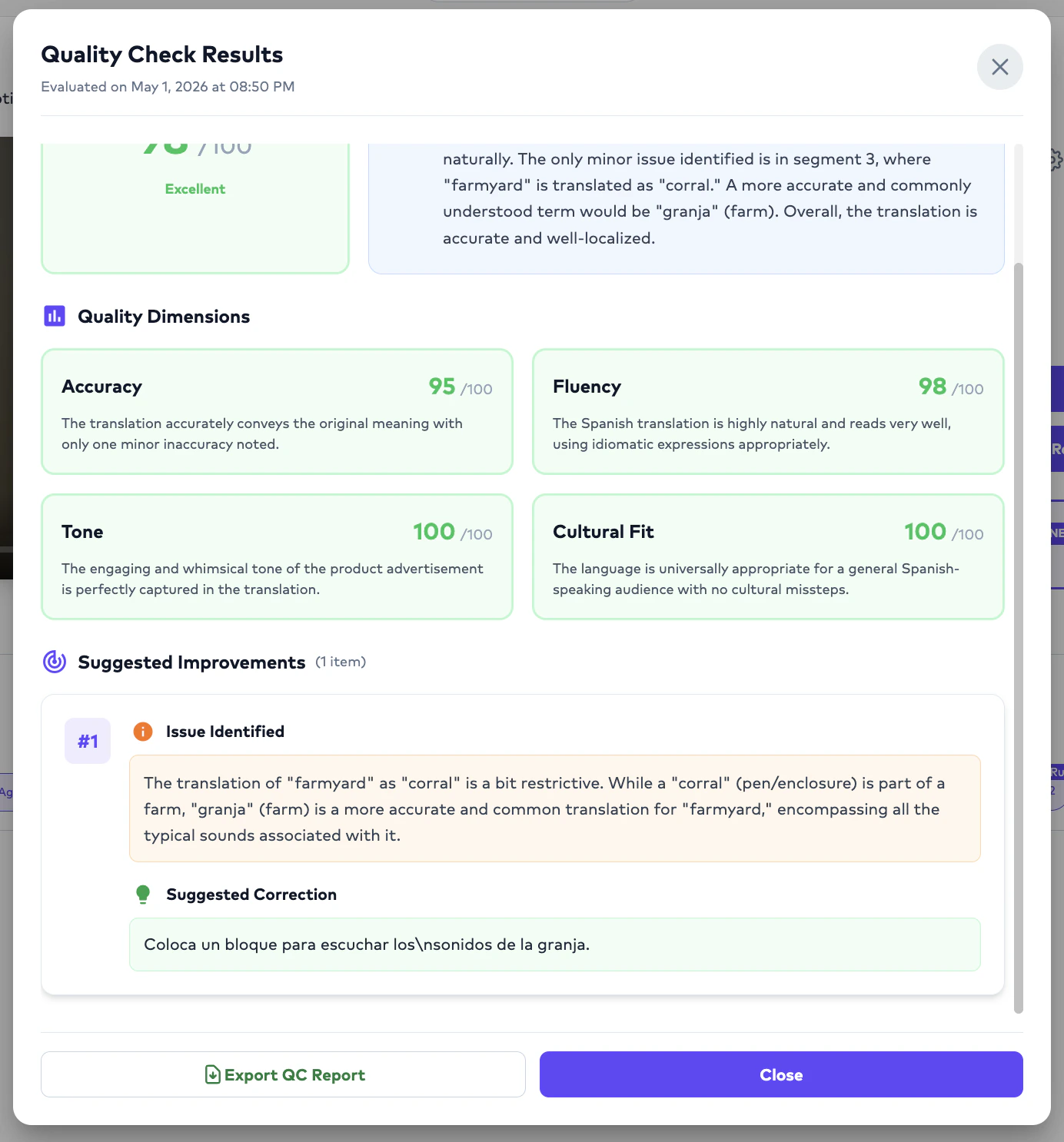
Editors can now annotate translations during the editing process, assigning a severity and category to each fix. Annotation reports are exportable from the Order Preview and Studio sections, and the data feeds into the broader QC Management Dashboard alongside AI QC results so teams can track human and AI quality insights in one place.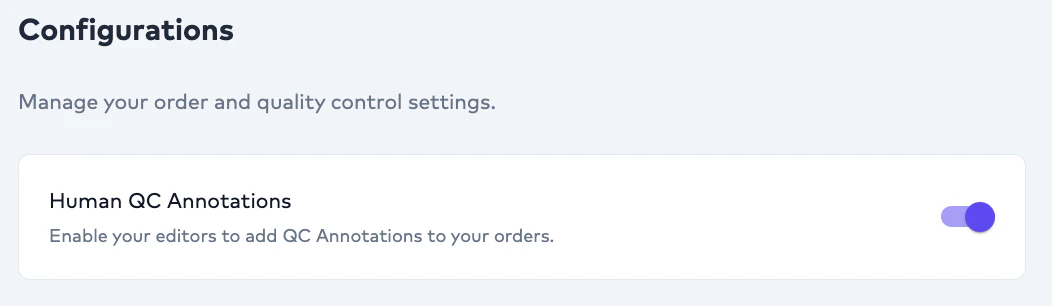
New releasesImprovements
New releases
Provider config admin endpoints
NewGET and PATCH /v1/package-features/provider-configs (and /:id, /export) endpoints for managing AI provider routing per package feature. CSV export uses standards-compliant double-quote escaping on all string fields.New releases
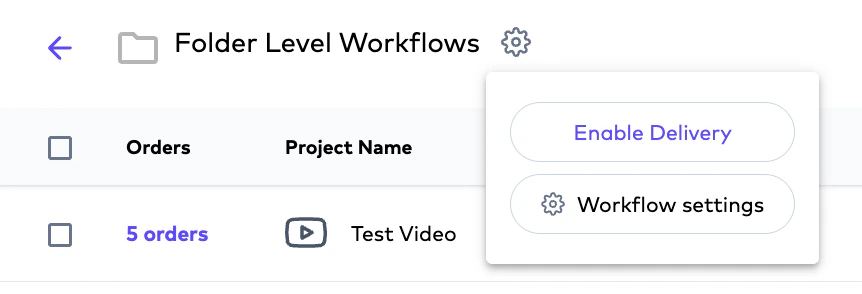
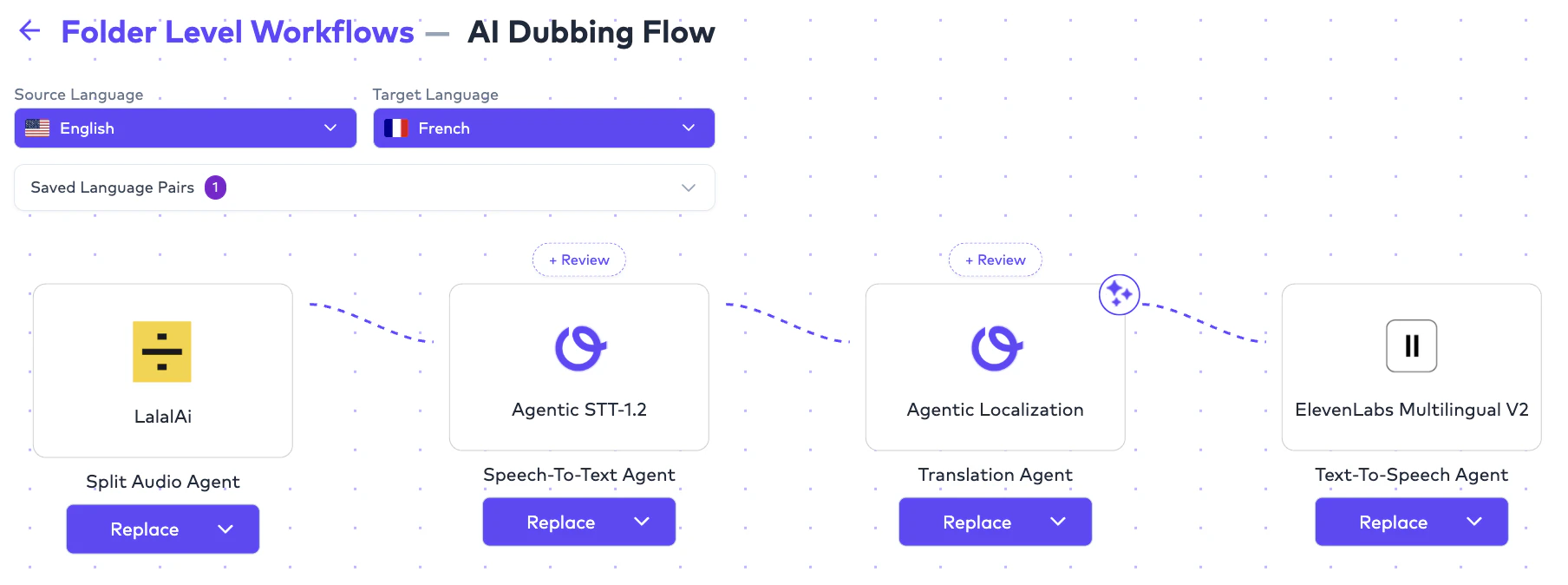
Folder-level workflow overrides
New REST resource at/client/folders/:folderId/preferences (GET / POST / PATCH / DELETE) lets you override workflow defaults per folder. Resolution follows a 4-tier ladder: exact source+target → source-only → target-only → all-to-all, with folder rules taking precedence over client-level rules when matched.Adobe After Effects ZIPs for AI Dubbing
.zip AE project uploads are now exposed in advanced settings for AI Dubbing, alongside Visual Translation.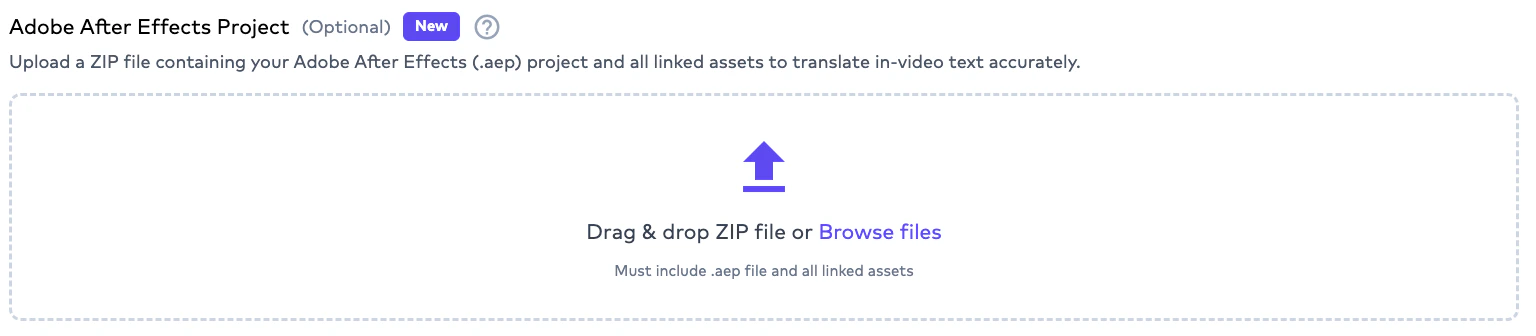
New releases
Embed subtitles into delivered video
POST /integration/orders/{orderId}/subtitle-embedding requests subtitle embedding for an existing subtitle order. Useful when you want a single delivered video file with burned-in or attached captions.cURL
Improvements

New releasesImprovements
TikTok connector
TikTok now appears in App Integrations. The companion Chrome extension is in private release as v1.1.3.MCP integrations now documented
Reference docs are live for Airtable, Notion, Vimeo, YouTube, Dropbox, and Strapi. See Ollang MCP.Studio edits during review
Translators can now edit in Studio while an order is inreview or ongoing status. The cron retrigger correctly skips orders in review.AI Voices speaker usage indicator
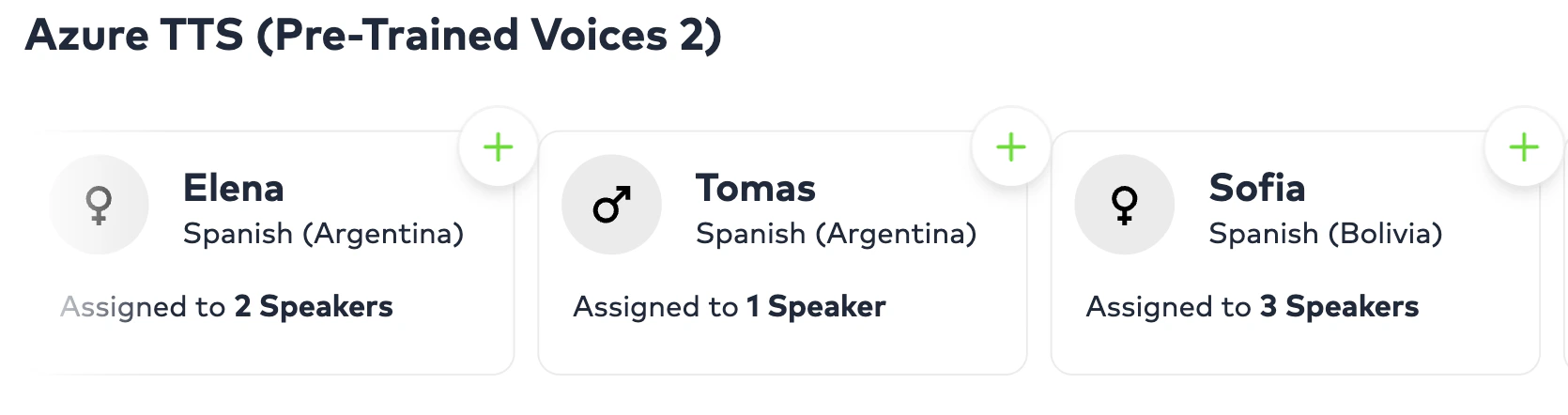
Each AI voice in the selection flow now shows how many speakers are assigned to it (e.g. “Assigned to 5 speakers”), along with the segment count per speaker. Helps translators distribute voices across a cast and avoid overuse of any single voice.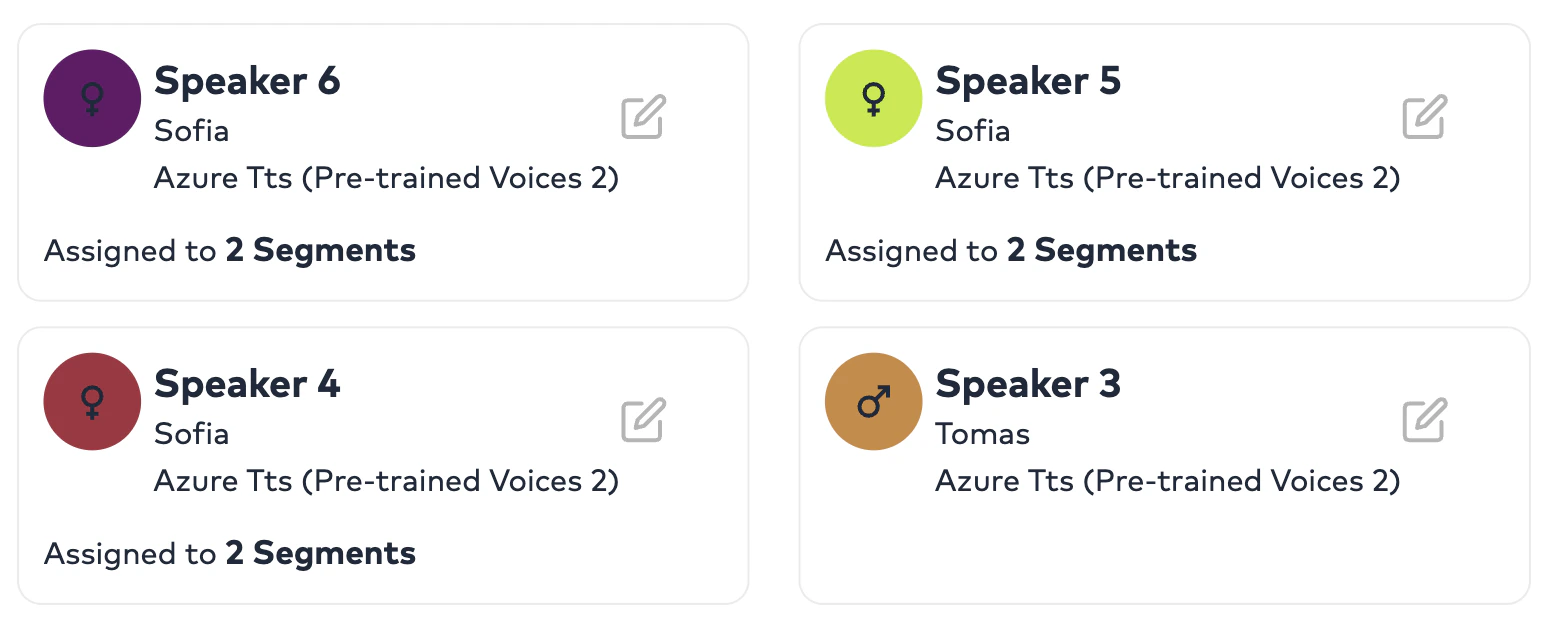
New releases
Configurable Review Gates with AI-QC threshold
Each Review Gate now supports a per-gateqcThreshold (0–100). Orders are auto-routed for human review only when AI QC falls below the threshold; gates auto-complete on approved comments and are protected against infinite cycles. Single-assignee assignment is now LSP-aware, and translatorId / lspId are persisted on assignment.Workflow review modes via Team Tags
Two review modes are now supported per gate:- Assignment — auto-assigns the order directly to a Team Tag member (typically a linguist) to fix and deliver.\
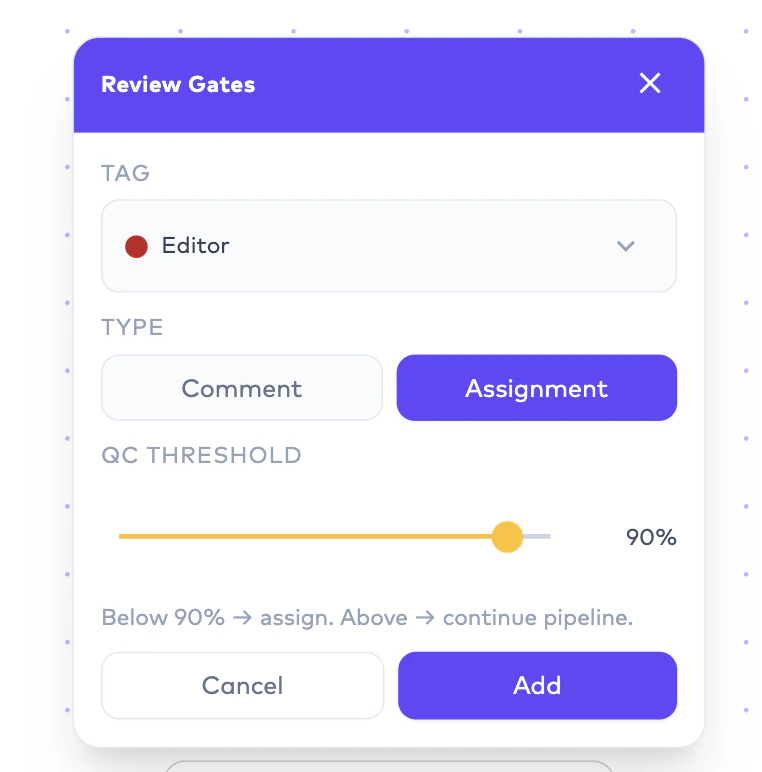
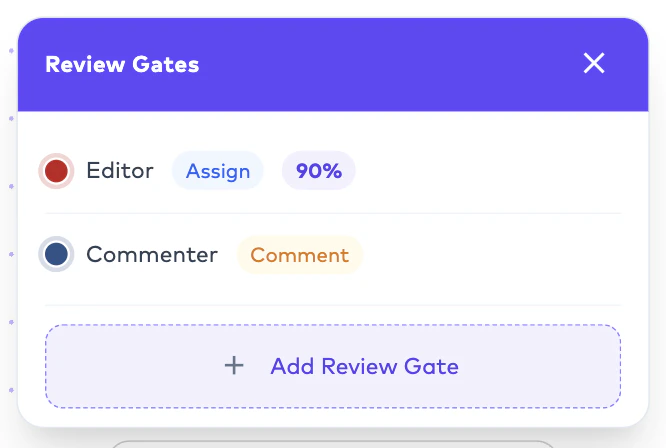
- Comment — routes to the selected Team Tag for review-only; the reviewer leaves comments and saves the order without making fixes.\
Google Drive folder mappings
Pull configurations can target an internal folder; push configurations can scope to a source pull folder. Folder drop downs are searchable with a capped height for large drives. Push delivers the subtitle-burned video, the VTT, and an Excel of comments (when present) back to the configured push folder.Also shipped: per-gate threshold routing in the cron QC dispatcher, async QC kickoff, and visibility status set on gate entry.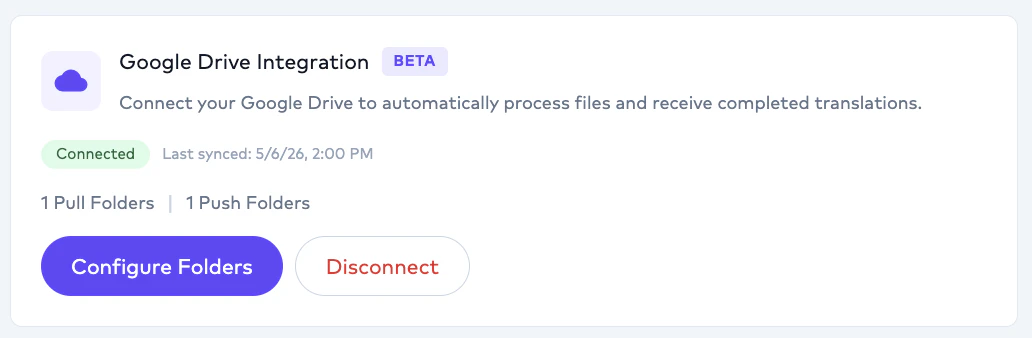
New releases
Mobile localization formats
Document translation now accepts Android.xml strings, iOS .strings, and iOS .stringsdict (plural-aware). Plurals and string arrays are flattened into key-per-variant translation units, and comments are preserved on rebuild.Bulk download for translator and LSP dashboard
New endpoint to bulk download source and deliverable assets, with Mux URLs included.Improvements
Adobe After Effects upload reliability
S3Service.uploadAdobeAEFileWithRetry adds retry-with-backoff for AE file uploads. Conversion request timeout raised to 5 minutes for large project processing.New releases
New frontier models
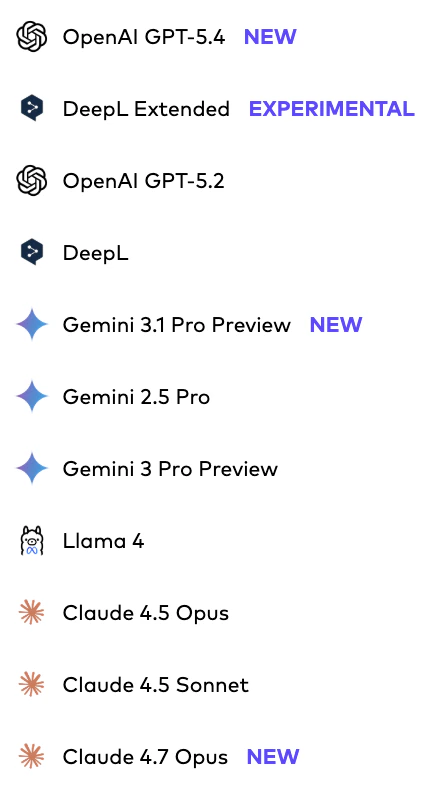
Claude Opus 4.7, GPT-5.4, and Gemini-3.1 Pro are now selectable as workflow models across translation and review pipelines.\
Independent Closed Caption and Subtitle workflows
Standalone Closed Caption (time-coded transcription) and Subtitle workflows no longer cascade from the AI Dubbing model selection — each can now be configured with its own AI models.
New releases
QC Score Progression Tracker
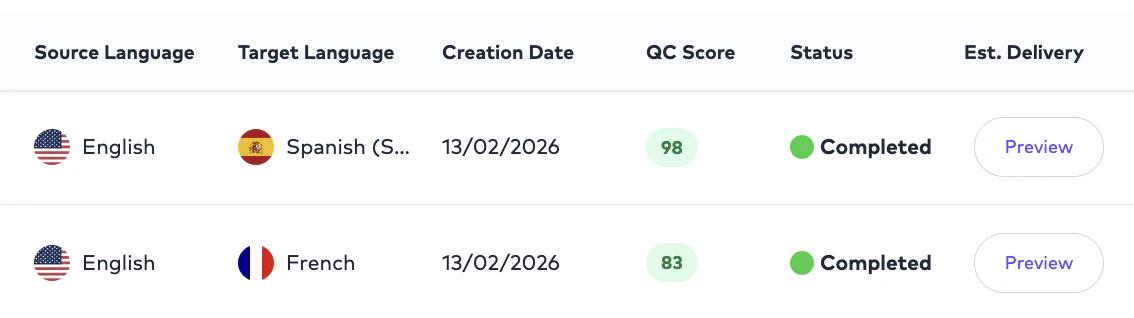
New analytics widget tracks QC score over time. The Quality dashboard also gains an average human-edit-percentage metric.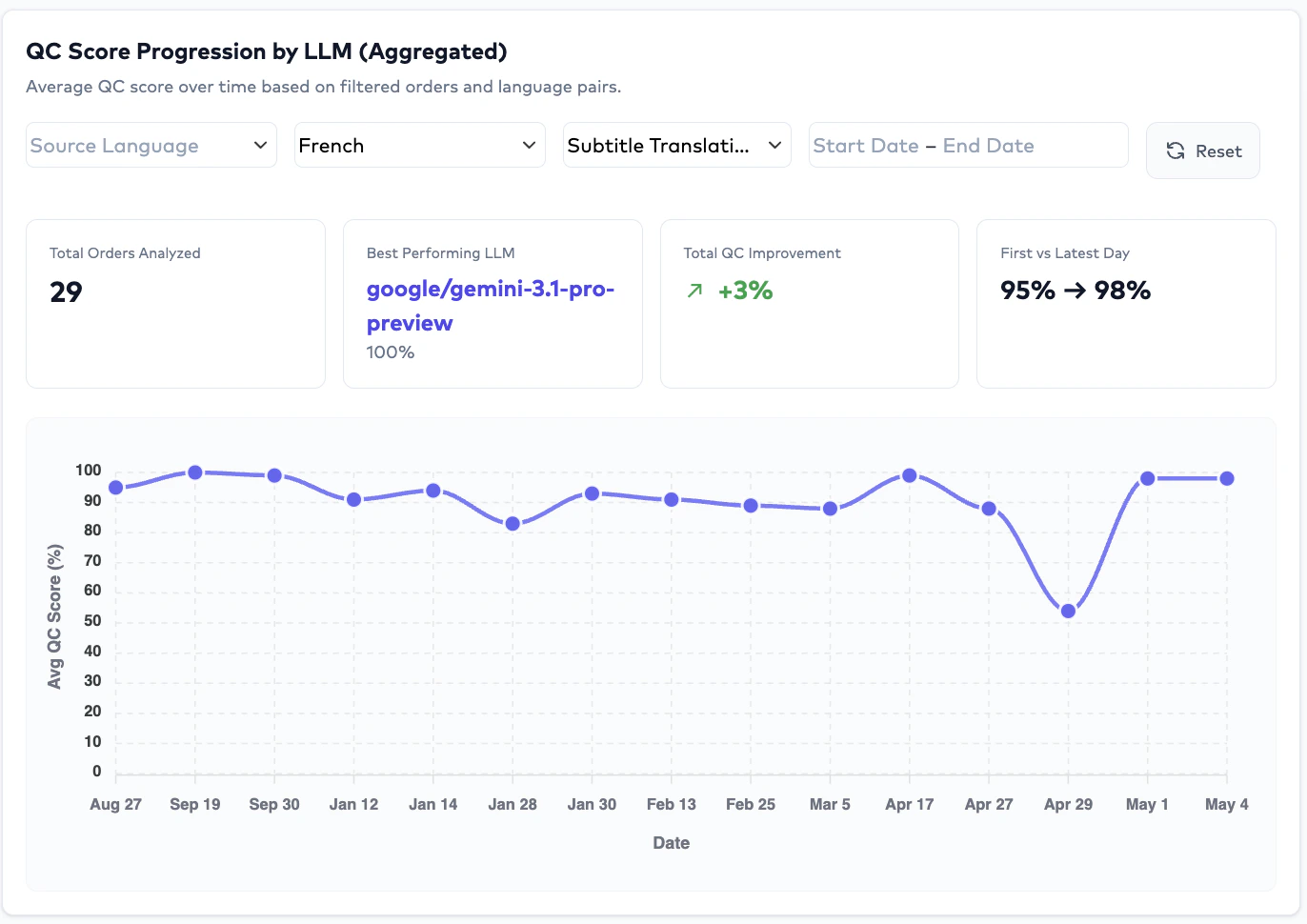
New releases
BYOK — bring your own LLM keys
Clients can now provide their own LLM API keys. Newclient-byok BFF with encrypted CRUD, a workflow key router, and n8n body injection. Plan-gated; check your subscription’s BYOK feature flag.
Ollang SDK (Beta, Open Source)
The official Ollang SDK is now available:- npm:
@ollang-dev/sdk - GitHub: github.com/ollang/sdk
npm i @ollang-dev/sdk.Improvements
Tag column on advanced consumption export
The advanced credit consumption Excel export now includes aTag column for segmentation.New releases
New releasesExperimental
Agentic Turbo model
A faster, more cost-efficient option with lower credit usage is now available as an experimental soft launch. Treat it as best-suited for testing on videos or documents where you want to evaluate output quality before adopting it for production workloads.New releases
LSP roles overhaul
Added LSP Admin and LSP Project Manager roles. Inviting an editor now auto-promotes them along the structured AI → Linguist → Admin flow. Project Managers can manage LSP members; finance data is hidden from PM and member roles. Team management enforces edit permissions based on role.New releases
In-video text translation editing
Translators can now edit AI translations on Visual Translation orders. Prompt-based updates produce a new version in 2–5 minutes — designed for human-in-the-loop correction and iteration.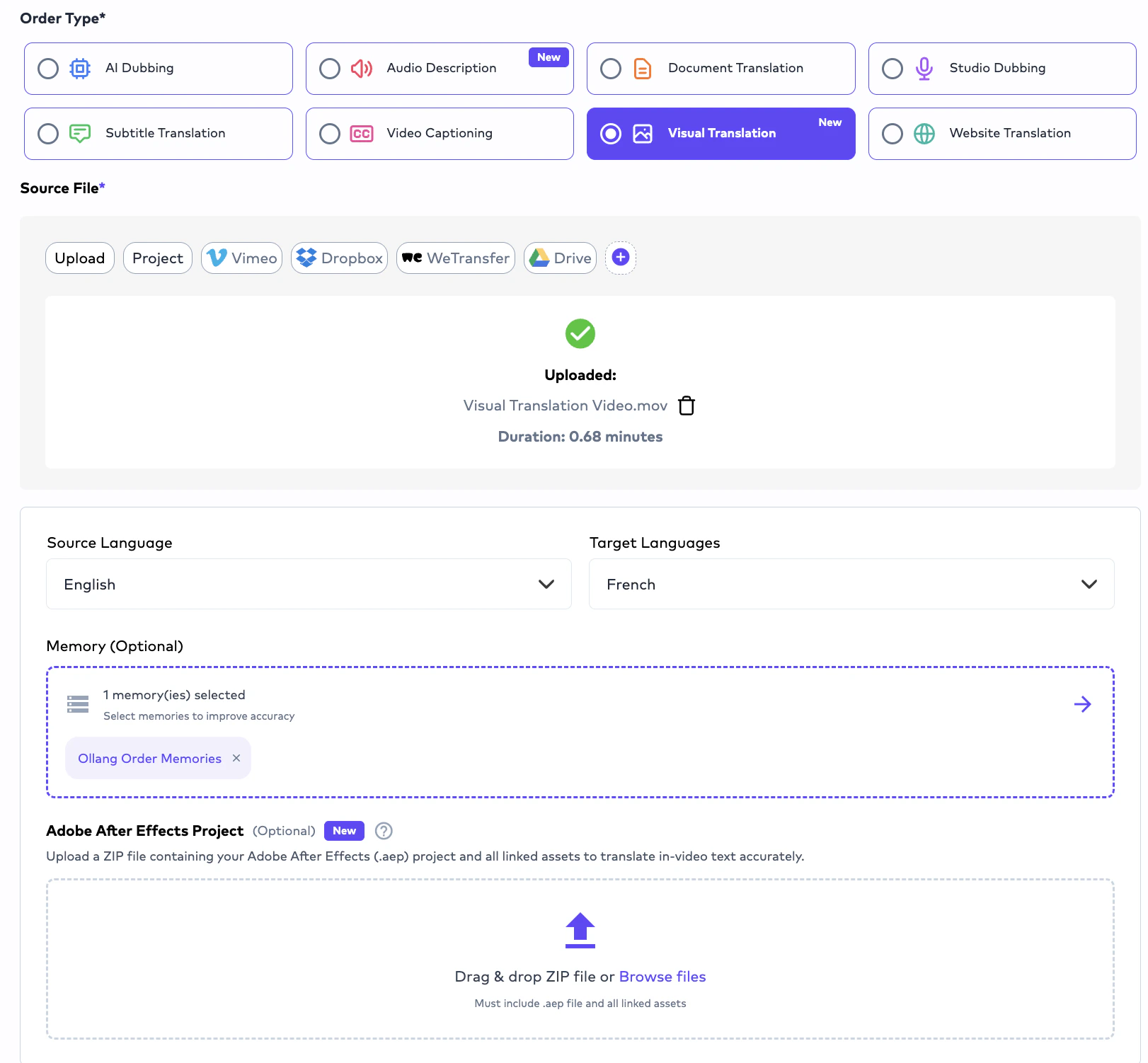
New releases
Custom team-member tags
Newclient-tags controller with assign / remove / CRUD operations. clientTagIds added to User and Freelancer. Foundation for downstream tag-driven workflow automation.New releasesImprovements
TTS direct order linking
Post-creation redirect now lands users on the new TTS order with English as default. Duration handling fixed for TTS, andautoRate is disabled when in TTS mode.Persistent speaker voice assignment
Speaker → voice mappings are persisted onAiDubbingWork records and survive reruns.New releases
Image-to-image translation
Document Translation now acceptsJPEG, JPG, and PNG files and translates images directly. The AI dubbing/subtitle pipeline is unchanged; this lands as a new input type for the Document Translation order. Future iterations will extend the same flow to images embedded inside PDFs and other document formats.New releases
Source Text Editing in AI Dubbing
Edit source text directly in Studio and trigger retranslation. AI actions to shorten or expand text are also available.sourceText is now included in ParaphrasedResponse and a retranslate task was added to NLP.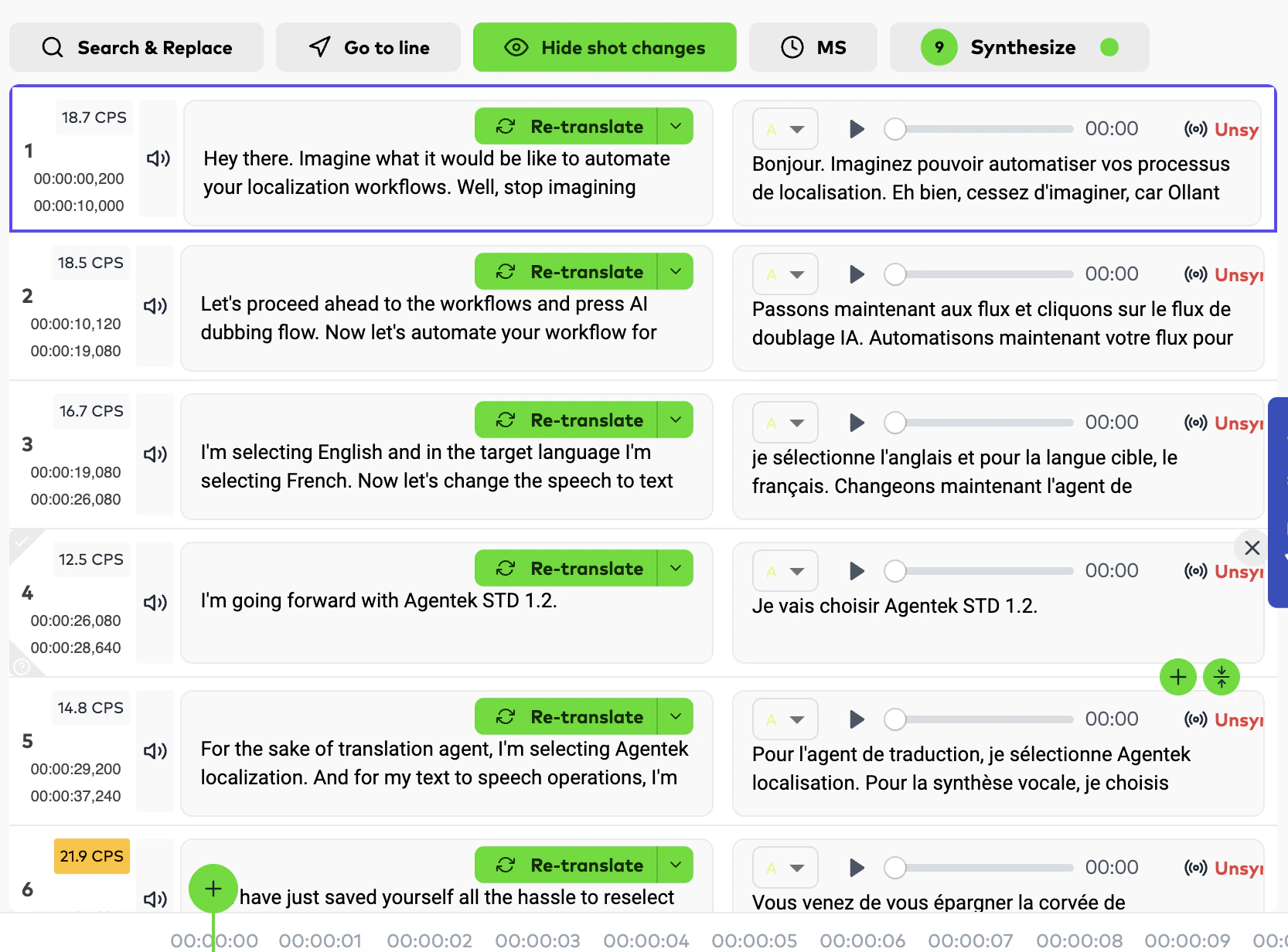
TTS rerun fixes
Rerun correctly preserves the last provider for TTS orders, and the AI-only flow handler now applies to all level-0 orders.New releasesImprovements
Human Edit Distance on subtitle order details
AI-generated subtitle orders now expose a Human Edit Distance metric in order details, reflecting edits made by your team or translation partners. Useful for tracking how much human editing each AI-generated subtitle order needed.Wolof language support
Wolof is now a supported translation language. See the full list on the Supported Languages reference page.New releases
Text-to-Speech in AI Dubbing
Generate dubbed speech without a source video. The AI Dubbing pipeline now supports a TTS-first flow with completion, download, and rerun. Unlocks audio-only workflows and faster content creation.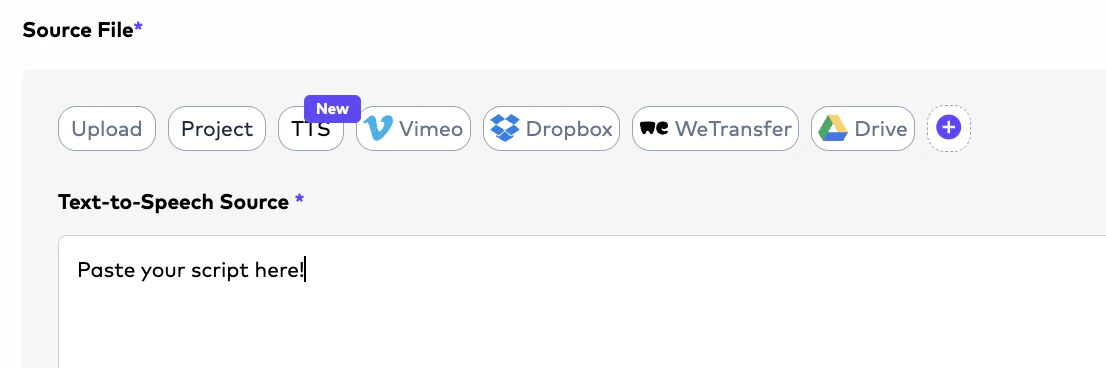
Studio configurations dropdown
New configurations dropdown in Studio with a subtitle preview toggle.New releases
Google Drive integration (BETA)
Pull and push files directly via Google Drive. OAuth-based auth, polling-based sync (5-minute interval in production), shared-drive support, and content-type forwarding to S3 multipart uploads. Subtitle orders push embedded-subtitle video plus a comments xlsx back to Drive.New releasesImprovements
HITL document orders generate AI outputs by default
Human-in-the-loop document localization orders now produce AI outputs by default. Translators and LSPs can review the AI result and edit, delete, or add content before delivering the final translation.Client guidelines surfaced in document upload
HITL document projects display client-uploaded guidelines, supporting documents, and references directly in the document upload screen.Unified Studio reference panel
In the Closed Caption, Subtitle, and AI Dubbing Studios, the Reference button now surfaces all supporting documents, client-specific instructions, and related order assets in one place.New releases
Spend limits and notifications
Subscriptions now exposenotificationThresholds, with owner-only notifications and both soft and hard limit enforcement applied across order creation, rerun, and QC pricing. Negative thresholds are rejected.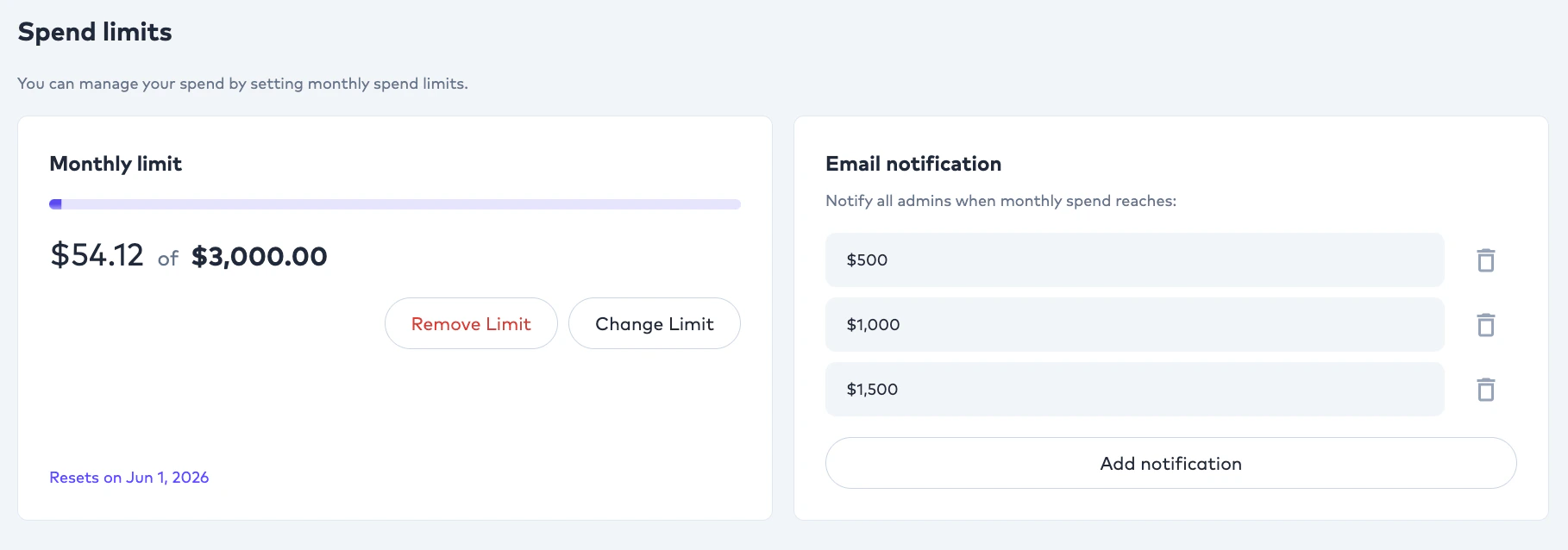
Studio Comments v2
Threaded comments inside the editing Studio for collaboration between linguists and reviewers.New releases
folderId on uploads
API key uploads can now target a folder via folderId. A new endpoint lists available folders for the authenticated client.New releasesImprovements
Client Configurations: Comment and QC Threshold toggles
Clients can now opt into:- Comment — team members can leave comments on projects that other members can see.
- QC Threshold — when an order’s QC score falls below the configured threshold, it is automatically routed to an Editor on the team.
Advanced Cost Breakdown
Orders and AI providers are now filterable, searchable, and exportable from a single Advanced Consumption interface.Dubbing style in the Studio header
AI Dubbing orders now display the dubbing style in the Studio header for quick context.New releases
Self-register onboarding
New onboarding questions module and end-to-end self-serve signup. New clients automatically have an LSP record created on registration. Google sign-in includes an auto-signup fallback.New releases
Cancel Human Review
POST /integration/orders/{orderId}/cancel-human-review programmatically cancels an in-progress human review gate, mirroring the existing Request Human Review endpoint. The order is reverted to its AI-only (Level 0) state and human review credits are refunded. See the Cancel Human Review reference.callbackUrl for QC and order completion
Create Order and Rerun Order payloads accept an optional callbackUrl. Completion events for document translation, QC, and review pipelines POST to your URL with the order, document, and result payload. IPv6 is blocked at the SSRF guard, and callbackUrl is excluded from criteria sent to the AI evaluation service.New releasesExperimental
After Effects (.ZIP) for end-to-end localization
Order creation now accepts After Effects project files (.ZIP) for localization, rendering, and final delivery. Custom Instructions can drive translation behavior; main composition identification uses the maximum number of elements and the presence of an audio layer as heuristics.PNG image translation inside After Effects (experimental)
PNG images embedded inside AE projects are now translated as part of the AE flow. Marked experimental — transparent image outputs may not always produce optimal results.Order type structure update
Order creation now distinguishes:- Visual Translation and Audio Descriptions as separate order types.
- In-Video Text Translation remains selectable under the Subtitle order type.
- Audio Description is also available under the AI Dubbing order type.
New releases
Adobe After Effects input
In-text and Visual Translation orders now accept Adobe AE project files as source. S3 multipart streaming, retry-with-backoff, and a callback service for the AE machine are all in place.Improvements
SDLXLIFF translation formatting
SDLXLIFF translation formatting now covers more edge cases (segment grouping, inline tag preservation, mid-word tag handling).Agentic long-form subtitle translation
Long-form subtitle translation through the Agentic pipeline is faster and produces tighter alignment between the source and translated segments.Agentic SDH no longer overflows video duration
Generated SDH output is now bounded by the video length, preventing trailing captions from extending past the final frame.Improvements
LSP Admin: retrigger CC orders
LSP Admins can now retrigger closed-caption orders. Retrigger cadence relaxed from hourly to every three hours.New releases
New releases
Language-based workflow management
Workflows are no longer limited to a single All Languages → All Languages rule. You can now configure and switch workflows by language pair and order type (e.g. AI Dubbing, Document Translation), giving you per-pair AI model and review-gate routing. This is the foundation that the later folder-level overrides build on top of.Improvements
Hidden orders excluded from AI credit consumption
CC files uploaded for hidden orders no longer consume AI credits, fixing a billing edge case.New releases
Order rerun
POST /integration/orders/{orderId}/rerun re-executes a completed order against the current workflow, useful when source content changes or you’ve adjusted preferences. See the Rerun Order reference.cURL
QC evaluation APIs (experimental)
POST /integration/orders/{orderId}/qc— trigger QC evaluation on demand. See Run QC Evaluation.- QC result is now embedded in
GET /integration/orders/{orderId}responses when available. See Get Order by ID.
cURL
Improvements
New releasesImprovements
Source transcript pasting
When creating a subtitle translation or AI Dubbing order, you can now paste a source transcript (a script without timecodes). The agentic pipeline matches the pasted text against timecoded segments to keep transcription accuracy at 100% before translation and AI Dubbing run on top.ESC reverts AI Dubbing segment edits
Pressing ESC while editing inside an AI Dubbing segment resets the segment back to its original text and Synthesized state. Prevents accidental re-synthesis from inadvertent edits.Click anywhere in a segment to jump
Clicking anywhere inside a segment now jumps the video to that segment’s start time. Previously this only worked when clicking the text area.New releases
Speed adjustment with box sizing
AI Dubbing’s editing UI gains box-level speed adjustment, withneedsSpeedAdjust persisted in dubdata. Original stats are saved for future reference.New releases