

Overview
The Ollang Project Management Dashboard supports both:- AI-only workflows,
- and AI + Human Review workflows.
- fully automate localization,
- integrate internal reviewers,
- assign external linguists,
- onboard dubbing studios,
- or combine AI and human review pipelines.
- how the Order is processed,
- who can review it,
- and how final delivery occurs.
Workflow Types
AI-only Workflow
Fully AI-generated localization workflow that remains editable and assignable after generation.
AI + Human Review Workflow
Workflow where human linguists or editors review, refine, and deliver the generated output.
AI-only Workflow
Overview
AI-only workflows generate localization outputs using AI orchestration pipelines without automatically assigning a human reviewer. However:- AI-only Orders remain editable,
- rerunnable,
- and assignable after generation.
- internally review outputs,
- assign linguists later,
- or reprocess workflows if needed.
AI-only Workflow Behavior
Important Clarification
AI-only does not mean the Order is locked or non-editable.
- edit outputs,
- rerun workflows,
- assign editors,
- assign linguists,
- or deliver outputs manually.
AI + Human Review Workflow
Overview
AI + Human Review workflows combine:- AI-generated localization,
- with human editing and review operations.
- enterprise localization,
- accessibility workflows,
- high-visibility media,
- regulated industries,
- and premium localization pipelines.
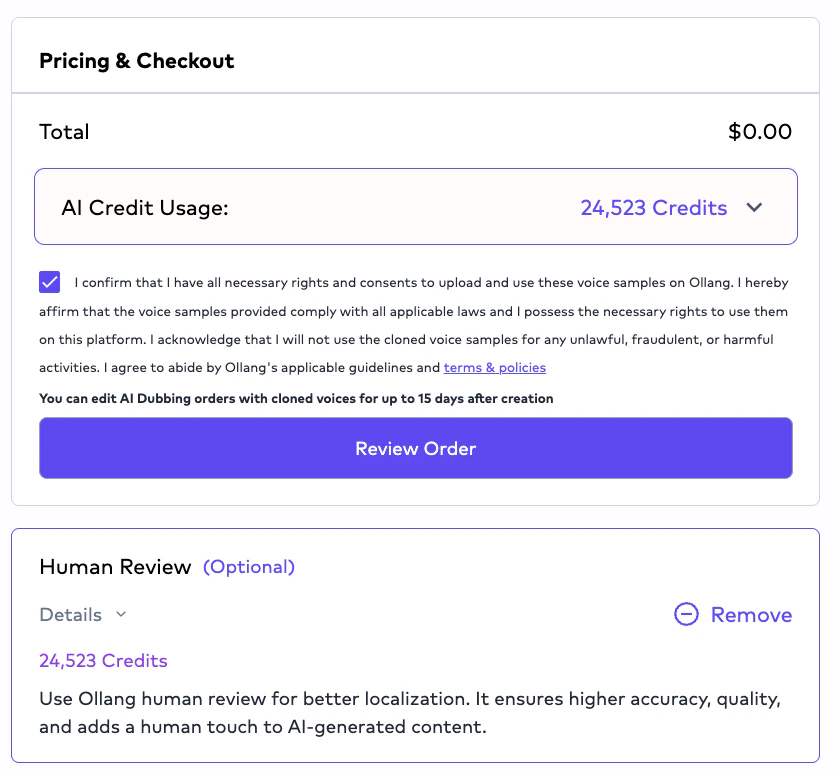
AI + Human Review Pipeline
Human Review Assignment Logic
Human review assignments will involve Ollang-managed reviewers. Organizations can request human review support from Ollang.Example Assignment Workflow
Editor Interface
Editors and linguists perform operational review inside the:- Editor Interface.
- subtitle editing,
- transcription editing,
- timing adjustments,
- dubbing review,
- speaker management,
- and multilingual delivery operations.
Subtitle Editing Capabilities
Editors can:- edit subtitle text,
- modify timing,
- split subtitle segments,
- merge subtitle segments,
- optimize CPS/CPL,
- adjust readability,
- and refine localization quality.
Dubbing Editing Workflows
For AI Dubbing workflows, editors can:- review generated translations,
- refine dialogue,
- optimize pacing,
- modify localized text,
- and rerun synthesis workflows.
- resynthesis (Text-To-Speech Operations) may occur after edits.
Segment-Level Editing Behavior
If a subtitle or dubbing segment is split:- edits operate at segment level.
Human Delivery Workflow
After editing is completed:- editors or linguists deliver the Order.
- Order status,
- Project visibility,
- and downstream operational workflows.
- the Project Management Dashboard.
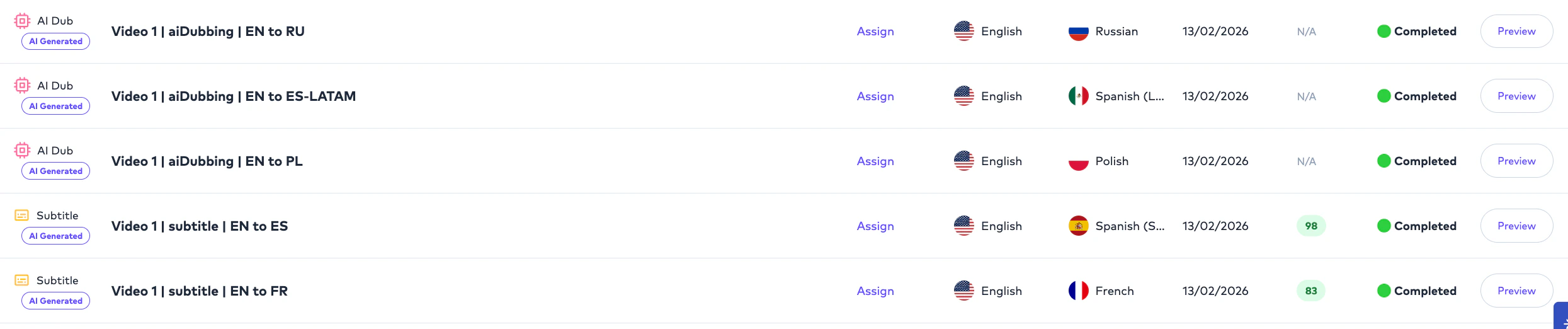
Review Visibility Rules
Project Management Users generally have visibility into:- all organizational Projects,
- all Folders,
- and operational workflows.
- explicitly assigned Orders.
Example Visibility Structure
AI QC and Human Review
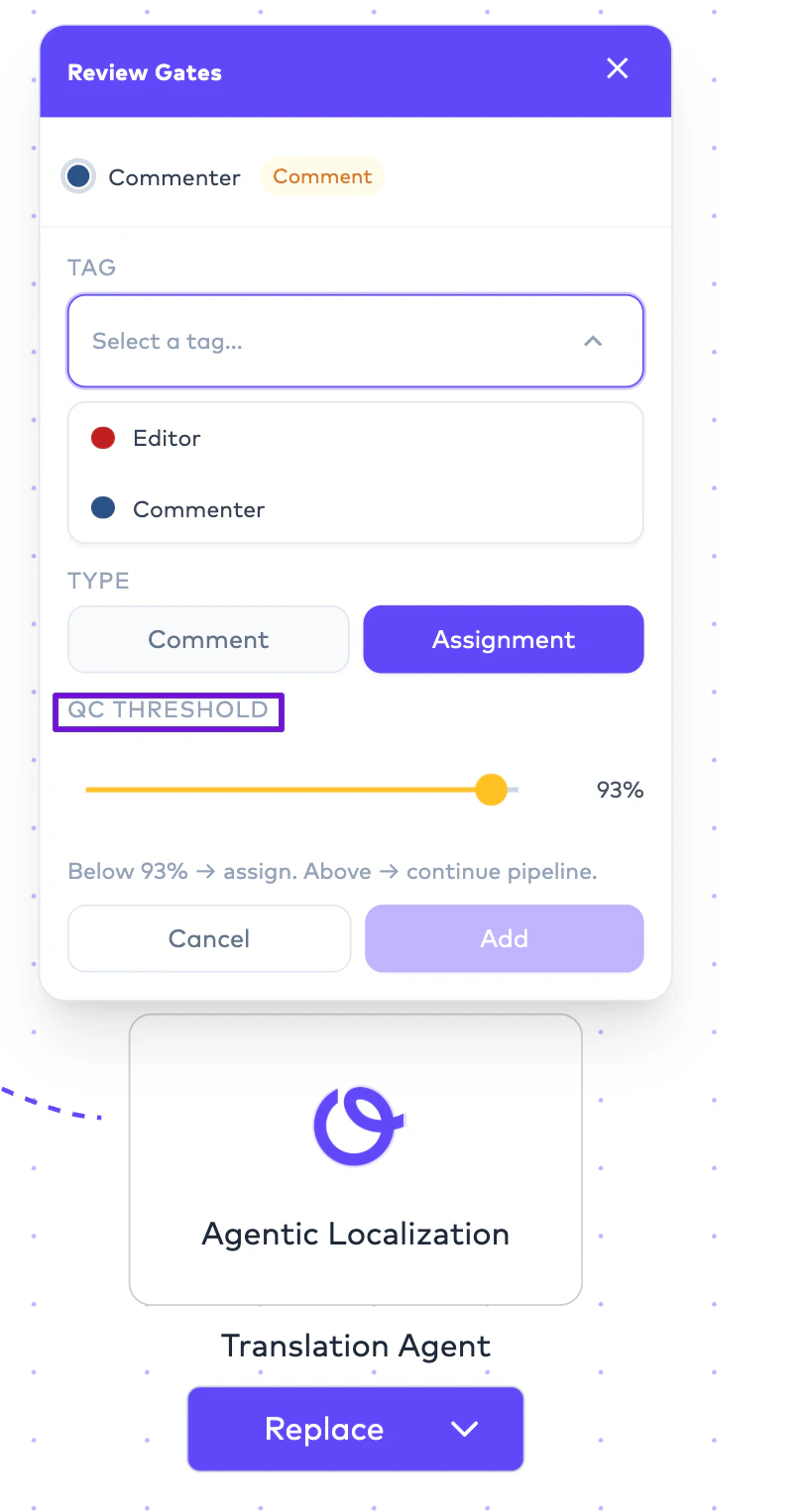
Human review workflows may operate alongside:- AI QC evaluation,
- QC thresholds,
- and workflow automation rules.
- scalable review operations,
- automated escalation,
- and multilingual QA workflows.
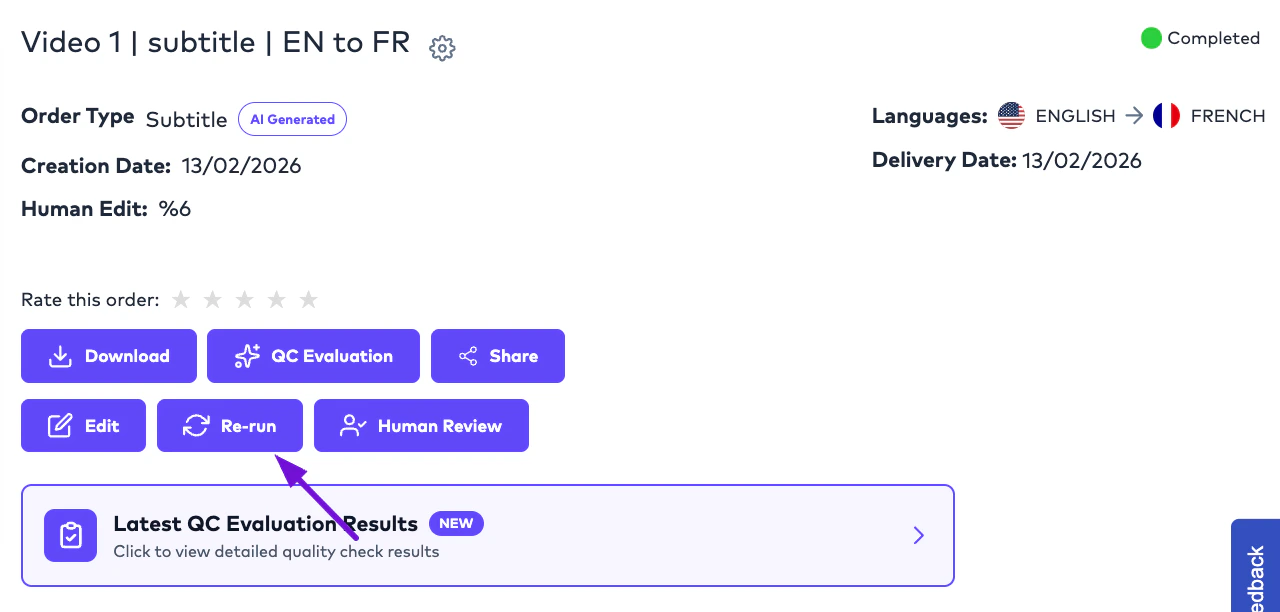
Rerun Workflows
Orders may be rerun after:- subtitle edits,
- workflow changes,
- translation refinements,
- or synthesis adjustments.
- subtitles,
- translations,
- dubbing outputs,
- or downstream deliverables.
Studio Dubbing Review Workflows
Studio Dubbing workflows support:- externally managed recording operations,
- uploaded dubbing assets,
- and final delivery coordination.
- upload final mixes,
- upload dubbing vocals,
- or coordinate delivery assets inside the platform.
AI QC Evaluation
Overview
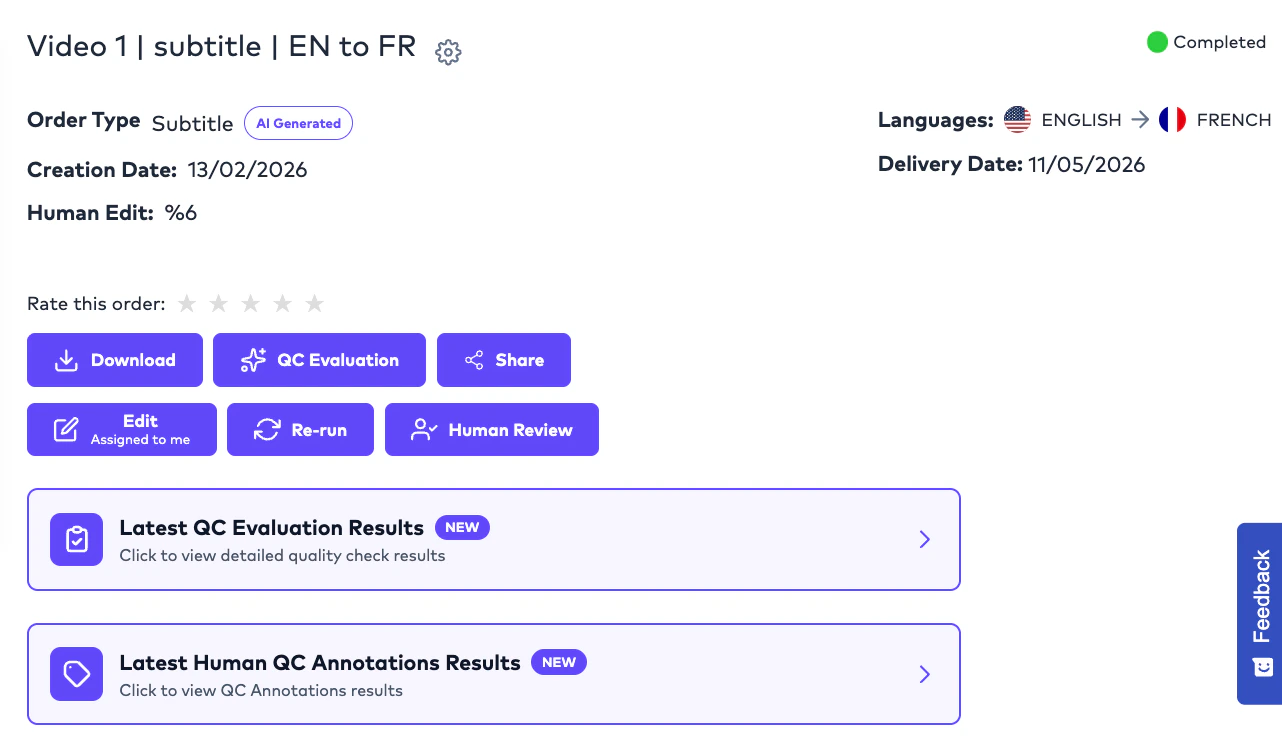
AI QC Evaluation allows Project Management Users to automatically evaluate subtitle localization quality using configurable AI-based quality assessment. This workflow is currently available for:- Subtitle Translation Orders.
- evaluate localization quality,
- identify linguistic weaknesses,
- benchmark translation performance,
- and improve multilingual consistency before delivery.
How AI QC Evaluation Works
Project Management Users can run an AI-powered quality evaluation directly from the Order interface.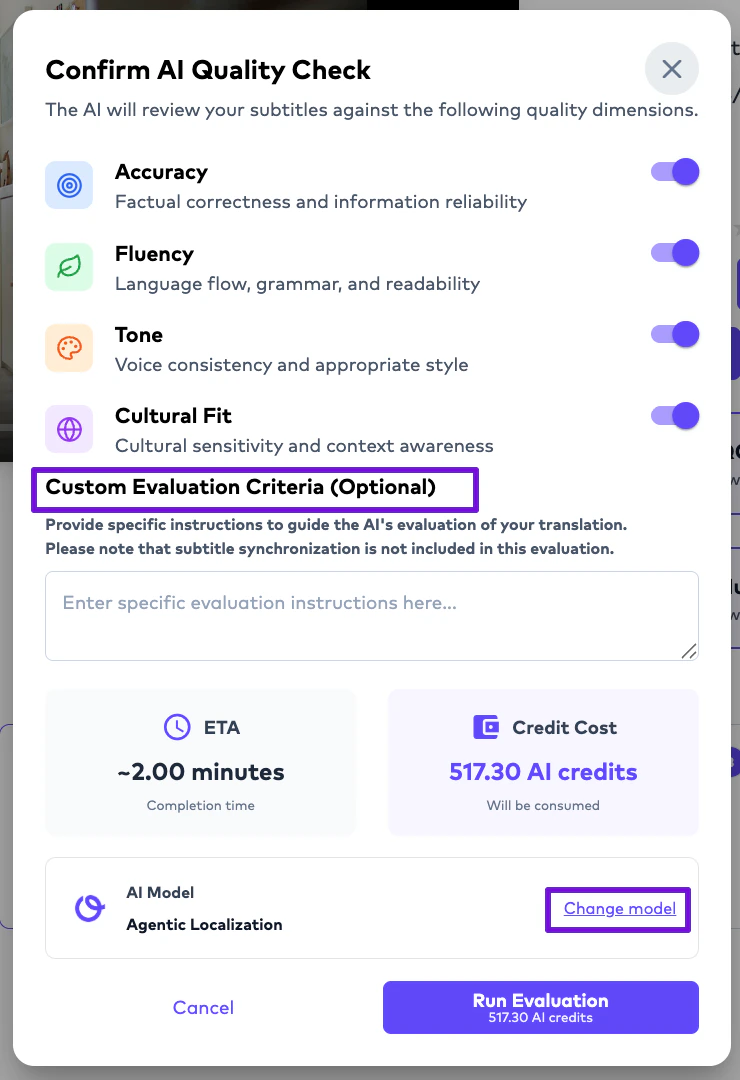
- predefined evaluation criteria,
- optional custom criteria,
- selected evaluation model,
- and prompting instructions.
Default Evaluation Criteria
The platform currently includes four built-in evaluation dimensions:Accuracy
Evaluates whether the translation preserves the intended meaning of the source content.
Fluency
Evaluates readability, grammar, and natural language quality.
Tone
Evaluates whether tone, voice, and intent remain consistent with the original content.
Cultural Fit
Evaluates whether localized content feels contextually and culturally appropriate for the target audience.
Custom Evaluation Criteria
Organizations may optionally define:- custom evaluation criteria.
- brand guidelines,
- legal requirements,
- subtitle standards,
- accessibility expectations,
- or domain-specific localization rules.
AI QC Results
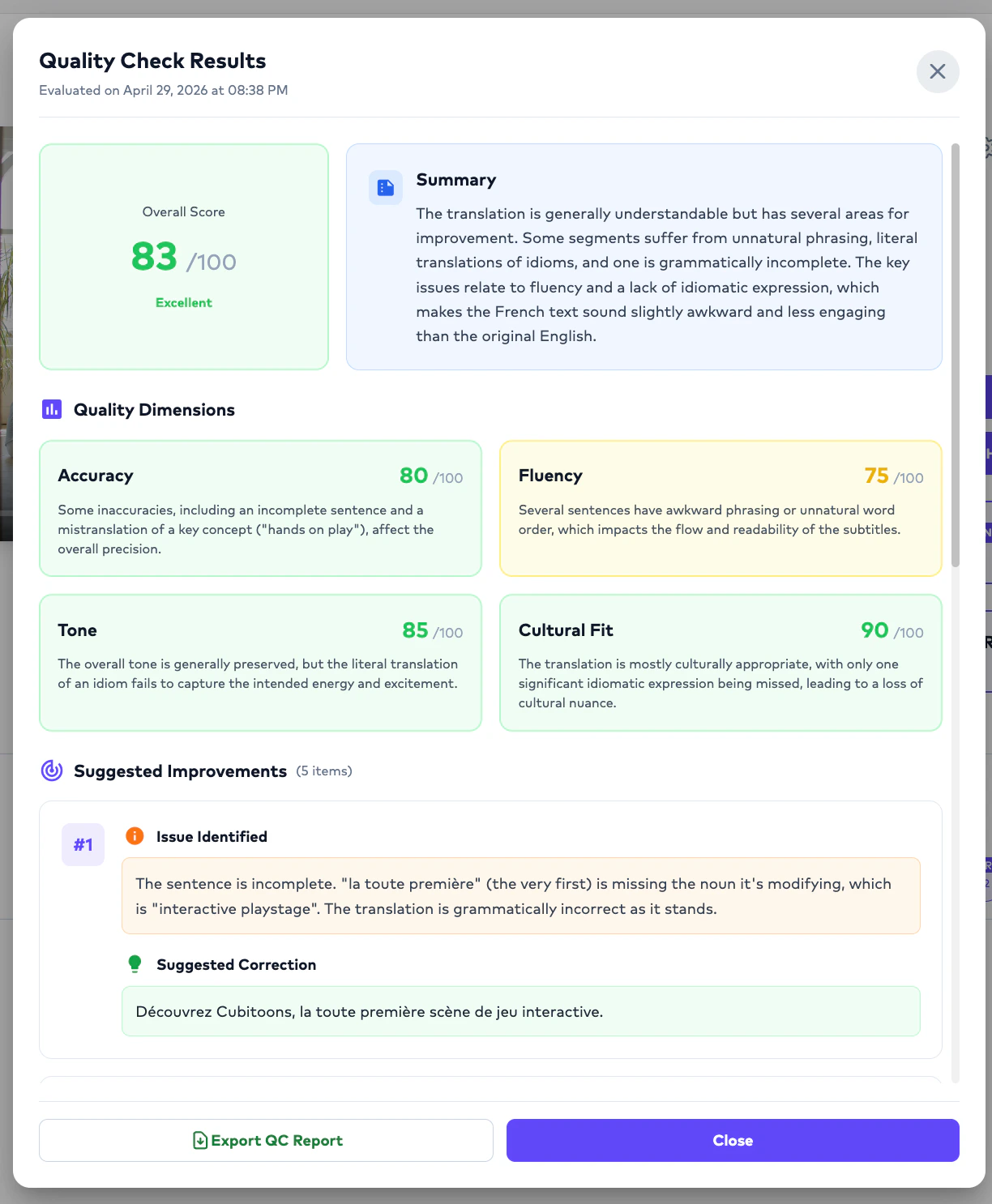
Once evaluation is completed: The system generates:- QC scoring,
- evaluation reasoning,
- criteria-level analysis,
- and quality observations.
- validate localization quality,
- identify problem areas,
- and decide whether human review is required.
Human QC Annotation
Overview
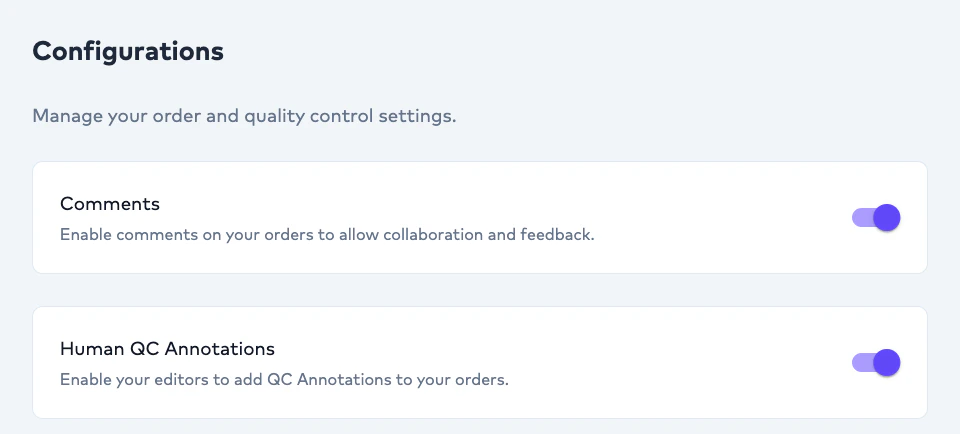
Human QC Annotation enables linguists and editors to evaluate AI-generated subtitle output using structured quality tags. Unlike AI QC Evaluation:- Human QC Annotation is performed manually by a linguist during review.
- audit AI quality,
- identify recurring issues,
- benchmark linguistic weaknesses,
- and improve future localization workflows.
When Human QC Annotation Happens
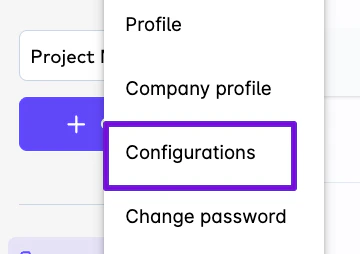
Human QC Annotation occurs:- Human QC Annotation is enabled in configuration settings.
Important Operational Behavior
Linguists do not need to annotate every subtitle segment.
- to segments where issues are identified.
- efficient,
- scalable,
- and operationally practical.
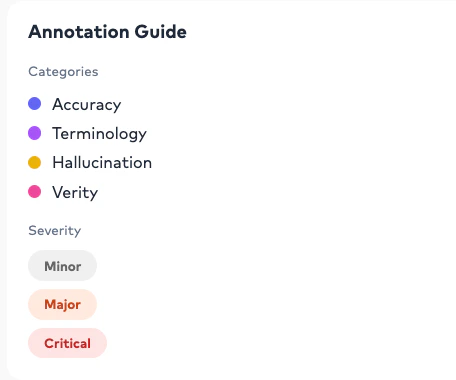

Human QC Categories
Editors can tag subtitle segments using predefined categories:Accuracy
Used when translated meaning is incorrect or incomplete.
Terminology
Used when approved terminology or glossary usage is inconsistent.
Hallucination
Used when AI introduces fabricated, missing, or unsupported content.
Verity
Used when factual correctness or contextual truthfulness is affected.
Severity Levels
Each annotation can additionally include:- severity classification.
Minor
Small issue with limited localization impact.
Major
Significant issue affecting localization quality or readability.
Critical
Severe issue requiring immediate correction.
Example Annotation Workflow
Example subtitle segment:Annotation Summary
Once the linguist delivers the Order: Project Management Users can access:- Human QC Annotation results.
- number of annotated segments,
- category distribution,
- severity distribution,
- top recurring issues,
- and localization quality insights.
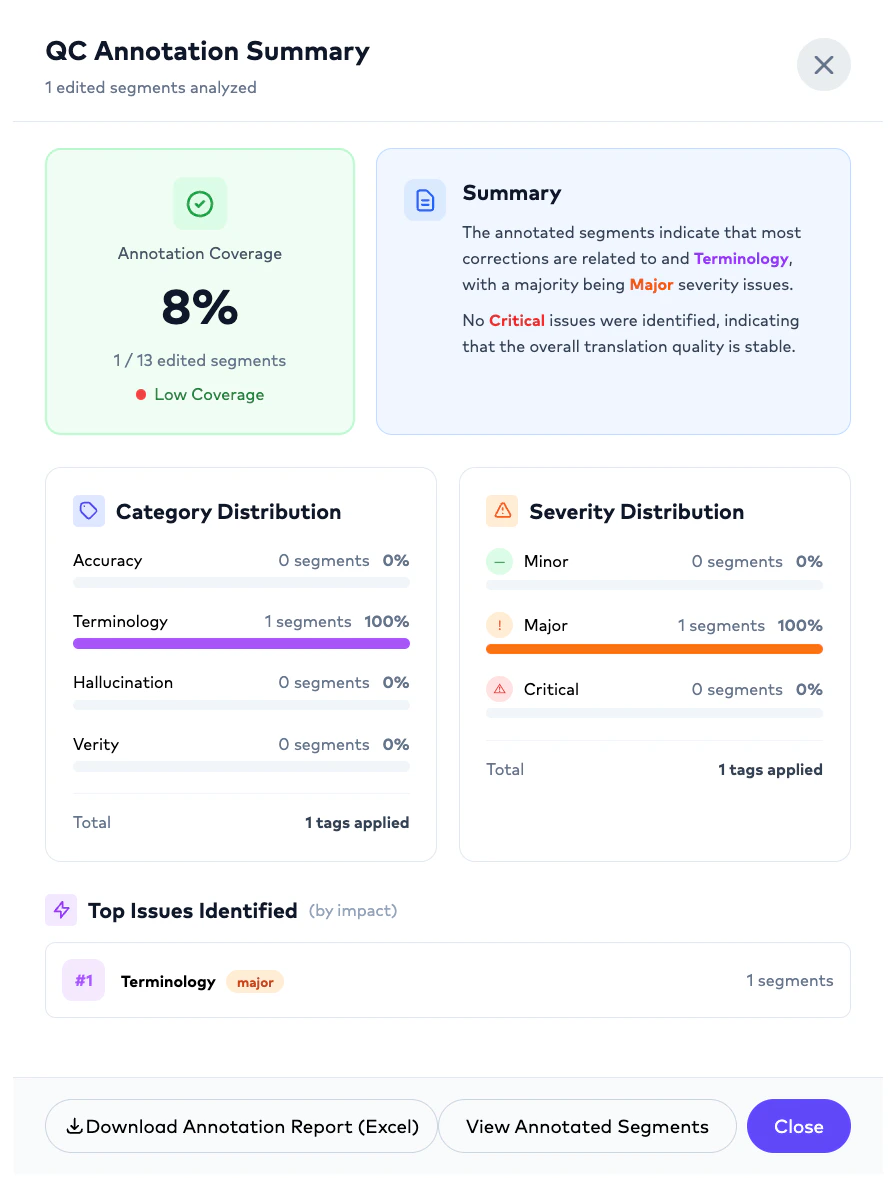
Example Annotation Summary
Exporting Annotation Reports
Human QC Annotation reports can be downloaded as:- Excel (.xlsx)
- enterprise auditing,
- vendor benchmarking,
- linguist performance reviews,
- and multilingual quality reporting.
AI QC vs Human QC Annotation
AI QC Evaluation
Automated evaluation using configurable prompts, models, and quality criteria.
Human QC Annotation
Manual linguist-driven quality tagging performed during subtitle review.
Organizations commonly combine both workflows to benchmark AI quality while also collecting human linguistic feedback.
Important Operational Notes
Can AI-only Orders still be edited?
Can AI-only Orders still be edited?
Yes. AI-only Orders remain editable, rerunnable, and assignable to the inner team members after generation.
Can Project Management Users assign Orders to themselves?
Can Project Management Users assign Orders to themselves?
Yes. Orders may be assigned internally or externally depending on operational workflows.
Can organizations use their own linguists?
Can organizations use their own linguists?
Yes. Organizations may onboard their own editors, linguists, agencies, or dubbing studios.
Can Ollang provide human reviewers?
Can Ollang provide human reviewers?
Yes. Human review support can also be coordinated through Ollang-managed linguists.
Do editors see all Projects?
Do editors see all Projects?
No. Editors only see explicitly assigned Orders.
Can Orders be rerun after edits?
Can Orders be rerun after edits?
Yes. Orders may be rerun after workflow modifications, translation changes, or dubbing refinements.