

Overview
Workflows inside the Ollang Project Management Dashboard determine:- how Orders are processed,
- which providers are used,
- which AI models are selected,
- how language pairs are configured,
- and how localization pipelines operate.
- standardize localization workflows,
- benchmark provider quality,
- and maintain consistency across multilingual operations.
What is a Workflow?
A Workflow is a reusable configuration that determines:- which providers are used,
- which language pair is localized,
- how localization is processed,
- and how Orders are operationalized.
- preconfigure workflows,
- reuse them across Orders,
- and standardize operational quality.
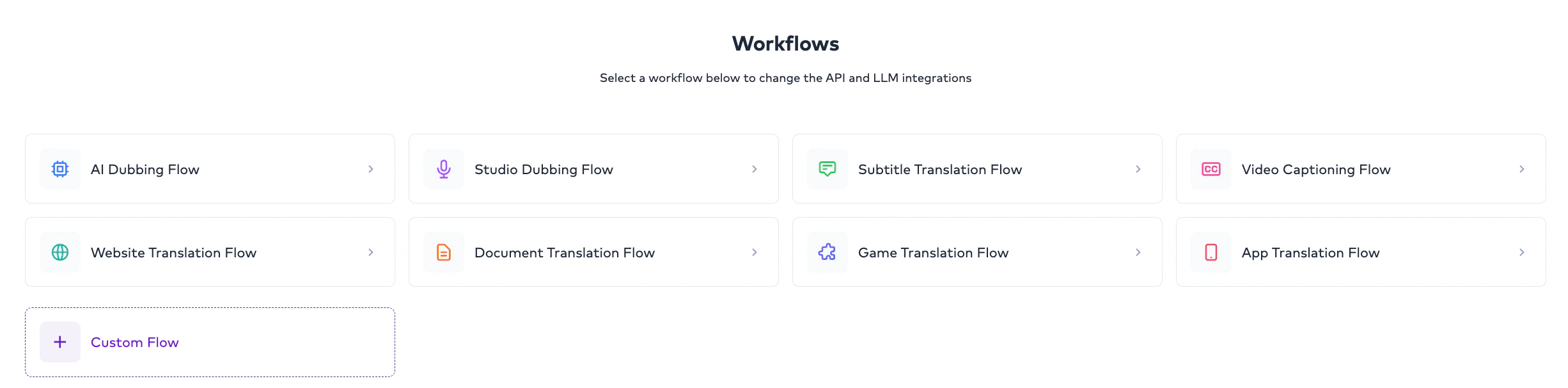
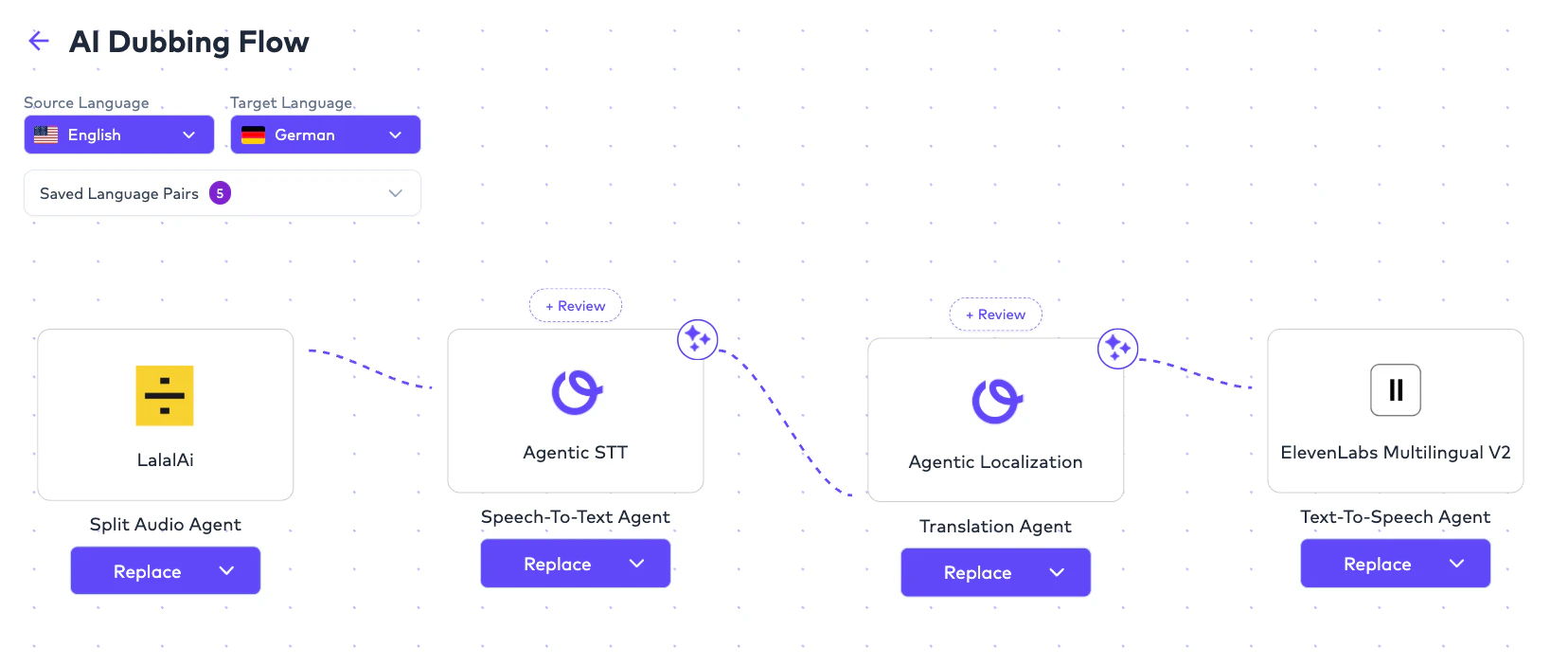
Workflow Scope
Workflows can currently be configured at:Global Workflow
Default workflow configuration applied across the organization.
Folder-Level Workflow
Folder-specific workflow configuration overriding global settings.
Project-level workflows are not currently supported. Workflows can be configured globally or at the Folder level.
Global Workflows
Overview
Global workflows act as:- organization-wide default workflows.
- no Folder-level workflow exists.
- the operational default for all applicable Orders.
Folder-Level Workflows
Overview
Folder-level workflows allow teams to configure localization differently for specific operational use cases. This is useful when:- different teams require different providers,
- different content types require different quality standards,
- or experimentation is needed.
- the language pair is identical,
- operational requirements,
- content type,
- and quality expectations.
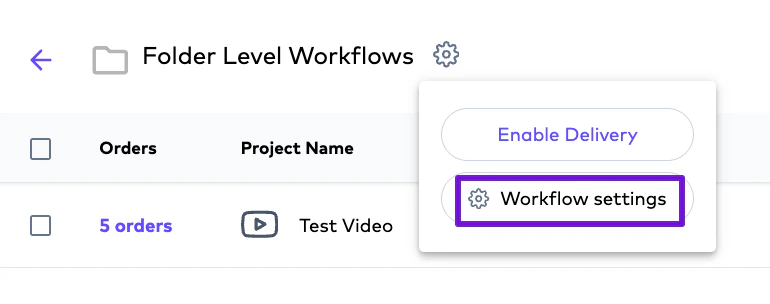
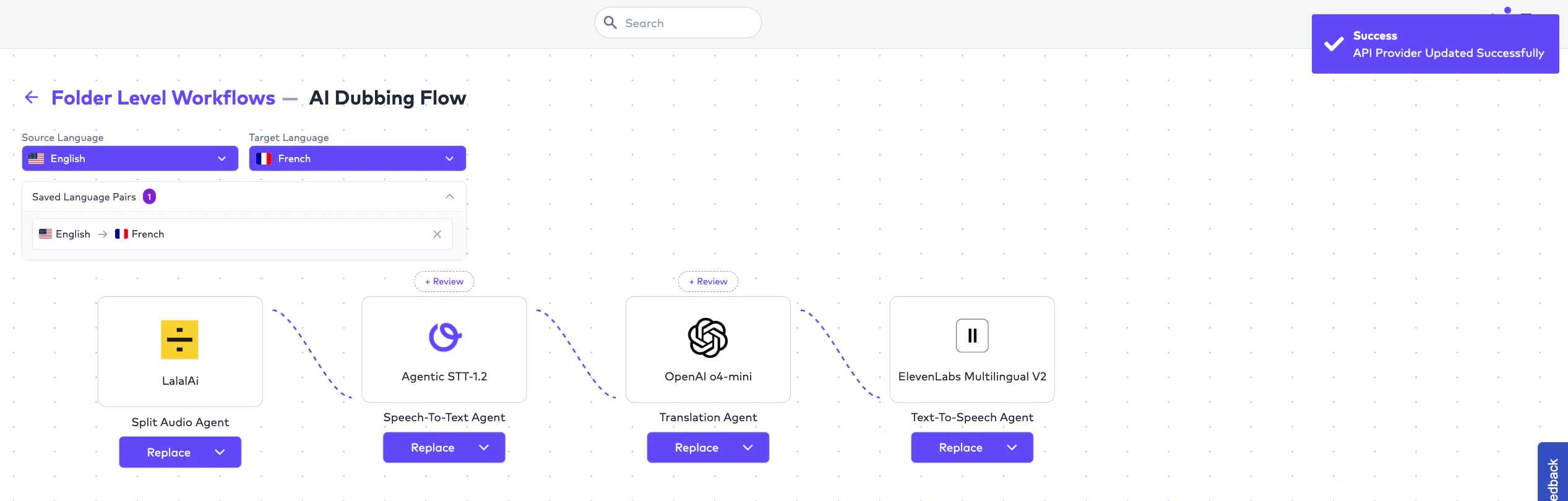
Workflow Override Logic
Folder-level workflows always override:- Global workflows.
Workflow Architecture by Order Type
Different workflows can be configured independently for different localization stages. Supported workflow categories include:Video Captioning (CC)
Speech-to-text and caption generation workflow.
Subtitle Translation
Translation workflow for multilingual subtitle localization.
AI Dubbing
Voice synthesis workflow including Lip Sync and Audio Description.
Document Translation
Localization workflow for structured and document-based content.
Studio Dubbing
Workflow coordination for studio-managed dubbing operations.
Multiple Workflows for the Same Language Pair
Organizations may configure multiple workflows for the same language pair across different Folders. Example:- benchmarking,
- experimentation,
- quality optimization,
- and use-case-specific localization.
Provider Architecture
Overview
Ollang acts as an orchestration layer. Rather than forcing a single provider, the platform enables organizations to:- choose providers,
- benchmark providers,
- compare results,
- and optimize workflows.
- quality,
- speed,
- language coverage,
- and content type.
Speech-to-Text (STT) Providers
Speech-to-text providers run in thetranscribe step and are used for Video Captioning, transcription, subtitle generation, and speaker diarization.
Speech-to-Text provider catalog
Accuracy tiers, language coverage, and hallucination risk for every transcription provider.
Translation Providers
Translation providers run in thetranslate step and cover subtitle translation, document translation, multilingual localization, and dubbing script generation. The catalog spans 27 engines across 10 model families.
Two families have order-type restrictions: DeepL serves Document and Subtitle Orders only, and Llama 4 does not serve AI Dubbing. Everything else covers all three.
Translation provider catalog
Model-by-model capability notes, context windows, and order-type support.
Text-to-Speech (TTS) Providers
TTS providers run in thetextToSpeech step and are used for AI Dubbing, Audio Description, and multilingual speech generation.
Text-to-Speech provider catalog
Model versions, voice catalogs, and cloning support.
Audio Processing
AI Dubbing Orders begin with thesplit step, which separates the dialogue stem from the music-and-effects bed so the original score and sound design survive localization.
LALAL.AI (default) — multi-network stem separation with direct synthesis, selectable noise cancelling, and dereverberation.
Audio Processing provider catalog
How stem separation shapes the final dubbing mix.
Workflow Lifecycle
Important Operational Rule
Already-created Orders:- remain unchanged,
- preserve their operational workflow,
- and continue using the workflow selected at Order creation.
AI Quality Benchmarking
Organizations commonly benchmark providers using:- AI QC Evaluation,
- Human QC Annotation,
- analytics,
- and localization performance tracking.
- experimentation,
- optimization,
- and provider flexibility.
Example Enterprise Workflow
Example Multi-Folder Benchmarking
- localization quality,
- human edit percentage,
- QC outcomes,
- and operational performance.
Important Operational Notes
Can workflows be configured at Project level?
Can workflows be configured at Project level?
No. Workflows can currently be configured at Global level and Folder level only.
Do Folder-level workflows override Global workflows?
Do Folder-level workflows override Global workflows?
Yes. Folder-level workflows always take precedence.
Can organizations configure multiple workflows for the same language pair?
Can organizations configure multiple workflows for the same language pair?
Yes. Different Folders may use different workflows for the same language pair.
Do workflow changes affect existing Orders?
Do workflow changes affect existing Orders?
No. Workflow updates only affect future Orders.
Can providers be selected independently for CC, Subtitle Translation, and AI Dubbing?
Can providers be selected independently for CC, Subtitle Translation, and AI Dubbing?
Yes. Different workflow stages can use different providers.
Does Ollang force one provider?
Does Ollang force one provider?
No. Ollang acts as an orchestration layer and allows organizations to choose providers based on operational goals.